EditorNodesPricingBlog

HunyuanImage 2.1 | 17B text to image model with native 2K output

September 23, 2025
Updated: June 30, 2026
HunyuanImage 2.1 | 17B text to image model with native 2K output

Share this post:

HunyuanImage 2.1 | 17B text to image model with native 2K output

HunyuanImage 2.1 is a 17B text to image system built to deliver native 2048×2048 frames with fewer artifacts than typical 1024×1024 pipelines. Tencent released the model in September 2025 under the Hunyuan Community License. For film and advertising work, the native 2K output means concept art, backgrounds, and style frames can go directly into editorial boards without an upscaling step.

The model ships with three components that work together. The base generation model, a refiner for detail enhancement, and a PromptEnhancer module for improving text rendering in generated images each address a distinct production need. All three can be run independently or as part of a connected pipeline, which gives teams flexibility in how they integrate the system into existing workflows.

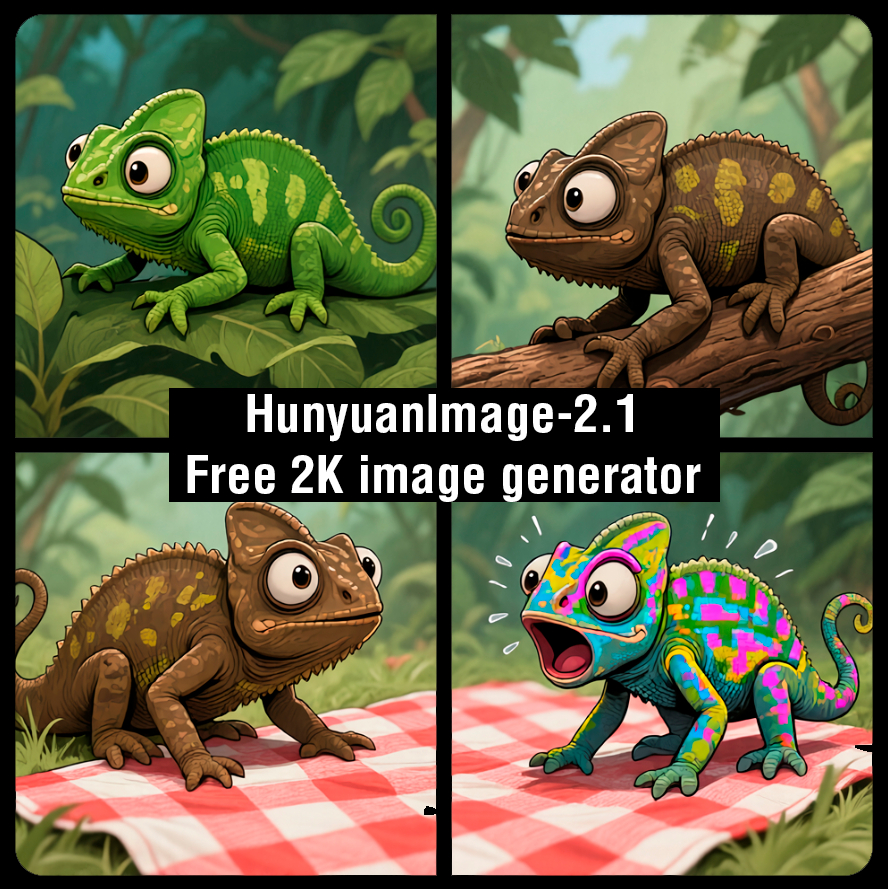
HunyuanImage 2.1 sample output showing native 2K image generation quality
HunyuanImage 2.1 / Tencent Hunyuan

The Base Plus Refiner Architecture

HunyuanImage 2.1 uses a two stage pipeline. A base model at 17 billion parameters lays down the primary structure, composition, and color of the image. A refiner then sharpens detail, cleans edges, and addresses the artifact accumulation that single pass models produce at 2K resolution.

The two stage design is not unique to Hunyuan, but the execution at 2048×2048 is relevant for production use. Most image generation systems at this resolution either require model families with specialized high resolution configurations or rely on post generation upscaling that introduces its own soft edge artifacts. The HunyuanImage 2.1 refiner operates on the full 2K frame rather than upscaling from a smaller base, which preserves the local consistency that upscaling tends to degrade.

At 17B parameters, the model sits at the upper end of openly available image generation models by parameter count. Larger models generally produce more coherent outputs at the compositional level. Object relationships, spatial depth, and the kind of internal consistency that matters for pre production visualization all benefit from the larger parameter budget. The parameter count also provides more capacity for fine detail in complex scenes, which is where smaller models visibly trade off quality.

The refiner stage allows a different workflow than single pass models support. After the base generates a satisfactory composition, the refiner can be applied to sharpen the selected output. This means the compute-intensive high resolution pass runs only on compositions you have already validated, rather than running the full pipeline on every prompt variation.

The PromptEnhancer

The release includes a PromptEnhancer, a module that rewrites or augments your input prompt before it reaches the generation model. The primary effect is on text rendering and fine detail in the generated image.

Text rendering in generated images has been one of the consistent weak points of diffusion models. Signage, labels, UI elements, and typographic details in a scene tend to produce distorted characters, inconsistent fonts, and misspellings. The PromptEnhancer adds technical conditioning that guides the model toward cleaner text output without requiring the user to write highly specific prompt instructions for every text element in the frame.

For production use, the implication is that frames with UI overlays, branded product labels, directional signage, or textual environmental detail need fewer cleanup passes. A concept art background with legible store signage or a scene with readable labels on props arrives closer to a usable state from the first generation. That reduction in post generation cleanup is where the PromptEnhancer delivers measurable workflow benefit.

The PromptEnhancer is a separate module rather than a core model component, which means it can be engaged or bypassed depending on the content type. For frames without text or typographic elements, bypassing the enhancer avoids the slight stylistic shift that prompt rewriting can introduce.

The practical prompting strategy with the PromptEnhancer active is to specify the content type and register of any text elements you want in the frame. "Vintage neon sign, English letters, 1950s motel aesthetic" gives the enhancer more to work with than "sign in the background." The enhancer amplifies your intent rather than replacing it, which means the clarity of your original prompt still determines the quality of the conditioning.

FP8 Support and Hardware Requirements

In September 2025 the team released FP8 compatible builds of HunyuanImage 2.1 that make 2K inference feasible on a single 24 GB GPU. FP8 precision halves the memory footprint compared to FP16 for the model weights, at a quality cost that is generally considered acceptable for all but the most precision sensitive production applications.

The 24 GB figure places 2K inference within reach of professional GPU configurations that are common in production and post environments. Before the FP8 release, 2K native generation required multi GPU configurations or cloud render environments. The single GPU option matters for studios that want to test locally and validate output before moving to a render server for batch generation.

CPU offload is available for environments with less VRAM. The throughput is significantly lower under CPU offload, which makes it unsuitable for batch production runs but usable for prompt development and composition testing. Identifying the composition, lighting, and color direction on a CPU offload setup before committing to full GPU runs is a practical way to manage the generation cost during the development phase.

Modern CUDA builds are required. The model will not run on older CUDA architectures below the threshold that FP8 operations require. Check the repository README for the specific CUDA and GPU architecture requirements before configuring a production environment around this model.

For studios evaluating whether to run HunyuanImage 2.1 locally or through a cloud service, the FP8 single GPU option changes the break-even calculation. A 24 GB GPU that is already in the studio's infrastructure for other AI tasks requires no additional capital for local 2K generation. If the studio does not have a 24 GB GPU in its current configuration, the comparison is between the cost of acquiring one against the per generation cost of cloud rendering. At modest batch volumes, local hardware is typically the more cost-effective option after the first year of use.

Film and Production Applications

For pre production visualization, the 2K output is particularly useful for establishing shots, wide environment concepts, and architectural reference frames. These are the categories where editorial boards and client presentations benefit from the resolution to crop, zoom, and annotate without the softening that 1K art shows at board sizes.

A 2048×2048 frame has four times the pixel area of a 1024×1024 frame. When a director or production designer needs to zoom into a specific region of a concept art image to review environmental detail, the native 2K version retains sharpness where the 1K version requires interpolation. For wide establishing shots with foreground, midground, and background elements all present, that retained detail across the full frame is a meaningful quality difference.

Set dressing and props reference benefits from the PromptEnhancer's text rendering improvements. A props reference image that includes legible labels, period appropriate signage, or specific branding elements arrives from generation in a state that art departments can use as a direct reference without correcting text by hand.

For key art and poster concepts, native 2K means that title treatment, billing block placement, and credit formatting can be tested in the generated image rather than added in a design tool after the fact. The PromptEnhancer's text conditioning makes this possible for early concept stages, though final typography will still require hand execution for production quality.

Style frame and lookbook generation benefits from the model's compositional consistency at high resolution. A set of style frames generated with consistent prompting across a shot list produces a visual style bible that demonstrates material qualities, lighting conditions, color temperature, and atmosphere across a range of scene types within a production.

The visual style bible application is where seed management becomes important. If two style frames that represent the same film but different scenes need to share the same material quality and color temperature, generating them with consistent base prompts and the same or similar seeds helps maintain coherence across the set. Document which seeds produced which frames so the consistency can be reproduced when the set needs to be expanded.

The HunyuanImage 3 release extended the model family with further resolution and quality improvements. For productions that need to choose between versions, the 2.1 release with its FP8 24 GB GPU support is the more accessible entry point for local testing, while HunyuanImage 3 offers improved output at higher hardware cost.

The 2.1 and 3 releases can coexist in the same pipeline for different purposes. A team that uses 2.1 for rapid iteration during concept development and HunyuanImage 3 for final pre production approval frames is not making an either-or choice but a stage-appropriate one. Matching model capability to the production stage's requirements is more efficient than standardizing on one model for all stages regardless of output requirements.

For productions that need to evaluate HunyuanImage 2.1 quickly before committing to a local setup, the GitHub repository includes example scripts and sample outputs that demonstrate the model's range across multiple content categories. Running the provided examples before writing custom prompts establishes a baseline for what the model produces under known conditions, which makes it easier to identify when unexpected prompt results represent a prompt issue rather than a model capability limit.

Comparing HunyuanImage 2.1 to Other 2K Models

At the time of its September 2025 release, HunyuanImage 2.1 was one of a small number of open weight models capable of native 2K output. The competitive landscape for high resolution image generation has included both proprietary and open systems, and the Hunyuan release added a freely accessible option with documented commercial licensing.

The comparison relevant for film production is against the typical workflow of generating at 1K and upscaling with a separate model. Upscaling adds a processing step, introduces potential for artifact propagation from the 1K base, and requires managing a second model and its hardware requirements. Native 2K generation with a single pipeline removes that step, though it requires more VRAM at the generation stage.

For studios that already run upscaling in their pipeline for other purposes, adding HunyuanImage 2.1 as a 1K generator and passing the output through the existing upscaler is a valid option. The main argument for native 2K is the edge consistency and fine detail that the base-plus-refiner pipeline produces, which does not always survive the upscaling pass from a different model.

The base-plus-refiner design also enables a specific production workflow that is not available with single pass models. Running the base at lower resolution to establish composition and color direction, then engaging the refiner at 2K on the selected output, separates the creative iteration phase from the compute intensive resolution phase. The iteration happens quickly at lower resolution cost. The final render at full 2K runs once on a validated composition rather than running the full 2K pipeline multiple times on compositions that may be rejected.

License and Commercial Use

HunyuanImage 2.1 is released under the Tencent Hunyuan Community License. This license is more permissive than a strict research only license but includes conditions that differ from Apache 2.0 or MIT licenses. The terms permit broad testing and many commercial applications but include provisions about territory, scale, and competing product categories that require careful review before deployment.

The license terms have been updated across Hunyuan model releases. The terms current at the time of the 2.1 release may differ from those applied to later releases in the family. Verify the license on the specific model card for the version you are deploying, not on the general project documentation.

For productions that involve distribution across multiple territories, the territory provisions in the Hunyuan Community License are the specific language to review. Route questions about multi territory commercial use to legal review rather than relying on general descriptions of the license.

The license does not restrict testing and development use. A studio can build a full evaluation workflow, generate a substantial sample set, and complete an internal comparison against other models before engaging legal review for the commercial deployment decision. The review is required before commercial use, not before evaluation.

Record the specific model version, the license version associated with that model release, and the date of your legal review in the same production documentation as your generation records. License terms can be updated retroactively for future model versions but cannot be applied retroactively to existing downloads; the terms at the time of download govern use of that specific model file.

The AI FILMS Studio image workspace provides access to a range of text to image models for production use, with licensing handled at the platform level rather than requiring per-model license review for individual productions.

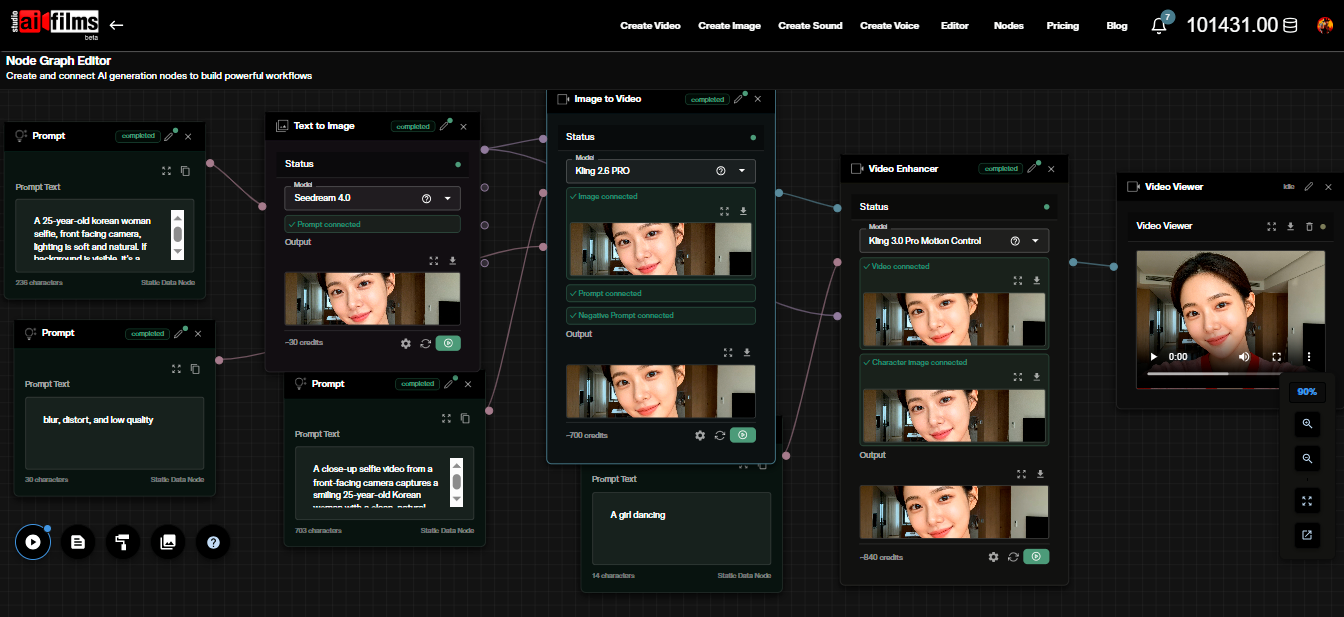
For teams building batch image generation pipelines, the Nodes Graph Editor in AI FILMS Studio supports connecting image generation models into automated workflows that handle prompt variation, output collection, and format export without requiring per generation manual steps. A pipeline that generates style frame variants across a shot list in a single batch run is more efficient than iterating through each frame individually.

Prompt Strategy for Production Workflows

The most effective prompting strategy for HunyuanImage 2.1 in a production context starts with establishing the technical parameters before the creative content. Aspect ratio, lighting direction, color temperature, lens character, and period are all parameters that benefit from explicit specification rather than inference. A prompt that says "anamorphic lens, golden hour, warm color grade, 1970s American industrial exterior" before describing the scene subject gives the model cleaner constraints to work from.

Subject description should follow the technical framing. After establishing the scene conditions, describe the subject specifically: material properties, scale relative to the environment, surface condition, and how it occupies the frame. The model's 17B parameter base responds to compositional specificity at this level of detail in ways that smaller models typically do not.

For typography-heavy frames, engage the PromptEnhancer and include the intended typeface register, language, and size relationship to the frame in the prompt. A prompt that says "large vintage hand lettered sign, English, weathered paint on brick" will produce better text output than one that says "sign on wall" even with the PromptEnhancer active. The enhancer amplifies prompt intent rather than replacing it.

Seed management is the most frequently overlooked production practice for batch image generation. If you are generating a set of images that need visual consistency across a project, generate the first satisfactory frame with a logged seed, then vary only the subject or scene parameters while holding the seed constant across the batch. This produces a set with consistent material language and color temperature from a shared visual starting point.

When a frame is approved for use in production documentation, log the full prompt, the seed, the model version, and the refiner settings that produced it. Future generations referencing the same scene type can use this record as a starting point rather than rebuilding the prompt from scratch. Over a full production, these records become a prompt library that reduces iteration time on subsequent projects.

A shared prompt library across a production team ensures that different artists generating images for the same project produce output with consistent visual language. Without shared prompts and seeds, different artists will produce frames with different color temperatures, lens characters, and material qualities even when trying to match the same reference. Consistent prompting is the production management equivalent of a lens list or a color bible.


Sources

Official page: hunyuan.tencent.com/image GitHub: Tencent-Hunyuan/HunyuanImage-2.1 HuggingFace: tencent/HunyuanImage-2.1 License: Tencent Hunyuan Community License (see model card) Related: HunyuanImage 3