OpenAI Sora 2 | synchronized audio, cameo feature, dedicated platform

Share this post:
OpenAI Sora 2 | synchronized audio, cameo feature, dedicated platform
OpenAI updated its text-to-video model Sora in September 2025 with three additions: integrated synchronized audio, a face insertion feature called Cameo, and a standalone platform for Sora generated content. The audio integration is the most significant change for production workflows.
The audio feature generates sound that matches the visual content of the clip rather than adding audio independently. A generated scene of a crowd in a city street produces crowd noise and ambient urban sound, not a generic audio bed that happens to play over the footage. The model infers from the visual what the audio environment should be.
Access to Sora 2 is available through OpenAI's subscription plans with higher tiers providing more generation capacity and commercial rights. The model is web-based; there is no local download option, which means generation happens on OpenAI's infrastructure rather than on production-owned hardware. For productions with strict data confidentiality requirements, the web-based model means prompt content and any reference images travel to and from OpenAI's servers during generation.
What Changed from Sora 1
The original Sora, released for broader access in late 2024, generated video without audio. Sound design and dialogue had to be added in post using separate tools, which meant AI video was always a picture only deliverable that required a separate production step before it could be heard.
Sora 2 integrates audio generation into the same pass. When you prompt for a video, the model can now generate synchronized dialogue and sound effects as part of the output rather than as a separate step. The synchronization is what matters: the audio is generated to match the visual content, including lip movements on speaking characters, rather than being added over the top.
The gap between what Sora 1 delivered and what a complete AI video production workflow needed was significant. Audio was consistently the feature that AI filmmakers had to route through other tools, which added complexity and often introduced synchronization issues. Sora 2's integrated audio narrows that gap.
The upgrade also addressed resolution and consistency limitations that Sora 1 demonstrated at longer durations. Videos beyond a few seconds showed visual drift and object consistency failures that community testers documented extensively. The September 2025 release included improvements to both duration handling and object persistence, though the extent of improvement relative to competitor models available at the same time was debated in community evaluations.
The Cameo Feature
The Cameo feature allows a user to insert a face into an AI generated video. The face can be your own, with a selfie or photo as the input, or it can be someone else's face provided you have their consent.
The consent requirement is built into how OpenAI has framed the feature from its introduction. The company has stated that Cameo is being launched with user consent as a design principle, not as an optional consideration. What enforcement looks like in practice beyond stated terms has not been specified in detail.
The Cameo feature points toward a capability that has significant implications for advertising, personalized video content, and social media applications. A user who can put their own face into any generated scenario can produce personalized promotional or narrative content that previously required a film crew and actor. For individual creators, that capability broadens access to a kind of production that was previously cost prohibitive.
For AI filmmaking, the Cameo feature is relevant to personalized content: training videos, branded content where a known face needs to appear in generated scenarios, or proof of concept demos where a specific person's appearance needs to be in the frame. The face insertion capability is the same technical building block that underpins digital actor work more broadly, applied here as a accessible to consumers feature.
The ethical surface area of any face insertion technology is significant. Content generated with Cameo that depicts a real person in scenarios they have not consented to is misuse under OpenAI's terms and potentially actionable under portrait rights law in many jurisdictions. Consent documentation before any production use is essential.
Synchronized Audio in Production Context
Before Sora 2, the standard workflow for adding audio to AI video involved generating the video, then sourcing or generating audio separately, then aligning them in an editing application. For short clips with simple sound design, this was manageable. For longer pieces with dialogue, the alignment problem was more significant.
Dialogue synchronization requires the model to match audio timing to visible mouth movements at a frame accurate level. Sora 2's integrated audio generation is the model producing both outputs in the same forward pass, which means the synchronization is part of the generation rather than a post step. The resulting alignment is better than what manual alignment or separate synchronization tools typically produce because the audio and video are generated as a single coherent output.
For sound design work, the integrated approach means ambient sound, environmental effects, and foley elements that match the visual content are generated without a separate briefing to an audio tool. The model infers from the visual content what sounds should accompany the footage.
The practical production question is quality. Synchronized audio in a demonstration context and synchronized audio that meets a delivery standard for a commercial client are different thresholds. Community evaluation of the audio quality at both the dialogue and sound design level will establish where the tool sits on that scale.
The Sora Platform for AI Video
Alongside Sora 2's model updates, OpenAI announced a dedicated platform for Sora generated content. The platform is positioned as a community and distribution space for AI video work produced with the Sora model, where all content on the platform is AI generated.
A dedicated platform for AI video serves a different function than a general social media platform that allows AI content alongside produced by humans content. The curatorial context signals to both creators and viewers that the work is AI generated, which reduces the ambiguity that attaches to AI content on general platforms where disclosure practices are inconsistent.
For AI filmmakers, a dedicated platform with a built in audience for AI video work provides a distribution channel that general social media does not fully replicate. The audience on a Sora platform is already oriented toward AI video, which means the work does not need to compete for context with non-AI content or justify its production method in every comment section.
Whether the platform sustains an active creator community depends on the quality of the model output, the terms for content distribution, and the network effects that develop around the creator base. These are the same factors that determine whether any content platform establishes a durable audience.
The existence of a dedicated AI video platform also normalizes AI video as a content category rather than as an exception that needs explanation on a general platform. Viewers who arrive at the Sora platform know what they are watching. That shared context makes it easier to evaluate AI video on aesthetic and narrative grounds rather than on the question of whether it is AI at all, which is the conversation that AI filmmakers often have to navigate on platforms where the context is mixed.
What Sora 2 Means for the Production Workflow
The addition of synchronized audio to Sora 2 changes how the model fits into a production pipeline. Sora 1 was a picture generator that fed into a separate audio post step. Sora 2 is a combined audio and video generator that can produce a more complete deliverable in a single pass.
For short form content, promotional materials, and social video, the ability to generate a fully produced clip from a single prompt is a meaningful reduction in production complexity. The number of tools and steps involved in producing a complete piece goes down when the model handles both picture and sound.
For longer form content with specific dialogue requirements, the model's audio generation still needs to be evaluated against the precision that a voice actor in a recording session would provide. The model generates plausible synchronized dialogue, but content that requires specific line readings, performance nuance, or exact script adherence needs human voice work.
The integrated approach also raises a production rights question that the picture only version did not present in the same form. When AI generates both the image and the voice of an AI character, the rights chain for that content covers both the visual representation and the audio performance. If the character resembles a real person or the voice resembles a known performer, the relevant consent and clearance questions apply to both channels simultaneously.
How It Relates to Other OpenAI Video Tools
Sora 2 sits within OpenAI's broader generation toolkit alongside image generation from DALL-E and text generation from the GPT model family. The integrated audio adds a new output modality to the video generation capability.
The convergence of video, audio, and face insertion in a single model reflects a broader pattern in AI development toward unified systems that handle multiple modalities in one pass rather than requiring separate models for each output type. Sora 2 is not the only system moving in this direction; similar integrated audio approaches have appeared in other video generation models across the industry.
The competition in the AI video space accelerated substantially in 2025. Models from Google, Stability AI, and several Chinese AI labs improved rapidly across the same period that Sora 2 was released. Evaluating Sora 2 against the current model landscape, rather than against Sora 1 alone, is the right frame for production decisions about which tool to use for a specific project.
OpenAI's market position in video generation has also shifted relative to text and image generation, where it holds a stronger lead. In video, several competitors produced models that community testers rated comparably to or above Sora on specific quality metrics. That competitive environment benefits production teams because it keeps multiple high quality options available and prevents any single tool from dominating the market in a way that would limit choice.
The API access question is relevant for production teams that want to integrate Sora 2 into an automated pipeline. At release, API availability and the terms for commercial API use were still developing. Production teams building automated workflows should check the current API documentation before committing to Sora 2 as a pipeline component, since terms and capabilities have continued to evolve since the September 2025 release.
For productions that need to compare Sora 2 against other available video generation tools before committing, the AI FILMS Studio video workspace provides access to a range of text-to-video and image-to-video models under a single interface, which simplifies prompt testing and output comparison across the current generation model landscape.
Evaluating Sora 2 alongside other models with the same test prompts is the most accurate way to determine which tool fits a specific production's visual requirements. A side by side comparison with consistent prompts reveals differences in style, motion quality, and edge case handling that abstract benchmarks do not capture. Run your actual production prompts through several models before deciding which to use for delivery.
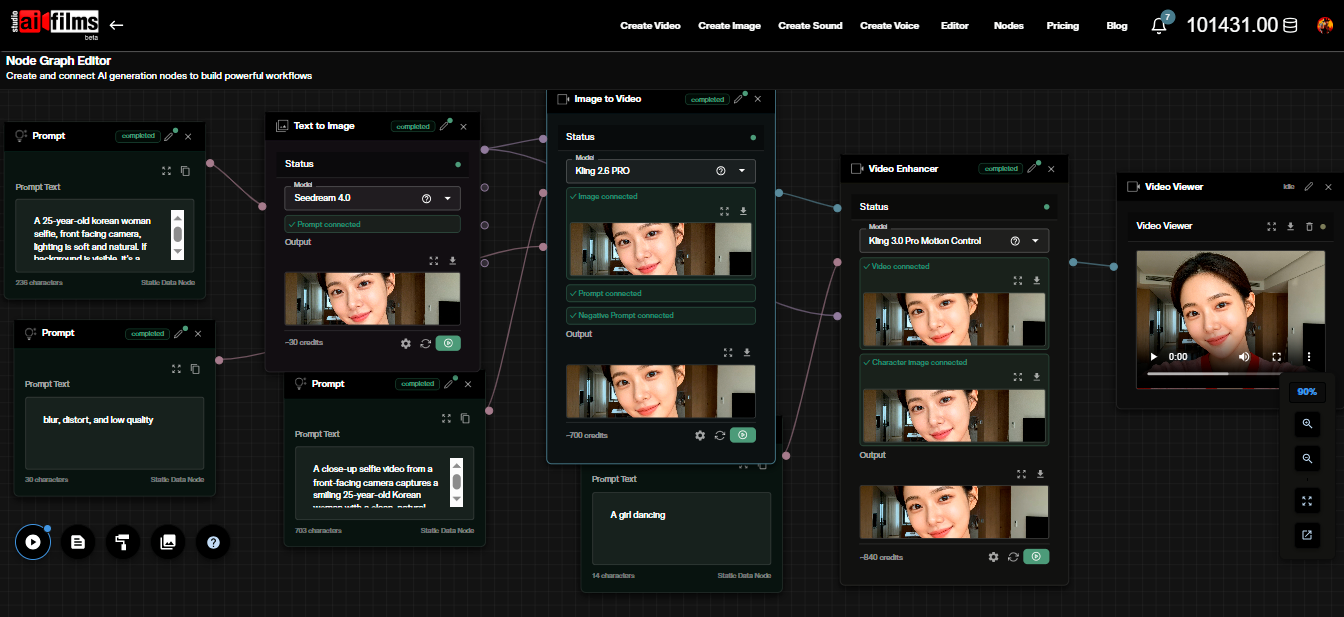
The Nodes Graph Editor in AI FILMS Studio supports building automated generation and comparison pipelines that let you run the same prompt through multiple model endpoints and review the outputs side by side. That workflow is more efficient than switching between interfaces for each model you want to compare.
The Community Response
The AI filmmaking community's response to Sora 2 focused primarily on the audio integration. The request for synchronized audio in AI video had been a consistent feature request across the community for the full duration of Sora 1's availability. The delivery of that feature in Sora 2 was broadly welcomed.
Community output on the Sora platform in the months after launch provided a diverse public corpus of Sora 2 generated video for evaluating the model's range, limitations, and visual style. Reviewing that output before starting a production is useful calibration for understanding both what the model does well and the visual signatures that experienced viewers will recognize as Sora-specific.
Community evaluation of the audio quality varied. The synchronization between generated video and generated audio was generally assessed as a meaningful improvement over post hoc approaches, particularly for short clips where the visual content directly informed the audio generation. Quality at longer durations and for complex dialogue scenes drew more varied assessment.
The Cameo feature generated more cautious reception, with many practitioners noting that while the face insertion capability itself was functional, the safeguards against misuse would need to be demonstrated over time rather than taken on faith at the point of announcement.
Rights, Attribution, and the Sora Content Policy
OpenAI requires attribution when Sora generated content is published. The specific attribution requirements and the enforcement mechanism for those requirements are in OpenAI's terms of service, which apply to any content generated with Sora 2 regardless of where that content is distributed.
The attribution requirement is not just an OpenAI policy preference. Disclosure of AI generation in content is increasingly required by platform terms of service, advertising standards bodies, and in some jurisdictions by emerging regulatory frameworks. Building attribution into production workflows from the start is less costly than retrofitting it after distribution.
Commercial use of Sora generated content is covered under the subscription tiers that OpenAI has established for access to the model. The rights to content you generate with Sora are granted to you under those terms, with OpenAI retaining certain rights documented in the service agreement. Read the current terms before using Sora generated content in any commercial production.
The subscription tier that covers commercial use may differ from the tier that covers personal use. Confirm before generating content for a client that your subscription tier covers the commercial application you intend. This is a step that is easy to overlook when moving quickly from a personal project to a paid one.
The Sora content policy prohibits generating content that depicts real people without their consent, sexual content, content depicting minors, and other categories specified in the policy. These restrictions apply regardless of the Cameo feature's presence. Cameo does not create permission to generate content that otherwise violates the policy.
Documentation of consent for any real person whose likeness appears in Sora generated content should be obtained before generation, not after. Generating content and then seeking consent retroactively leaves a period during which the content exists without authorization, which creates both legal and practical risk if the content is shared or reviewed before consent is obtained.
Productions that need to use specific faces in AI generated video should establish a consent and documentation process before starting any generation work. A simple consent form that specifies the platform, the intended use, the distribution scope, and the retention period for the generated content is the minimum documentation that protects both the creator and the person whose likeness is used.
Sources
OpenAI | CNET | The Verge | TechCrunch | The Hollywood Reporter | Wired | Ars Technica
Continue Reading
Video & LipSync
- Video Generator
- Text to Video
- Image to Video
- Start-End Frame to Video
- Draw to Video
- Motion Control
- Video Enhancer
- Video Upscaler
- Video to Video LipSync
- Audio to Video LipSync
- Image to Video LipSync
- Video FaceSwap
- Seedance 2
- Vidu Q3 Pro
- Google Veo 3.1
- Kling 3.0 Pro
- LTX 2.3
- Happy Horse 1.0
- Kling 3.0 Motion
- ByteDance Upscaler
- InfiniteTalk
- InsightFace