EditorNodesPricingBlog

Wan2.2-Animate | Character animation and replacement
September 23, 2025
Updated: July 1, 2026
Wan2.2-Animate | Character animation and replacement

Share this post:

Wan2.2-Animate | Character animation and replacement

Wan2.2-Animate is the character animation and replacement model from the Wan2.2 release. Built on the same architecture as the Wan2.2 video generation family, it reproduces whole body motion and facial expression from a source video and applies them to a target character image. The model and inference code are published under Apache 2.0.

What It Does

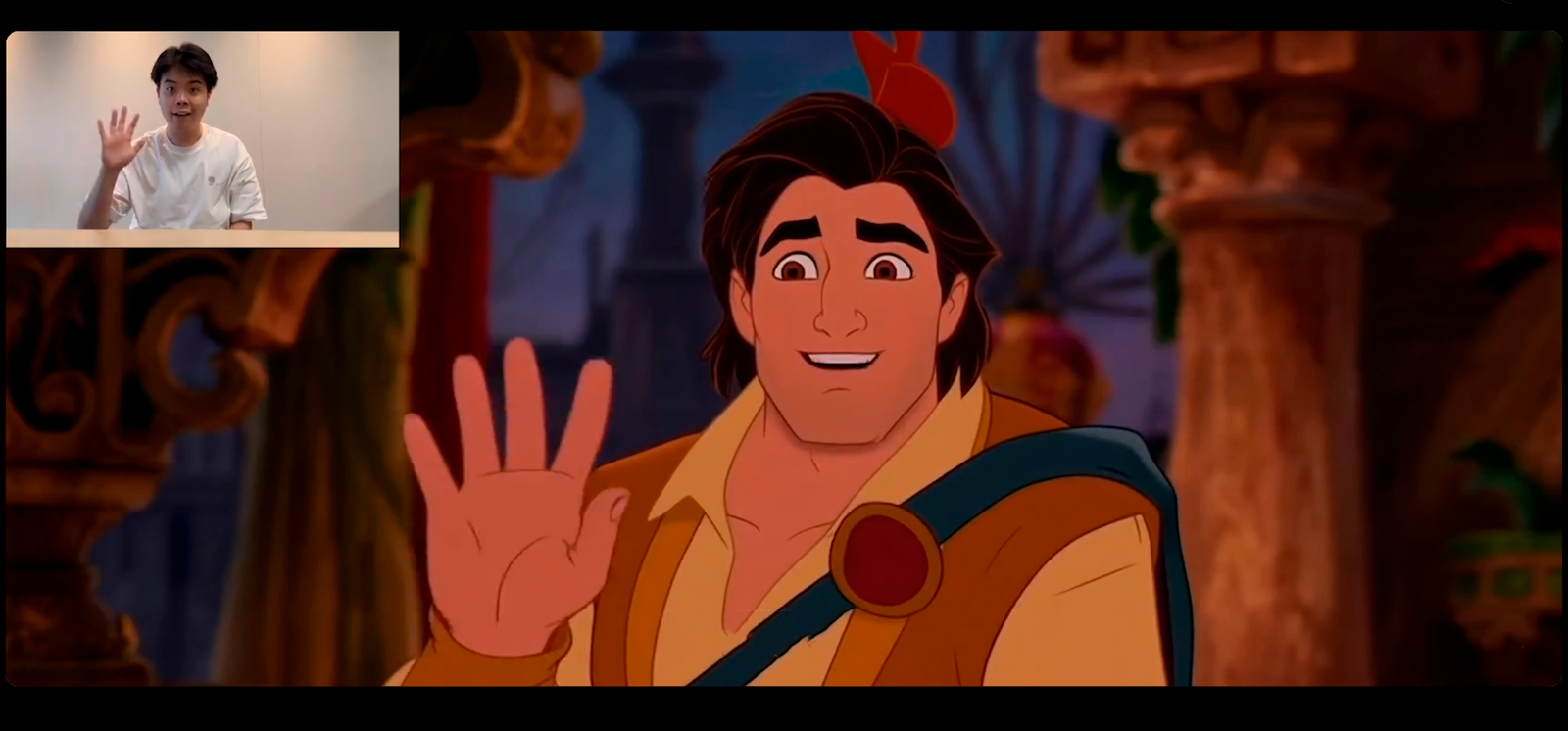
You provide a source video and a target character image. The model outputs either an animated version of the target character driven by the source actor, or a replacement that maps the source actor's motion onto the target character image while preserving the target's visual identity.

The two modes, animation and replacement, cover different production use cases. Animation takes a still character design and makes it move with human motion fidelity. Replacement takes an existing performance and transfers it to a different character without reshooting.

Both outputs support 480p and 720p workflows. The model targets what the Wan team describes as cinematic aesthetics and improved motion generalization compared to earlier versions. Preprocessing of source footage is required for best results, particularly for face landmark alignment.

Model Architecture and Scale

Wan2.2-Animate runs at 14 billion parameters, designated Animate-14B. The scale places it in the same category as large video generation models rather than lightweight character tools.

Single GPU inference is possible for lower resolution jobs, but the Wan team recommends multi GPU setups for 720p workflows and production throughput. Server grade hardware is the practical requirement for anything beyond personal experimentation.

The model was trained on a dataset that includes diverse human motion, facial expression, and character design material. That breadth is what allows it to generalize across different source actor builds, motion styles, and target character aesthetics without requiring per character fine tuning.

The Two Output Modes

Animation mode drives a still character image with live action motion. The source video provides the movement: body kinematics, facial expression, and timing. The target character image provides the identity: design, color, proportions, and style. The model combines them, producing video of the target character performing the source motion.

Replacement mode remaps an existing source actor's performance onto a target character. The source is already in video form with a specific performer. The output replaces that performer with the target character while preserving the motion timing, expression arc, and physical dynamics of the original performance.

Replacement is more production relevant for finished footage. Animation is more useful in development, where a character design can be brought to life from a reference performance without committing to a live actor for the full production.

Production Use Cases

Wan2.2-Animate reaches the two areas where character driven AI generation has been most practically useful for working productions: previsualization and character exploration.

In previsualization, animation mode lets a director test a character's motion in a specific scene using any available performance as a motion driver, including the director's own movement. The previsualization does not require a cast member to be available, and the target character can be changed without reshooting the performance.

In character exploration, replacement mode lets a production test how the same performance reads through different character designs before committing. A scene can be run through multiple target characters in post to evaluate which design serves the story best.

For post production use, replacement mode is applicable in situations where reshooting is not possible. A character redesign, a style change, or a visual consistency fix across a sequence can be addressed without returning to production.

Workflow Integration

The Wan team recommends following the repository quick start for local setup and demo reproduction. Preprocessing steps clean and align source footage before the model processes it. Following the preprocessing guidelines produces significantly better results than running raw footage directly.

For production use, multi GPU or server grade hardware is the practical requirement for throughput. The model card includes guidance on tuning frame rates, face landmarks, and blending settings for different character types and motion styles.

Kiwi-Edit uses the same Wan2.2-TI2V-5B foundation to apply style transfers, object removal, background replacement, and reference guided edits with an MIT license, making it a compatible post processing option for footage produced with Wan2.2-Animate.

For scene motion control and camera choreography on Wan2.2 based content, see Wan-Move's point level trajectory guidance. For VFX compositing workflows that need transparent foreground elements, Wan Alpha outputs native RGBA video. For synchronized audio and video generation on the same architecture, NAVA generates native stereo audio and 720p video from a single text prompt at 6.3B parameters.
Licensing and Commercial Use

The Animate-14B weights and inference code are published under Apache 2.0. That license permits commercial use, modification, and redistribution with attribution. Review the model card before using outputs commercially, as the license covers the model itself rather than the copyright status of any identifiable likenesses that appear in generated outputs.

Apache 2.0 on the model does not resolve questions about the rights to the target character images or the source performance footage used as inputs. Those inputs carry their own rights that are independent of the model license. For production use involving identifiable characters or performances, a rights review of the inputs is a separate step from verifying the model license.

Using Wan2.2-Animate With AI FILMS Studio

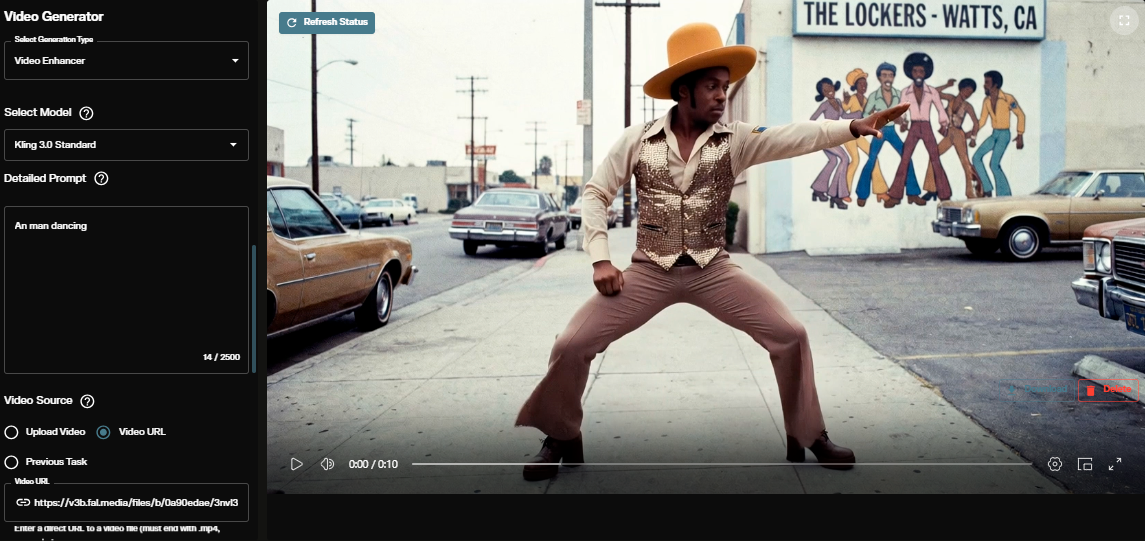
AI FILMS Studio's video workspace provides access to video generation tools including motion and character models, with multiple models available in a single interface for testing and comparison without switching between separate tools.

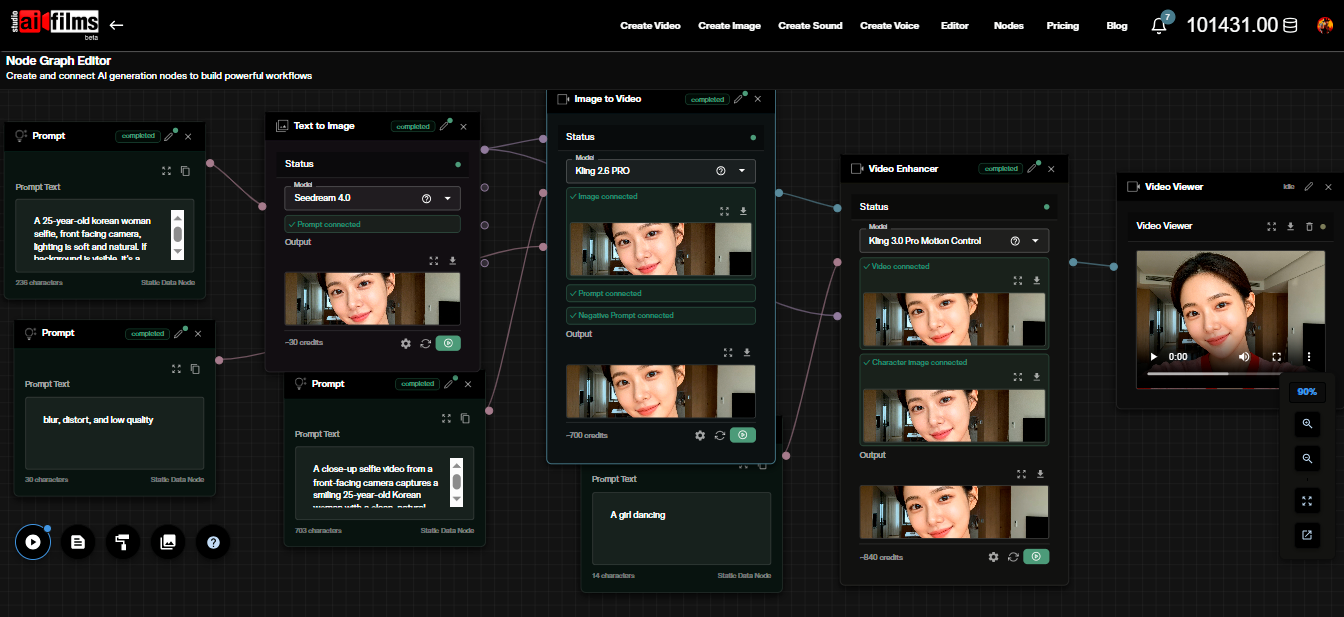
For productions that need custom workflows combining character animation with other generation steps, the Nodes Graph Editor connects model steps visually, allowing character generation, motion application, and post processing to be chained in a single configurable pipeline.

Quality Benchmarks and Targets

The Wan team describes Wan2.2-Animate as targeting cinematic aesthetics and improved motion generalization over earlier Wan character animation work. The benchmark claims in the model card center on facial expression fidelity, full body motion consistency, and identity preservation across the output duration.

Motion generalization refers to how well the model performs with source motion that differs from the training distribution. A model with strong motion generalization handles unconventional movement styles, partial occlusion in the source footage, and motion sequences that were not common in training data. Wan2.2-Animate's improvement in this area is what makes it applicable to real production footage, which rarely matches training data distribution cleanly.

Identity preservation across output duration is the quality dimension most relevant for episodic or multi-shot production use. A model that maintains consistent character appearance across a single short clip is useful for standalone content. A model that holds identity across longer sequences and multiple generations is what a production pipeline requires. Testing on your specific target character and motion combination before committing to a production pipeline is the appropriate verification step.

Preprocessing Requirements

Wan2.2-Animate requires preprocessing of source footage before the model processes it. The preprocessing steps align source landmarks, normalize motion representation, and prepare the drive signal the model uses to animate the target character.

Skipping or inadequately performing the preprocessing steps produces noticeably degraded results. The model cannot compensate for landmark alignment failures or motion normalization errors at inference time. The preprocessing pipeline is not optional; it is part of the production workflow.

The repository includes preprocessing scripts and documentation. Following the quick start guide in sequence, including the preprocessing steps, produces results closer to the demo outputs than running raw footage through the model directly. Productions that have experienced inconsistent results from Wan character animation models often trace the issue to preprocessing, not to model capability.

Hardware Requirements for Production Use

The 14B parameter scale of Animate-14B means the practical minimum for usable inference speed is a professional GPU setup. Consumer grade single GPU hardware can run the model for personal experimentation but will not produce the throughput a production pipeline requires.

Multi GPU configurations reduce generation time proportionally and are the practical requirement for any production that needs to process more than a small number of clips. Server grade deployments with NVLink or similar interconnects produce the best throughput for batch processing workflows.

Memory requirements scale with output resolution. A 720p output requires significantly more VRAM per frame than 480p. Productions planning to use the model at 720p should budget hardware requirements based on the highest resolution output in their pipeline, not the average.

Comparing to Conventional Character Production

The comparison point for Wan2.2-Animate in production contexts is the cost and timeline for conventional character animation or reshooting with a different performer. Character animation at production quality for a full sequence requires skilled animators and a pipeline with review and revision cycles built in. Reshooting requires actor availability, location or stage access, crew, and camera time.

AI character animation at the quality level Wan2.2-Animate targets does not replace skilled animation at the highest quality tier. It provides a viable alternative for previsualization, character exploration, and specific replacement scenarios where conventional methods are impractical or cost prohibitive.

The practical test is whether the model's output meets the quality bar required for the specific use case. Previsualization has a lower bar than delivery material. Character exploration for development has a lower bar than marketing assets. Productions should evaluate the model against the specific quality requirements of their intended use rather than against an abstract standard of photorealism.

Rights Considerations for Production Use

Apache 2.0 on the model covers the weights and inference code. It does not cover the copyright status of identifiable likenesses, character designs, or performances that appear in generated outputs.

A target character image that depicts a recognizable person requires that person's consent for use in a generated output, regardless of the model license. A source video featuring a performer whose work is being used to drive the generation may require that performer's agreement depending on the context and jurisdiction.

Productions using the model for content intended for commercial distribution should treat rights review of inputs as a separate mandatory step from verifying the model license. The model license answers one question. Clearance for the specific inputs answers a different, equally important one.

Version Context and Model Selection

Wan2.2-Animate-14B is part of the Wan2.2 release, which updated and expanded the full Wan model family. The 14B parameter Animate model sits above the lighter Wan2.1 animate variants in both parameter count and capability target.

For teams already using other Wan2.2 models in their pipeline, Animate-14B integrates with the same preprocessing infrastructure and output resolution targets as the rest of the family. Teams starting from scratch with character animation as their primary use case should evaluate Animate-14B against their specific resolution, throughput, and quality requirements before committing to the full Wan2.2 infrastructure.

Model versions in the Wan family have updated at roughly six month intervals. Checking the Hugging Face model card and the GitHub repository for the current recommended checkpoint before starting a production pipeline is the correct first step, rather than assuming the version documented in any external guide reflects the current state of the repository.

Evaluating Output for Production Use

Testing Wan2.2-Animate on representative samples of your specific target character and source motion type is the correct evaluation method before committing to the model for a production pipeline. Benchmark claims in the model card describe general performance across the training distribution. Your specific inputs may fall in areas where the model performs above or below that average.

The most common source of poor results is not model capability but input quality. Source footage with inconsistent lighting, partial occlusion of key landmarks, or motion that exceeds the model's generalization range produces outputs that do not match the quality of demo material. Evaluating the model on cleaned source footage first establishes the quality ceiling before testing on inputs that have not been optimized for the preprocessing requirements.

Model teams at the scale of Wan release point updates that modify specific aspects of quality or performance without requiring a complete infrastructure change. Tracking the repository changelog alongside the model card is the practical method for staying current without rebuilding a pipeline from scratch on each release.


Sources

Hugging Face: Wan-AI/Wan2.2-Animate-14B GitHub: Wan-AI/Wan2.2 Demo Space: Wan-AI/Wan2.2-Animate arXiv: arxiv.org/abs/2509.14055