EditorNodesPricingBlog

Wan Alpha | text to video with a true alpha channel (open weights)
September 30, 2025
Updated: June 30, 2026
Wan Alpha | text to video with a true alpha channel (open weights)

Share this post:

Wan Alpha | text to video with a true alpha channel (open weights)

Wan Alpha is a text-to-video model that outputs an alpha channel alongside RGB, giving you RGBA video files and PNG frame sequences ready to drop into a composite without keying. The project adapts Wan2.1 T2V 14B with LightX2V acceleration and adds a dedicated VAE and LoRA path trained to predict the alpha alongside the color output. Apache 2.0 on code and base weights.

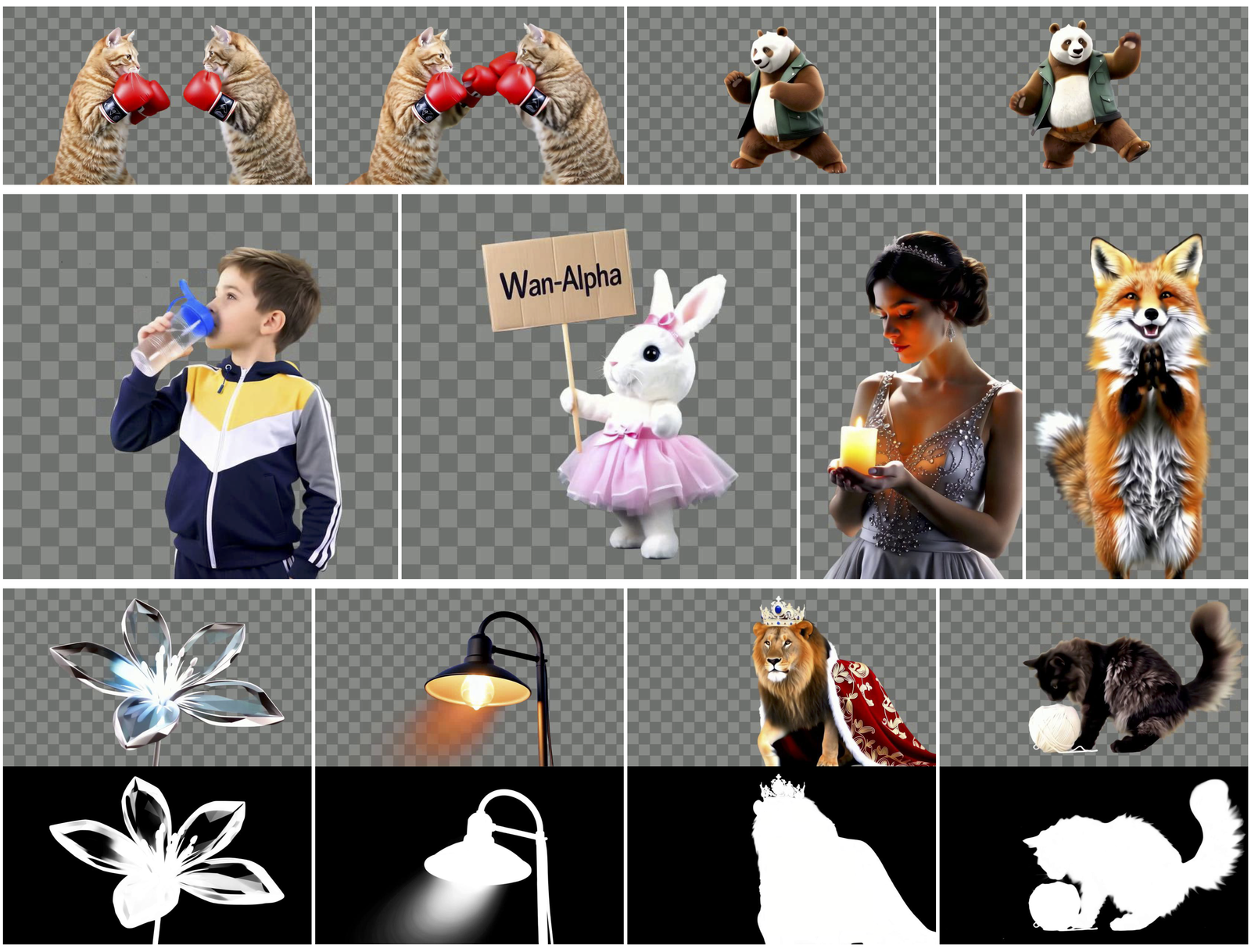
For editors and motion designers, the practical effect is that generated elements arrive already isolated on transparency. Hair edges, smoke, glass, and reflections, the materials that defeat most automated keys, come out cleanly separated because the model learns to predict the matte as part of the generation rather than as a post step.

The underlying paper was presented at a computer vision venue and the code repository includes generation scripts, example prompts, and sample outputs demonstrating the alpha quality on several material types.

The demo videos on the project page are the fastest way to evaluate whether the alpha quality meets your production standards before committing to a local setup.

Wan Alpha RGBA video generation with transparent background for VFX compositing
Wan Alpha / Wan-AI

What an Alpha Channel in Video Actually Means

Most video files store three channels: red, green, and blue. An alpha channel is a fourth channel that stores transparency information per pixel. A pixel with full alpha is fully opaque; a pixel with zero alpha is fully transparent; a pixel with a value in between is partially transparent, which is what you need for realistic edges on hair, glass, and smoke.

Adding alpha to a video file means every frame carries its own matte embedded alongside the color. When you drop that clip into an edit or compositing application, the layer below shows through wherever the alpha is partial or fully transparent. No keying work required.

The challenge with AI video generation has been that nearly all models generate a scene, not an element. The model learns to fill the frame with a background, which means the subject and background are entangled in the latent space from the start. Separating them afterward with keying produces inconsistent mattes, particularly on the frame-to-frame flickering that keyer algorithms handle poorly.

Wan Alpha addresses this by training the model to predict the alpha as part of the forward pass. The background is not generated and then removed; it is excluded from the generation by design.

How the Alpha Pipeline Works

The architecture adds a VAE and LoRA path to the existing Wan2.1 T2V 14B backbone. The VAE handles encoding and decoding of the alpha channel. The LoRA path provides the model with the instruction to predict a separate transparency value alongside each pixel's color output.

LightX2V accelerates the inference pass. Wan2.1 T2V at 14 billion parameters is computationally heavy, and LightX2V reduces the cost of the temporal modeling that makes video generation coherent across frames. The acceleration is what makes RGBA video generation feasible at practical resolutions on available hardware.

At inference time, you write a prompt that describes your subject and explicitly requests a transparent background. The model uses that instruction to condition generation toward producing an isolated element rather than a complete scene. Output is an RGBA video file and a folder of PNG frames with the alpha embedded.

The script-based workflow handles batch runs. A node graph format is also available for artists who prefer visual pipeline construction. Both approaches output the same file formats.

Film and VFX Applications

The most direct use case is generating motion graphic elements that need to sit over live action or other generated plates. HUD and UI overlays are the clearest example: a floating interface element with soft glow edges and particle details that you want to layer over a cockpit or control panel plate. Generating that element as RGBA means you can scale, reposition, and re-time it freely in your NLE without pulling a key or painting mattes frame by frame.

Animated lower thirds and title elements are another direct application. If you need a logo animation or a stylized credit sequence element that sits over a moving background, generating it as isolated RGBA removes the compositing step entirely.

For previs and animatics, RGBA generation lets you quickly test how animated characters or creatures will read against a plate without committing to full background generation. Place a rough RGBA element over your scanned location or production plate to evaluate scale, light direction, and timing before any high-cost work begins.

Product and packshot work benefits from clean edges on organic materials. A bottle, a piece of fabric, or a plant element generated in RGBA gives you a controlled starting point for a product placement composite or a motion poster without hand-masking.

Why Traditional Keying Falls Short

Chroma and luma keys work well for footage shot against controlled conditions: flat green or blue screens, consistent lighting, no hair or glass elements. Most generated video does not match those conditions.

Generated video tends to produce backgrounds with color variation that overlaps with subject edges, fine detail that keyers average into flat mattes, and temporal inconsistency between frames that produces chatter. Roto work frame by frame removes these problems but adds time that defeats the speed advantage of generated footage.

A model that predicts the alpha during generation avoids the underlying problem rather than treating the symptom. The matte exists in the model's output because the model was trained to produce it, not because a downstream algorithm estimated where the subject ends.

The temporal consistency of a learned matte is also better than a per-frame key result. A keyer processes each frame independently and can produce mattes that flicker slightly between consecutive frames, which shows up as edge chatter when the composite plays at speed. A model that generates the matte as part of a temporally coherent video output produces mattes that stay consistent across frames because the temporal consistency is built into the generation.

For complex materials, the advantage compounds. Glass, translucent fabric, smoke, fire, and hair all have partial transparency that any binary key will either cut or blow through. A learned alpha value can represent partial transparency accurately because it is generated by the same process that generates the color, not applied afterward.

The Wan 2.1 Architecture Underneath

The Wan2.1 T2V 14B base model is a large video diffusion model trained on diverse video data. At 14 billion parameters it sits in the larger tier of openly available video generation models. The architecture produces coherent motion over multiple seconds and handles a reasonable range of subjects and styles.

The base model generates RGB video. Wan Alpha's contribution is the additional VAE and LoRA path that extends the output to RGBA. This design reuses the temporal modeling and motion coherence of Wan2.1 while teaching the model an additional output modality.

Because the approach extends rather than replaces the base architecture, improvements to Wan2.1 carry forward. Future versions of the base with better motion quality or style range will be compatible with the same RGBA extension approach.

The research work is published on arXiv as paper 2509.24979, which provides the technical details of the VAE extension and LoRA training approach for readers who want to understand the method at a deeper level than the repository README provides.

The Wan 2.2 Animate release from the same model family handles character animation and actor replacement. If your production needs both isolated element generation and character motion transfer, both tools draw from the same base and are compatible workflow components.

The Wan-Move model from the same family adds point level motion control for directing how elements travel through a generated scene. A production workflow that combines Wan-Move for motion direction and Wan Alpha for isolated element output covers two of the most common needs in motion graphics production.

Hardware Requirements and Setup

Running Wan2.1 T2V 14B locally requires a modern CUDA GPU with enough VRAM for the combined RGB and alpha generation pass. The LightX2V acceleration reduces the compute load compared to the unmodified base model, but 14B parameters still requires hardware above the consumer entry level.

Test with a low resolution pass first to confirm your GPU can handle the inference before setting up a full resolution batch. The generation parameters, resolution, frame count, and guidance scale, all affect memory usage and should be matched to your hardware's capacity before running a production batch.

For batch generation, set up a reproducible run configuration that logs the prompt, seed, resolution, and output path for every job. RGBA sequences that are regenerated later need to match the original output to integrate cleanly with the existing composite. Logging your generation parameters from the start avoids having to reconstruct them later.

Workflow Tips for Best Mattes

Prompting for RGBA generation requires explicit transparent background instructions in the text. The model uses the text to condition the generation, so phrases like "isolated on transparent background", "no background", or "floating element, transparent bg" direct it toward the isolated element behavior. Prompts that do not mention transparency tend to generate scenes rather than elements.

Avoid prompts that describe environments or settings in detail when you want an isolated element. Detailed background descriptions compete with the transparent background instruction and can cause the model to generate partial backgrounds that bleed through the alpha.

Start with short subjects in limited motion before attempting complex long-form sequences. A three-second floating particle effect or a simple character gesture will let you evaluate matte quality and temporal consistency at low cost before committing to a longer or more complex generation run.

Review the alpha channel in isolation before evaluating the composite. Many edge quality problems are invisible in the color preview but visible when you look at the raw alpha channel as a grayscale image. Semi-transparent areas that look correct in composite can show noise or inconsistency in the isolated matte that will become visible when the plate changes or the camera moves.

For elements that need to move against a specific plate, generate at the plate's aspect ratio and resolution. RGBA elements generated at the wrong aspect ratio require transformation in the composite that can degrade edge quality, particularly on fine detail.

License and Commercial Use

The Wan Alpha model card lists Apache 2.0 for code and weights. The Wan2.1 T2V 14B base also lists Apache 2.0. Apache 2.0 is a permissive license that permits commercial use, modification, and distribution with attribution and preservation of the license notice.

Verify the license on each dependency you enable in your pipeline, including LightX2V, before using the complete stack in commercial work. A permissive base license does not automatically extend to all dependencies. Read each component's license individually and confirm that the combination you are using is cleared for your specific application.

Keep prompt, seed, and version records for every generated clip that enters a production pipeline. Reproducibility documentation is the standard evidence for demonstrating provenance in any context where rights or authorship are questioned.

For productions working across multiple artists, establish a shared naming convention for RGBA sequences before generation begins. An output file named after the shot number, the prompt version, and the generation date lets any team member identify exactly which pass a file came from without opening it. This matters when a director requests a revision to a specific shot weeks after the initial generation run.

For productions working in the AI FILMS Studio video workspace, RGBA compositing elements can be generated and integrated into the broader production pipeline alongside text-to-video and image-to-video generation from the latest available models.

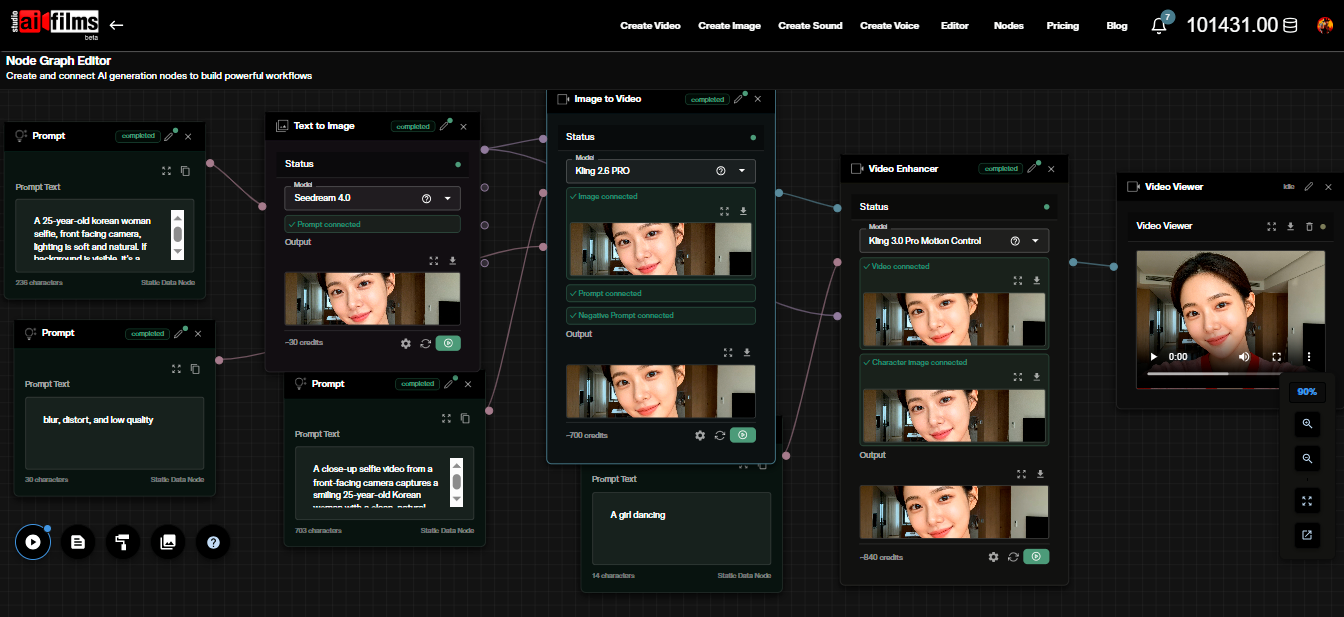
The Nodes Graph Editor in AI FILMS Studio lets you build multi-step generation pipelines visually, connecting models, transformations, and output steps into a workflow you can run and iterate without managing scripts. For teams that need to generate RGBA sequences at volume, a node-based pipeline that handles the full generation and export process is more efficient than running individual script calls per shot.


Sources

Project page: donghaotian123.github.io/Wan-Alpha arXiv paper: 2509.24979 GitHub: WeChatCV/Wan-Alpha HuggingFace: htdong/Wan-Alpha Base model: Wan-AI/Wan2.1-T2V-14B LightX2V: LightX2V project page