

NVIDIA Research (MotionBricks teaser showcase, Apache 2.0 code)
Share this post:
NVIDIA MotionBricks: Open Source Real Time 3D Motion
Blocking 3D characters for virtual production, crowd plates, and animatics normally forces technical directors to stitch rigid motion capture clips together by hand whenever a director adjusts timing or staging. NVIDIA MotionBricks (arXiv:2604.24833, open weights published on Hugging Face in October 2026 under the commercial NVIDIA Open Model Agreement with Apache 2.0 software), generates continuous 3D motion in real time by connecting recent character poses to modular target goals called Smart Primitives. You can test NVIDIA MotionBricks free in the embedded browser demo below with zero login.
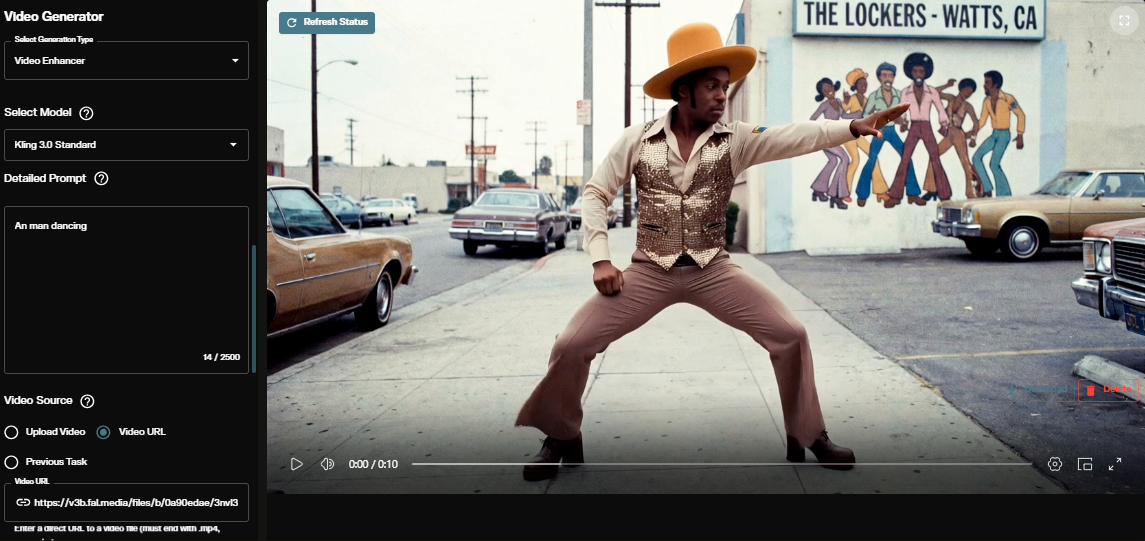
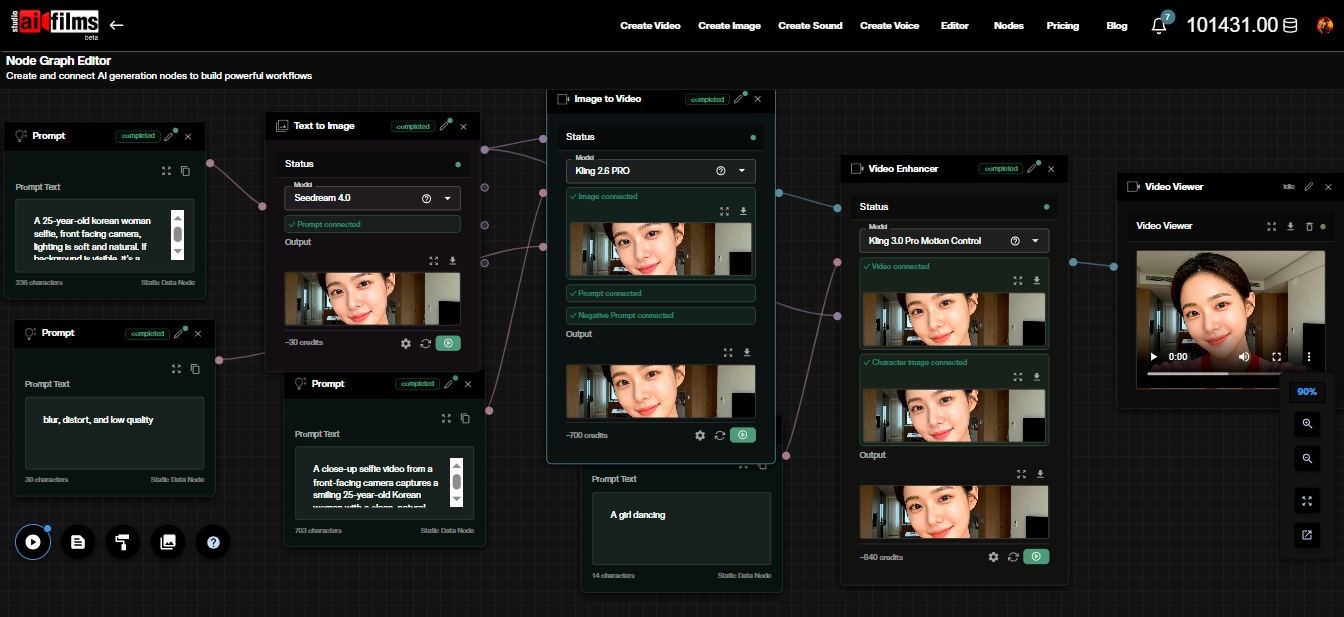
Studio availability. Try the public Hugging Face demo below; NVIDIA MotionBricks is not part of a paid AI FILMS Studio plan (use Kling 3.0 Pro Motion Control in the video workspace for example instead).
Try NVIDIA MotionBricks Live
Switch locomotion modes, styles, and target actions inside the interactive browser playground below to watch MotionBricks synthesize continuous 3D character movement live on a WebGL stage.
Architecture and Technical Design
MotionBricks frames interactive character animation as short horizon pose conditioned generation rather than one shot clip retrieval. Given a character's recent pose history and a target pose or spatial constraint it must reach next, a trio of coordinated neural networks synthesizes physically smooth connecting motion frames in real time.
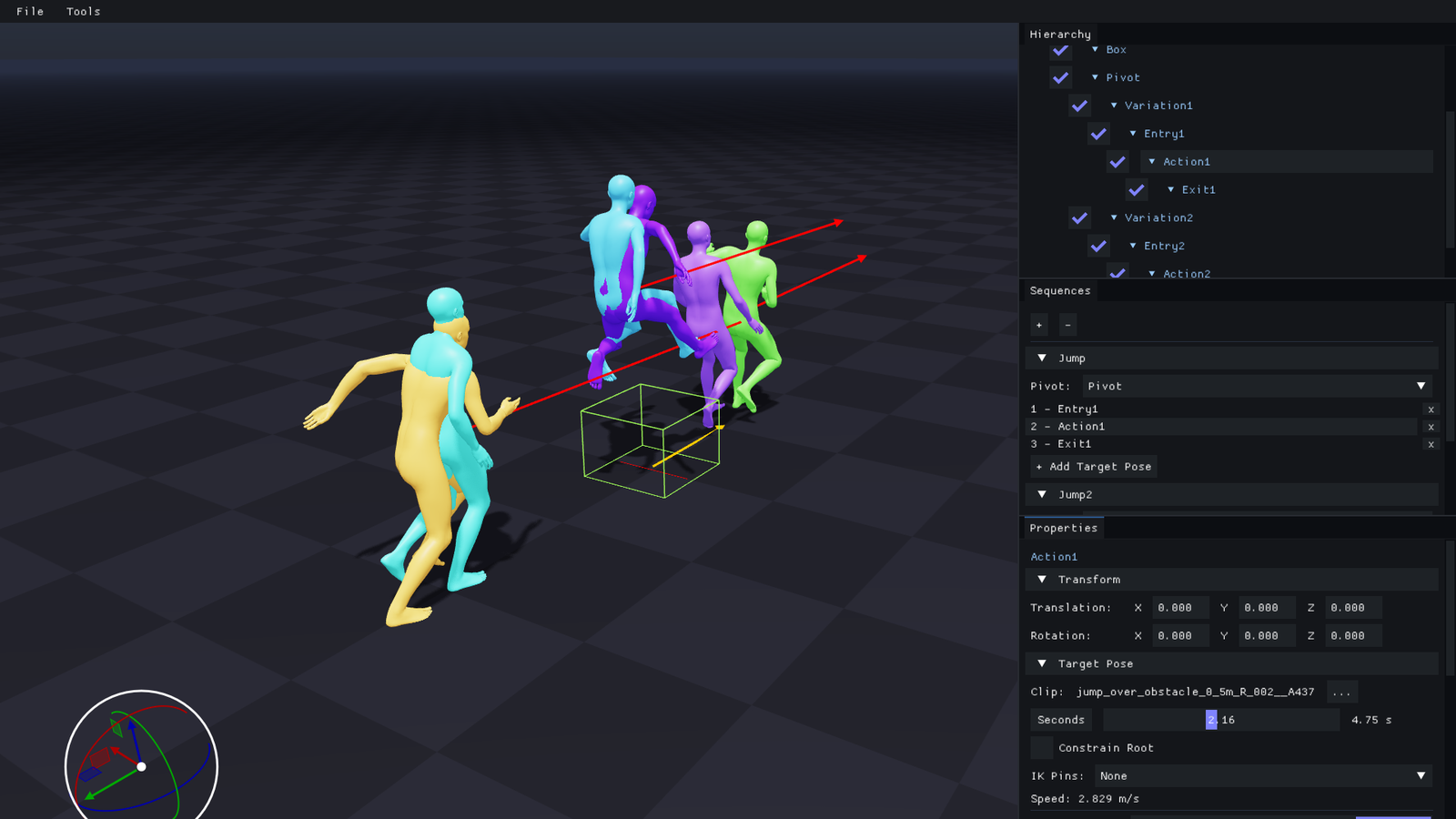
Smart Primitive Editor interface by NVIDIA Research (Apache 2.0)
Smart Primitives are the core authoring unit. They package target joint states, locomotion styles (such as forward walking, strafing, crouching, or skipping), and object interaction goals into reusable modular bricks that filmmakers can chain on the fly without retraining the underlying motion model.
NVIDIA releases two separate pretrained SafeTensors model families on Hugging Face: SOMA for human character skeletons in film and game animation, and Unitree G1 for humanoid robotics simulation. Each package contains its own three network checkpoint bundle and manifest, and the two skeletons are not interchangeable.
The accompanying NVlabs/motionbricks repository ships ready to run ONNX models alongside interactive SOMA and G1 authoring tools built on NVIDIA Newton and Warp, plus a TensorRT GPU demo runtime and ONNX export scripts under tools/onnx for custom studio engines.
Inside the bundled Scene Editor, directors and previz artists place obstacles, chairs, and navigation targets directly in 3D space while MotionBricks continuously adapts foot placement and torso balance around scene props.
Every Hugging Face weight folder includes a full manifest.json and SHA256SUMS file so studio pipeline TDs can verify artifact integrity during automated CI asset deployment.
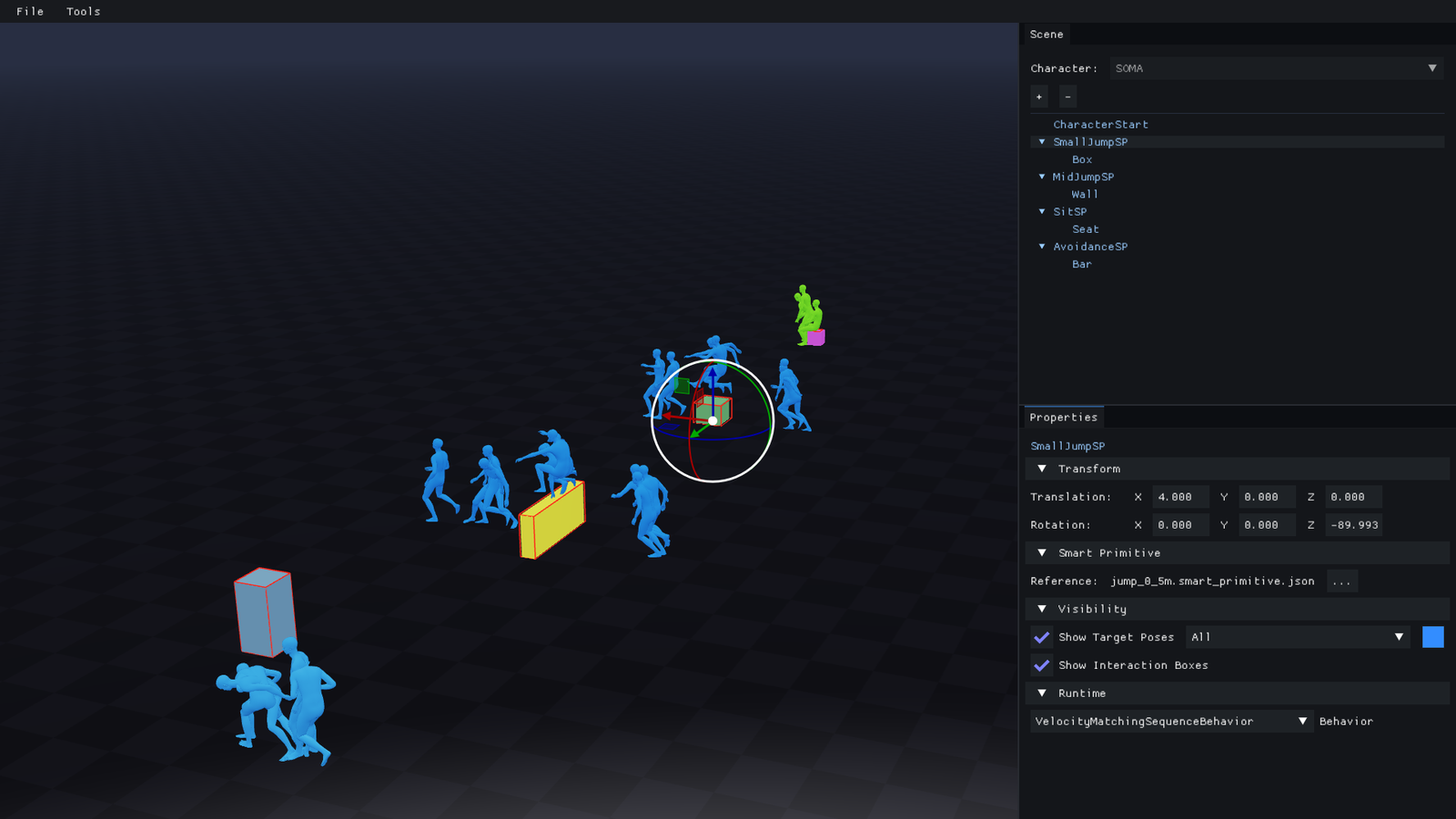
MotionBricks Scene Editor for interactive previz from NVlabs MotionBricks Project Page
Hardware, VRAM, and License Matrix
| Component | Target Skeleton / Role | Runtime Format | Hardware Requirement | License |
|---|---|---|---|---|
nvidia/MotionBricks (soma/) |
Human character animation (SOMA rig) | SafeTensors + ONNX export | NVIDIA GPU for TensorRT demo; CPU / WebGL for lightweight ONNX | NVIDIA Open Model Agreement (commercial use permitted) |
nvidia/MotionBricks (g1/) |
Unitree G1 humanoid rig | SafeTensors + ONNX export | NVIDIA GPU for TensorRT demo | NVIDIA Open Model Agreement (commercial use permitted) |
NVlabs/motionbricks software |
Smart Primitive Editor, Scene Editor, Newton + Warp demos | Python, ONNX, TensorRT | Workstation NVIDIA GPU | Apache 2.0 |
| Bundled BONES motion samples | Evaluation reference clips | External sample folder | Evaluation only | NVIDIA Sample Data Evaluation License (non production) |
Keep the licensing boundary clean in studio pipelines. The NVIDIA Open Model Agreement permits commercial use and redistribution of modified SOMA and G1 weights, and the software is Apache 2.0, while the separately bundled BONES sample motions carry an internal evaluation license only.
Parameter Reference
| Element / Folder | Purpose | Authoring Guidance |
|---|---|---|
soma/ vs g1/ |
Model family directory | Keep weights, config, and manifests together; never mix skeletons |
| Smart Primitives | Modular motion building blocks | Chain locomotion, crouch, turn, and prop reach targets live |
tools/onnx |
Export utility in NVlabs/motionbricks |
Converts SafeTensors packages to portable ONNX for DCC or web engines |
| TensorRT runtime | High speed local demo engine | Drives low latency live preview on NVIDIA GPUs |
| Tracking safety note | Kinematic motion generator only | Generates character motion, not a physical robot hardware controller |
Local Python and CLI Setup
Start with the official NVlabs/motionbricks repository, which already bundles ready to run ONNX demos, or pull either SafeTensors checkpoint family directly from Hugging Face to build custom ONNX and TensorRT exporters.
# 1. Clone the Apache 2.0 MotionBricks authoring suite and editors
git clone https://github.com/NVlabs/motionbricks.git
cd motionbricks

# 2. Download only the SOMA human skeleton weights from Hugging Face
hf download nvidia/MotionBricks --include "soma/*" --local-dir ./MotionBricks

# 3. Or download the Unitree G1 humanoid weights
hf download nvidia/MotionBricks --include "g1/*" --local-dir ./MotionBricks

# 4. Verify SHA-256 checksums before integrating into studio pipelines
sha256sum -c ./MotionBricks/soma/SHA256SUMS
Follow tools/onnx inside NVlabs/motionbricks to export the downloaded SafeTensors directory into ONNX for Unreal Engine, Blender retargeting pipelines, or browser WebGL review tools.
Filmmaker Production Playbook
Block live action previz without waiting for a mocap stage
Use the SOMA model and Scene Editor during script breakdown to block character walks, turns, and prop pickups inside rough 3D set geometry. Directors can adjust blocking beats live in the room rather than waiting days for motion capture retargeting.
Retarget SOMA motion into renderable video proxies
Export real time SOMA skeleton animations as 24 FPS structural proxies or Blender playblasts, then feed those clean camera and character passes into proxy conditioned video renderers or Studio motion control workflows for photorealistic look development.
Keep evaluation samples out of commercial builds
Because the bundled BONES motion clips carry an evaluation license, replace demo banks with your own studio mocap or original Smart Primitives before shipping commercial film or game deliverables.
SOMA vs Unitree G1 Model Families
NVIDIA publishes two separate pretrained motion families inside nvidia/MotionBricks, each structured around three coordinated networks plus SHA-256 verified manifests. For filmmaking, virtual production, and game cinematics, SOMA targets full human skeletal proportions and expressive locomotion transitions.
Unitree G1 targets humanoid robotics kinematics and simulation inside Newton and Warp. The two folders share the Smart Primitives design philosophy, but their joint hierarchies, configs, and ONNX exports are strictly separate and cannot be mixed inside one scene rig.
Frequently Asked Questions
Do I need to download the SafeTensors checkpoints just to try MotionBricks?
No. The NVlabs/motionbricks GitHub repository already bundles ready to run ONNX models for the interactive SOMA and Unitree G1 demos. Download the Hugging Face SafeTensors packages only when exporting custom ONNX runtimes or building new studio integrations.
Does MotionBricks use Hugging Face Transformers from_pretrained?
No. Each model family uses a custom three network architecture with its own manifest and ONNX export tooling under tools/onnx, rather than a standard Transformers checkpoint layout.
Can I use MotionBricks SOMA weights in a commercial film pipeline?
Yes. The SOMA and G1 weights ship under the NVIDIA Open Model Agreement (which permits commercial use and modified redistribution) and the authoring software ships under Apache 2.0, provided you exclude the separately licensed evaluation sample motions.
Related Reading
- Compare text to 3D real time motion generation in NVIDIA ARDY open source real time 3D motion AI.
- Extract 3D human motion directly from live video in FlowHMR open source 3D human motion capture.
- Animate characters directly from reference video in SCAIL-2 character animation without skeletons.
- Direct camera and character movement in the cloud on the AI Video Motion Control page.

Sources
Continue Reading


Video & LipSync
- Video Generator
- Text to Video
- Image to Video
- Start-End Frame to Video
- Draw to Video
- Motion Control
- Video Enhancer
- Video Upscaler
- Video Extend
- Video to Video LipSync
- Audio to Video LipSync
- Image to Video LipSync
- Video FaceSwap
- Seedance 2.5
- WAN 3.0
- Seedance 2
- FLUX 3
- Minimax H3
- Vidu Q3 Pro
- Grok Imagine Video 1.5
- Gemini Omni
- Google Veo 3.1
- Kling 3.0 Pro
- Luma Ray 3.2
- LTX 2.3
- Happy Horse 1.1
- Kling 3.0 Motion
- ByteDance Upscaler
- InfiniteTalk
- InsightFace
Image & Edit
- AI Character
- AI Actor
- Art Generator
- Text to Image
- Image to Image
- LoRA Image to Image
- Draw to Edit
- Image LoRA Training
- Remove Background
- Image Enhancer
- MidJourney 8.0
- Krea 2
- OpenAI GPT Image 2.0
- Nano Banana Pro Ultra
- Nano Banana 2 Lite
- Nano Banana Pro
- Minimax Image
- Clarity Pro
- Z-Image Turbo LoRA
- Krea 2 Turbo LoRA
- Z-Image LoRA Trainer
- Qwen Image LoRA Trainer
- Background Erase Network 2 (BEN2)