

Alibaba Qwen Team (Apache 2.0)
Share this post:
Open Source Voice Cloning for Film: Qwen3, F5 & Kokoro
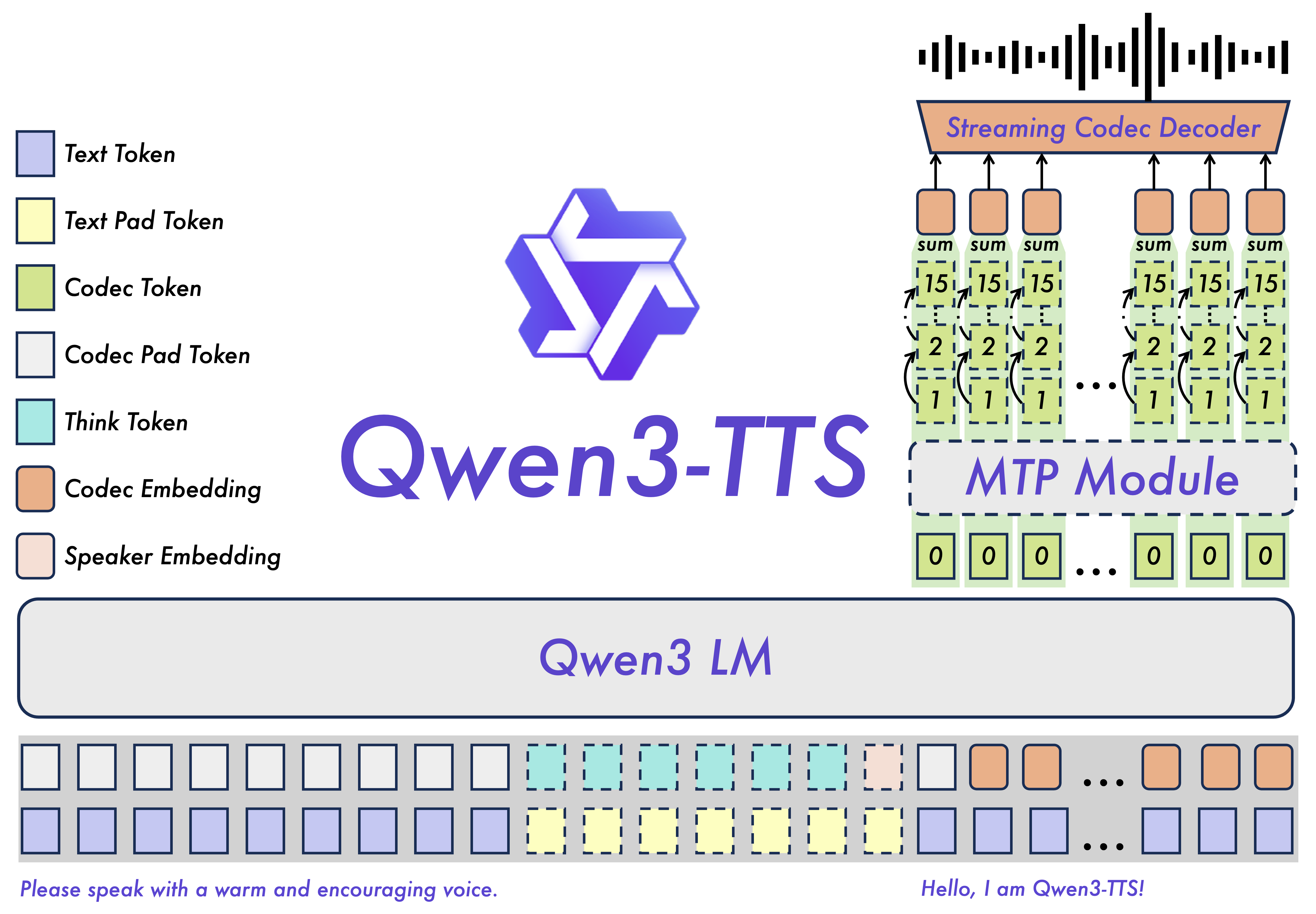
Scratch dialogue and temporary ADR shape the editorial rhythm long before actors enter a recording booth. Qwen3-TTS (Qwen/Qwen3-TTS), F5-TTS (SWivid/F5-TTS, arXiv:2410.06885), and Kokoro-82M (hexgrad/Kokoro-82M) let filmmakers clone reference vocals and generate dialogue tracks on local hardware without cloud API fees. An editor can record reference takes in the voice workspace today, then generate matching offline dialogue variations using these open weights models.
Studio availability. Qwen3-TTS, F5-TTS, Chatterbox,
XTTS-v2, and Kokoro are not available in AI FILMS Studio. These are open weights and open source research models for local deployment. To generate voiceovers and character speech in the cloud, use the voice workspace with ElevenLabs or MiniMax Voice Clone.
Scratch Dialogue, Animatic Voices, and Temp ADR
During assembly editing, missing dialogue halts pacing decisions. Directors frequently need to test pacing, joke delivery, and dialogue rewrites before booking talent for principal ADR. Local text-to-speech models solve this bottleneck by turning written script revisions into spoken audio waveforms in seconds.
Because open weights models run directly on workstation hardware, sensitive scripts stay private. Production sound teams can also train specialized LoRA voice adapters for lead cast members. When scenes undergo recuts in post production, editors drop revised dialogue lines directly into the editing timeline.
F5-TTS: Non-Autoregressive Flow Matching
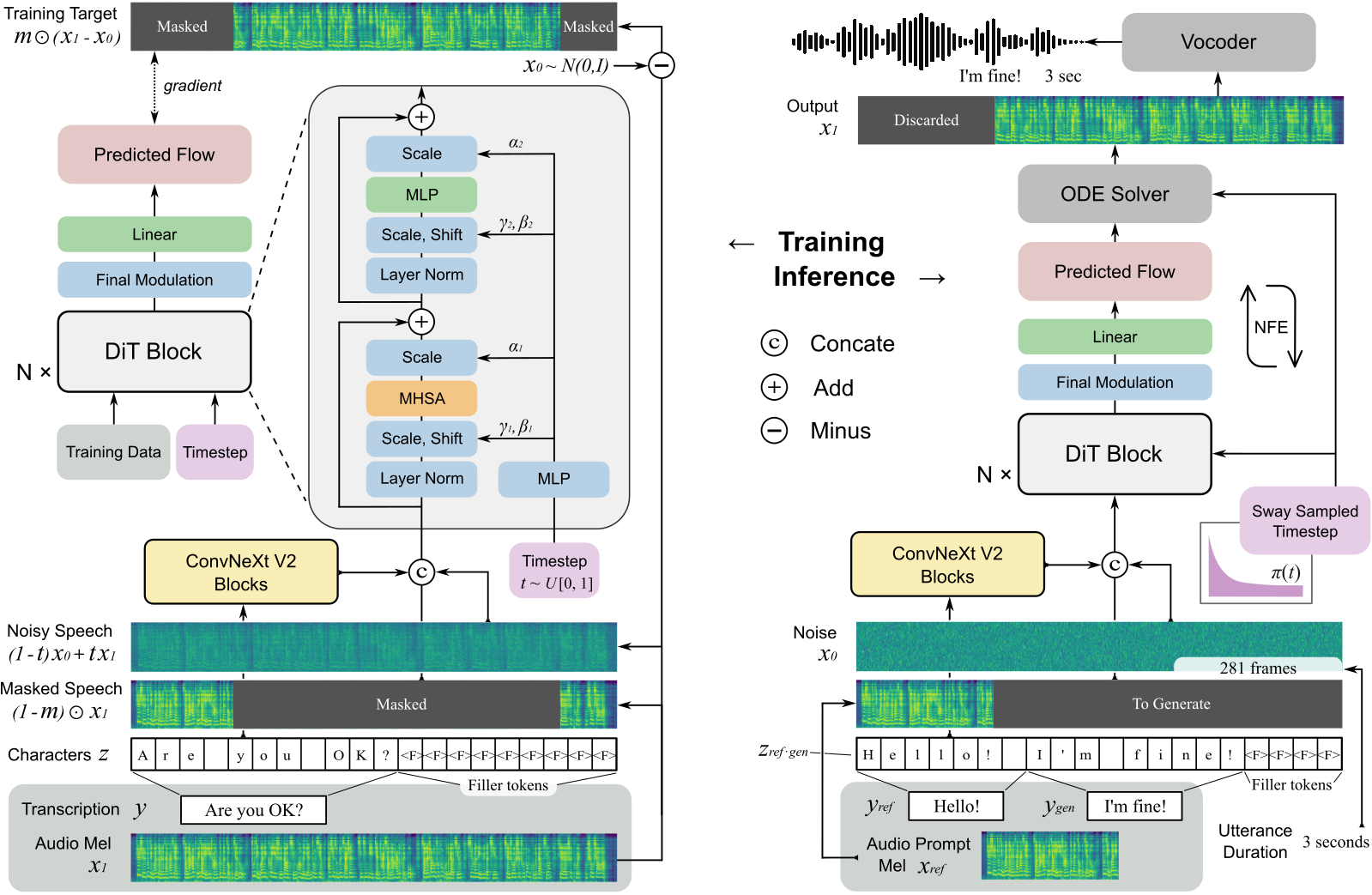
F5-TTS introduces a non autoregressive speech synthesis architecture based on flow matching. Unlike conventional autoregressive architectures that predict discrete audio tokens sequentially, F5-TTS uses a Diffusion Transformer (DiT) backbone combined with ConvNeXt v2 blocks. The network denoises mel spectrogram trajectories through continuous vector fields.
This approach delivers notable benefits for film dialogue work:
- Zero Shot Voice Cloning. F5-TTS requires only a 3 to 10 second clean reference audio clip to mirror speaker timbre and room acoustic properties.
- Natural Emotional Cadence. Flow matching eliminates the robotic cadence typical of older concatenate engines.
- Infilling and ADR Replacement. Editors can feed an entire scene take, erase a single mispronounced word, and generate an aligned audio replacement.
Listen to the reference vocal clip and the resulting zero shot generated line below:
Reference voice sample (3.5 seconds). Source: F5-TTS / Seed-TTS (MIT / Open Evaluation).
F5-TTS zero shot voice clone reciting target dialogue with matching timbre. Source: F5-TTS (MIT).
Kokoro-82M: Real-Time CPU Speech Synthesis
While diffusion models provide expressive performances, they demand dedicated GPU compute. Kokoro-82M takes the opposite path. Based on the lightweight StyleTTS2 architecture, Kokoro contains only 82 million parameters.
Despite its compact footprint, Kokoro matches commercial speech quality on standard community benchmarks:
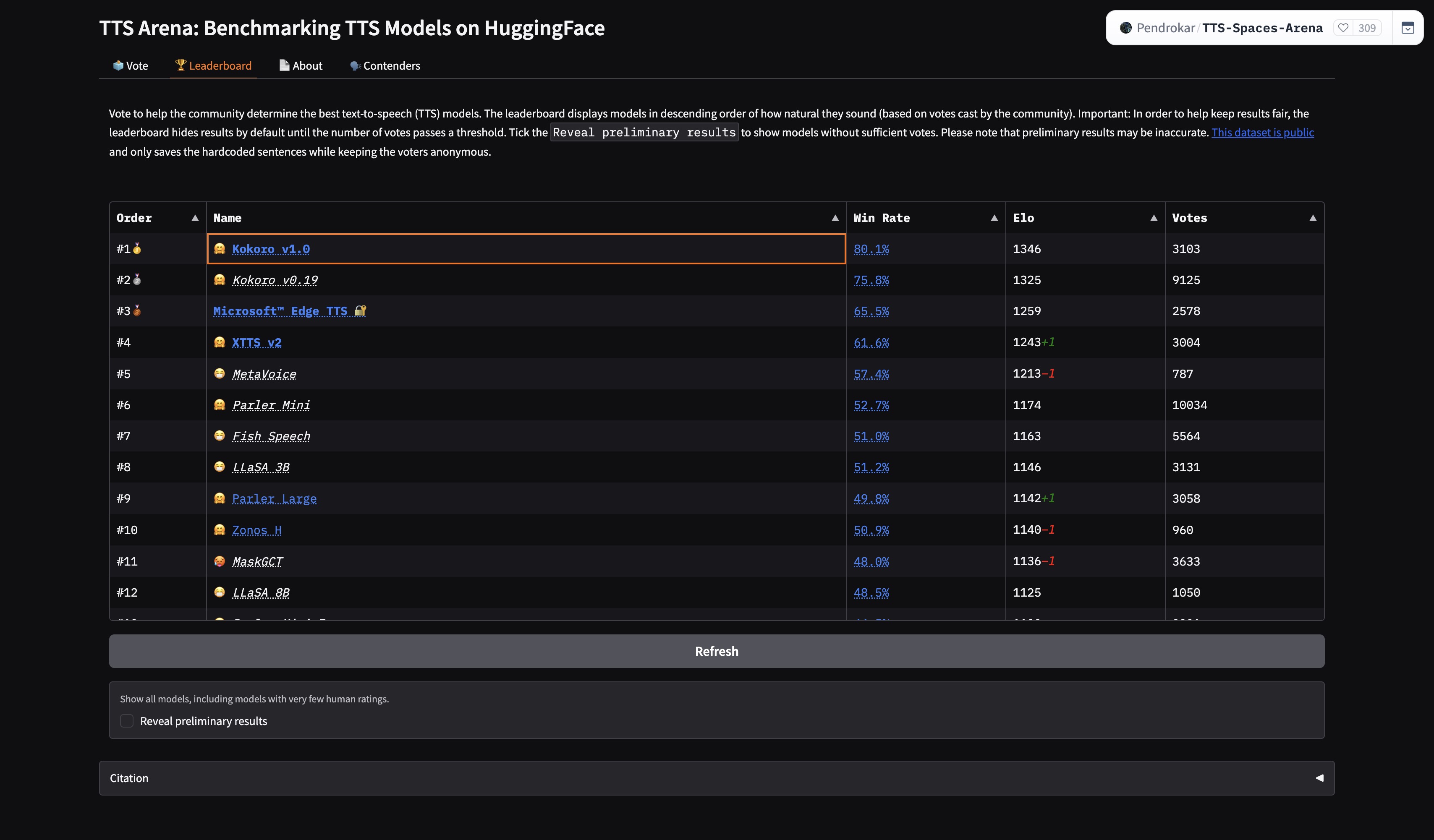
Kokoro runs on standard CPU threads at roughly 0.15 seconds per sentence. An animatic storyboard artist on a laptop can voice an entire multi character sequence without taxing GPU video render pipelines.
Comparing Open Weights Voice Models
Different stages of film production require distinct speed and fidelity tradeoffs:
| Model | Architecture | VRAM Requirement | Best Filmmaking Role | Open License |
|---|---|---|---|---|
| Qwen3-TTS | Autoregressive Audio LLM (1.7B) | ~4 GB to 6 GB | Complex dramatic dialogue and multilingual storytelling | Apache 2.0 |
| F5-TTS | Flow Matching DiT (385M) | ~4 GB | Precision ADR dubbing and zero shot actor replication | MIT License |
| Kokoro-82M | StyleTTS2 Backbone (82M) | CPU / <1 GB | Fast animatic dialogue generation on editing laptops | Apache 2.0 |
| Chatterbox | Latent Diffusion Voice (500M) | ~4 GB | Interactive conversational previsualization | Apache 2.0 |
XTTS-v2 |
Cascaded Autoregressive | ~4 GB to 8 GB | Legacy multilingual scratch dialogue | Coqui CPML |
| Piper TTS | Fast VITS Synthesis | CPU-only |
Instant offline slate and metadata readouts | MIT License |
Running F5-TTS and Kokoro in Python
You can initialize both models locally with open source libraries:
import soundfile as sf
import torch

# Option 1: High fidelity zero-shot actor voice cloning with F5-TTS
from f5_tts.api import F5TTS

f5 = F5TTS(model_type="F5-TTS", device="cuda" if torch.cuda.is_available() else "cpu")
wav, sample_rate, _ = f5.infer(
    ref_file="actor_reference_clean.wav",
    ref_text="We have three minutes before the power grid cycles offline.",
    gen_text="Hold the southern perimeter and do not breach that doorway yet.",
    remove_silence=True,
)
sf.write("adr_dialogue_take_01.wav", wav, sample_rate)

# Option 2: Ultra lightweight CPU animatic voiceover with Kokoro
from kokoro import KPipeline

pipeline = KPipeline(lang_code="a")  # American English
generator = pipeline(
    "Interior control room, night. The consoles flicker with emergency amber backlighting.",
    voice="af_bella",
    speed=1.0,
    split_pattern=r"\n+",
)

for i, (gs, ps, audio) in enumerate(generator):
    sf.write(f"animatic_slate_{i}.wav", audio, 24000)
Voice and Audio Production in AI FILMS Studio
For cloud workflows, AI FILMS Studio connects professional text-to-speech tools inside one unified interface. The voice workspace features ElevenLabs Eleven V3 and MiniMax Speech 2.8 HD for studio-quality voice generation with detailed emotional inflection.
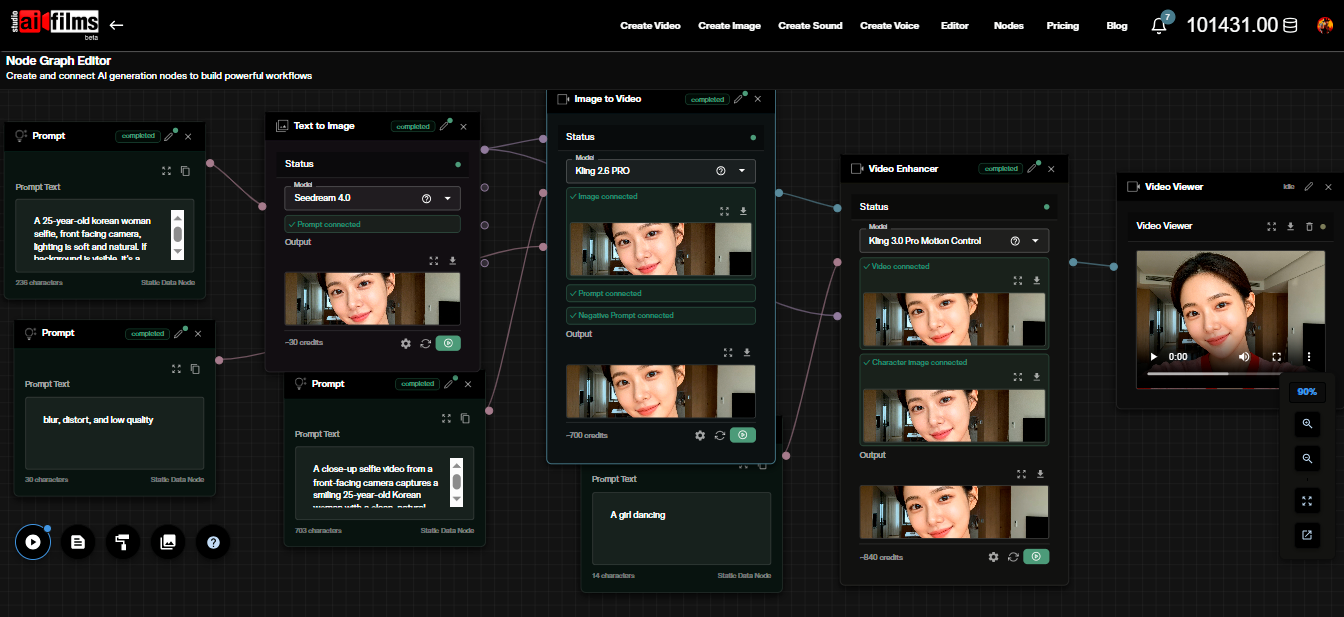
You can also automate voice generation inside the Nodes Graph Editor. Connect a text script node to an ElevenLabs speech node, then route the resulting audio output into a lip-sync node or a video timeline. For deeper coverage of open source voice technology, read our guides on DOTS-TTS streaming voice cloning, MOSS-TTS local transformer voice generation, and MisoTTS 8B speech synthesis.
Sources
QwenLM GitHub (QwenLM/Qwen) | F5-TTS Paper (arXiv:2410.06885) | F5-TTS GitHub (SWivid/F5-TTS) | Kokoro-82M Hugging Face (hexgrad/Kokoro-82M) | StyleTTS2 Paper (arXiv:2306.07691) | Chatterbox GitHub (resemble-ai/chatterbox)
Continue Reading


Video & LipSync
- Video Generator
- Text to Video
- Image to Video
- Start-End Frame to Video
- Draw to Video
- Motion Control
- Video Enhancer
- Video Upscaler
- Video Extend
- Video to Video LipSync
- Audio to Video LipSync
- Image to Video LipSync
- Video FaceSwap
- Seedance 2.5
- WAN 3.0
- Seedance 2
- FLUX 3
- Minimax H3
- Vidu Q3 Pro
- Grok Imagine Video 1.5
- Gemini Omni
- Google Veo 3.1
- Kling 3.0 Pro
- Luma Ray 3.2
- LTX 2.3
- Happy Horse 1.1
- Kling 3.0 Motion
- ByteDance Upscaler
- InfiniteTalk
- InsightFace
Image & Edit
- AI Character
- AI Actor
- Art Generator
- Text to Image
- Image to Image
- LoRA Image to Image
- Draw to Edit
- Image LoRA Training
- Remove Background
- Image Enhancer
- MidJourney 8.0
- Krea 2
- OpenAI GPT Image 2.0
- Nano Banana Pro Ultra
- Nano Banana 2 Lite
- Nano Banana Pro
- Minimax Image
- Clarity Pro
- Z-Image Turbo LoRA
- Krea 2 Turbo LoRA
- Z-Image LoRA Trainer
- Qwen Image LoRA Trainer
- Background Erase Network 2 (BEN2)