

TriMotion authors, arXiv:2606.20774 (CC BY 4.0)
Share this post:
CameraNoise, TriMotion, FlashMotion: Camera Control AI
A shot is a camera move. A dolly in, a slow orbit or a crane up tells the audience where to look. Text prompts describe these moves badly, and the model often ignores them. Three open source projects from 2026 give the filmmaker direct control. CameraNoise (ICML 2026) encodes camera poses into the noise. TriMotion (ECCV 2026) accepts a reference video, a pose path or a text description. FlashMotion (CVPR 2026) guides object trajectories in only 4 denoising steps.
Studio availability. CameraNoise, TriMotion and FlashMotion are not available in AI FILMS Studio. These are research releases for local deployment. To control camera and subject motion in the cloud, use the motion control page or the video workspace.
Comparison at a Glance
| CameraNoise | TriMotion | FlashMotion | |
|---|---|---|---|
| Venue | ICML 2026 | ECCV 2026 | CVPR 2026 |
| Input for the move | Camera pose path | Reference video, pose path or text | Object trajectories |
| Base model | Wan2.1 I2V 14B 720P (LoRA) | Wan2.1 T2V 1.3B | Wan2.2 TI2V 5B |
| Output size | 576x1024, 49 frames | 384x672, 81 frames | Set by the base model |
| Reported memory | Not stated | Not stated | About 42 GiB (ResNet adapter) or 50 GiB (ControlNet adapter), one A100 |
| Speed | Not stated | Not stated | 4 steps, about 11 s or 24 s of denoising on an A100 |
| Code and weights | GitHub and Hugging Face (2026-06-01) | GitHub and Google Drive (2026-04) | GitHub and Hugging Face (2026-03-13) |
| License as stated | Apache 2.0 (README) | Not stated on the repo page | Not stated on the repo page |
Check the license file of each repository before you use the output in paid work. Two of the three repository pages state no license, and every project depends on a base model with its own terms.
CameraNoise: Put the Camera Into the Noise
Most camera control methods feed raw camera numbers into the model. The model must then learn to link abstract coordinates to pixels. The authors (arXiv:2605.30774) report that this often causes structural distortion.
CameraNoise takes another path. A Geometry guided Reprojection Flow (GRFlow) turns the pose path into an appearance neutral flow field. A warping algorithm then moves the starting noise along that flow. The noise keeps its Gaussian statistics, so the base model still works as trained.

CameraNoise pipeline. Credit: CameraNoise authors, Apache 2.0.
The released model is a LoRA with rank 64 on the Wan2.1 I2V 14B 720P transformer. It also uses VGGT-1B for camera pose estimation and Qwen2-VL-7B for captions. The default settings are 576x1024 pixels and 49 frames.
The README gives no VRAM figure. It advises lower resolution, fewer frames or fewer steps when memory runs out. A 14B base model is heavy, so plan for a 24 GB card or more with offloading.
CameraNoise demo from the project page. Credit: CameraNoise authors (Apache 2.0).
TriMotion: One Move, Three Ways to Describe It
A cinematographer often has a reference clip. A VFX supervisor has a pose path from a tracked plate. A director has only words. TriMotion (arXiv:2606.20774) accepts all three. It maps video, pose and text into one shared motion embedding space. You can interpolate between two moves or run them in sequence.
The authors built the Motion Triplet Dataset to train this. It has 136K synchronized triplets of video, pose and text, built on MultiCamVideo (13.6K scenes in 40 Unreal Engine 5 environments). Text captions come from Qwen3-4B-Instruct-2507.
TriMotion composition sample from the project page. Credit: TriMotion authors.
TriMotion supports image to video and video to video. The default output is 81 frames at 384x672. The base is Wan2.1 T2V 1.3B, and the image to video branch starts from CamCloneMaster. Checkpoints sit in a Google Drive folder linked from the repository.
# Reference video as the camera move (from the repository README)
python demo.py \
  --content_video examples/src_videos/1.mp4 \
  --prompt examples/prompt/1.txt \
  --ref_video examples/ref_videos/1.mp4
For text or pose references, the README lists the --ref_text and --ref_pose flags. Mixed references use demo_multimodal.py with --type interpolation or --type sequential.
FlashMotion: Trajectory Control in 4 Steps
Trajectory guided generators usually need many denoising steps. Simple distillation then hurts quality and trajectory accuracy. FlashMotion (arXiv:2603.12146) uses three training stages.
The first stage trains a trajectory adapter on a multi step generator. The second distills the generator into a few step version. The third fine tunes the adapter with a mix of diffusion and adversarial objectives so that it matches the faster generator.
The authors also release FlashBench, a benchmark for long sequences with different numbers of moving objects. The abstract reports better visual quality and trajectory consistency than earlier multi step models, on two adapter designs.
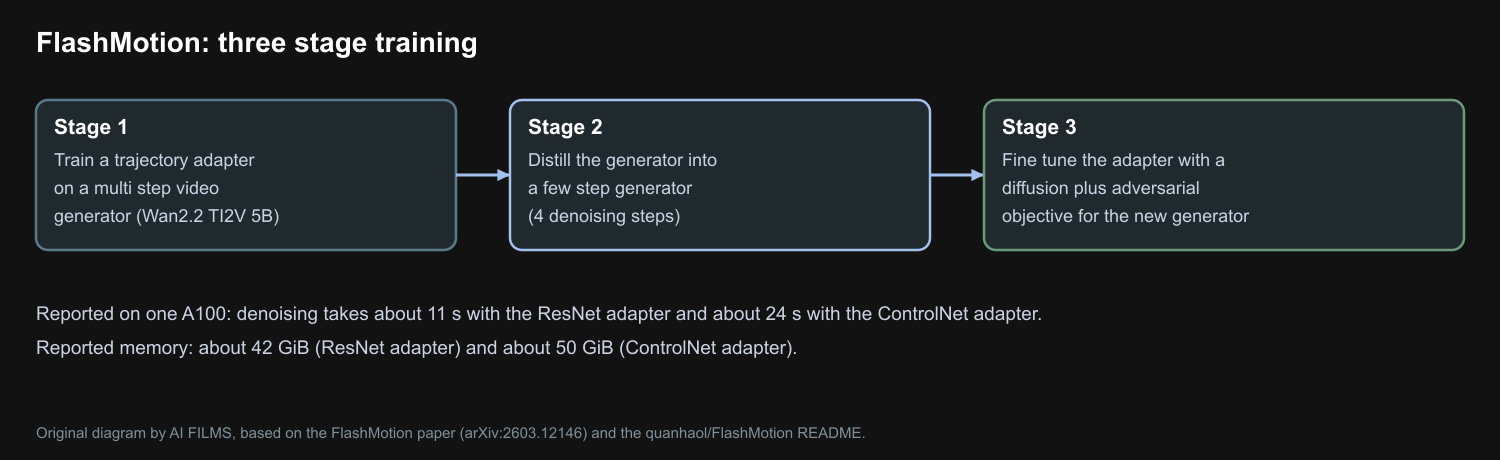
Original diagram by AI FILMS, based on the FlashMotion paper and README.
The repository gives memory and speed on one A100. The ResNet adapter needs about 42 GiB and takes about 11 seconds to denoise. The ControlNet adapter needs about 50 GiB and takes about 24 seconds. This is a workstation or cloud GPU model, not a laptop model.
bash running_scripts/inference/i2v_control_fewstep_resnet.sh
bash running_scripts/inference/i2v_control_fewstep_controlnet.sh
FlashMotion overview video from the project page. Credit: FlashMotion authors.
Which One to Pick
- You have a pose path or a tracked plate and 24 GB or more. Try CameraNoise.
- You have a reference clip and a small GPU. Try TriMotion with its 1.3B base.
- You need to push an object along a drawn path and have an A100 class card. Try FlashMotion.
All three sit on Wan family models. For earlier work in this area, read CamCloneMaster, InfCam, OmniDirector, Wan-Move and Time to Move.
Camera and Motion Control in AI FILMS Studio
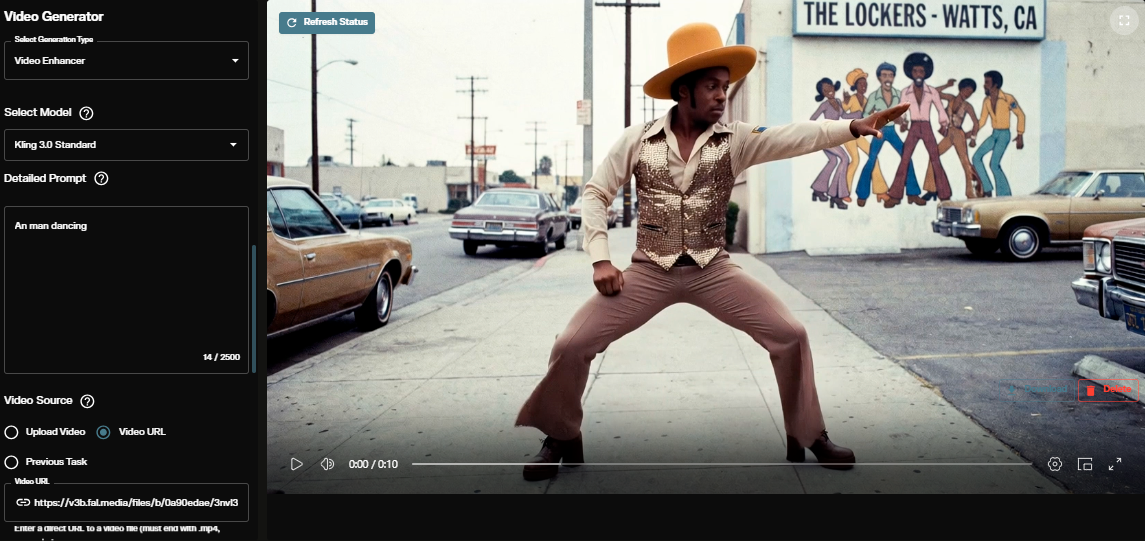
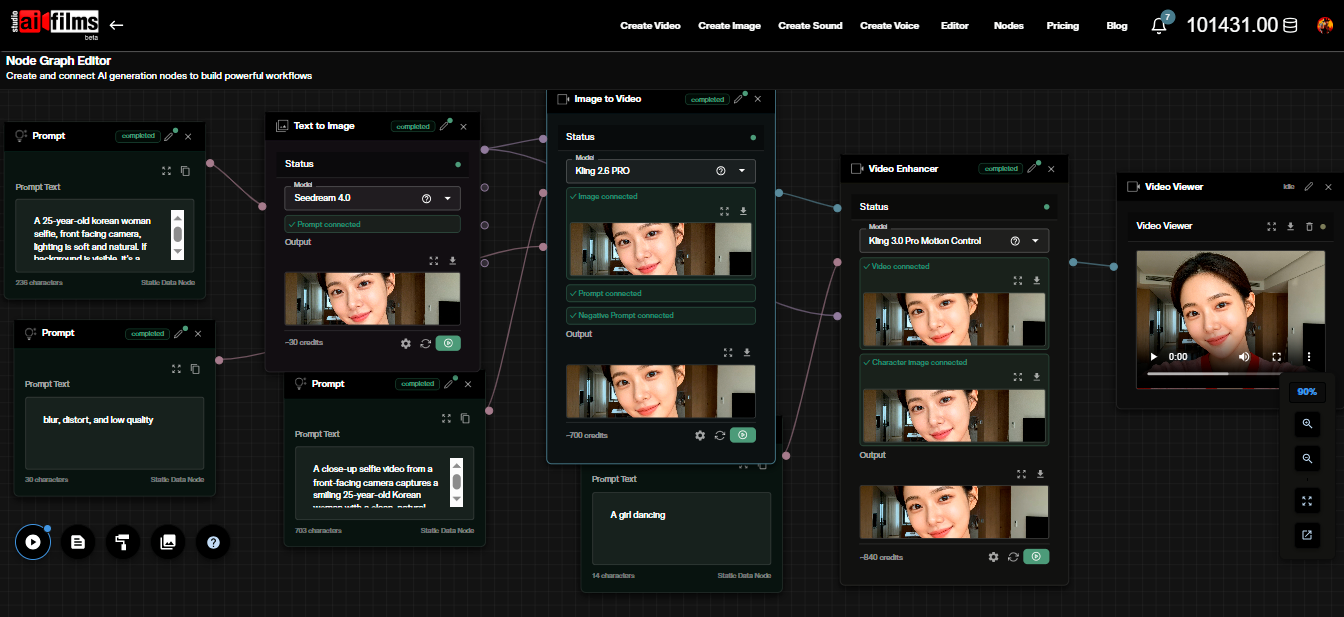
These projects run outside the Studio. In the cloud, the motion control page lists Kling 3.0 Pro Motion Control, Kling 3.0 Standard Motion Control and Kling 2.6 Standard Motion Control. You give a reference video and a character image, and the model transfers the motion. The Kling 3 motion control tutorial shows the steps. In the Nodes Graph Editor you can feed a motion control result into an upscaler or an extension node.
Sources
CameraNoise Paper (arXiv:2605.30774) | CameraNoise GitHub (gulucaptain/CameraNoise) | TriMotion Paper (arXiv:2606.20774) | TriMotion GitHub (seunghyuns98/TriMotion) | FlashMotion Paper (arXiv:2603.12146) | FlashMotion GitHub (quanhaol/FlashMotion)
Continue Reading


Video & LipSync
- Video Generator
- Text to Video
- Image to Video
- Start-End Frame to Video
- Draw to Video
- Motion Control
- Video Enhancer
- Video Upscaler
- Video Extend
- Video to Video LipSync
- Audio to Video LipSync
- Image to Video LipSync
- Video FaceSwap
- Seedance 2.5
- WAN 3.0
- Seedance 2
- FLUX 3
- Minimax H3
- Vidu Q3 Pro
- Grok Imagine Video 1.5
- Gemini Omni
- Google Veo 3.1
- Kling 3.0 Pro
- Luma Ray 3.2
- LTX 2.3
- Happy Horse 1.1
- Kling 3.0 Motion
- ByteDance Upscaler
- InfiniteTalk
- InsightFace
Image & Edit
- AI Character
- AI Actor
- Art Generator
- Text to Image
- Image to Image
- LoRA Image to Image
- Draw to Edit
- Image LoRA Training
- Remove Background
- Image Enhancer
- MidJourney 8.0
- Krea 2
- OpenAI GPT Image 2.0
- Nano Banana Pro Ultra
- Nano Banana 2 Lite
- Nano Banana Pro
- Minimax Image
- Clarity Pro
- Z-Image Turbo LoRA
- Krea 2 Turbo LoRA
- Z-Image LoRA Trainer
- Qwen Image LoRA Trainer
- Background Erase Network 2 (BEN2)