

AI FILMS original chart, numbers from the FLUX.3 Klein model card
Share this post:
FLUX.3 Klein: Open Weights Multi Reference Image AI
A film needs the same face, the same costume and the same prop in many frames. Single reference tools drift after a few shots. FLUX.3 Klein from Black Forest Labs takes up to 10 reference images in one prompt. It also lets you place, move, recolor or remove elements with bounding boxes. One model handles text to image, single reference editing and multi reference generation. The weights are open under the FLUX Kommunity License.
Studio availability. FLUX.3 Klein is not available in AI FILMS Studio. This article covers an open weights release for local deployment. To edit and generate images in the cloud, use the image to image page or the image workspace.
What the Model Card Says
The image transformer has 5.6B parameters. A separate Qwen3-VL 4B model works as the text encoder, and that encoder uses the Apache 2.0 license. The model supports three modes in one set of weights.
- Text to image. Standard generation.
- Single reference editing. Change one image with a text instruction.
- Multi reference generation. Combine up to 10 reference images, for example one actor, one costume, one location and one prop.
Box control uses a 0 to 1000 grid. You name a region and tell the model to place, recolor, move, replace or remove what is there. The model can also render text inside images. The card warns that the text may be inaccurate or distorted, so check every title card.
The model needs a prompt upsampler. The card states that a short prompt sent as typed gives generic output. The upsampler adds memory, about 28 GB on an 80 GB GPU.
Memory Needs
Black Forest Labs reports peak memory at 1024x1024 on a B200 GPU with the upsampler off.
| Precision | Peak VRAM |
|---|---|
| BF16 | 31 GB |
| FP8 | 26 GB |
| NVFP4 | 25 GB |
| Prompt upsampler (added) | About 28 GB |
A 24 GB card is below all three numbers. For a home workstation, plan for a 32 GB card, or wait for quantized community builds. The earlier FLUX.2 GGUF guide shows how quantized FLUX models run on smaller cards.
Load the Model
The model card shows the Diffusers load call. The card also states that the Diffusers path needs a separate prompt upsampler, so read the full snippet in the "Use this model" section of the model page before you build a pipeline.
import torch
from diffusers import DiffusionPipeline

# Load line from the model card. Accept the license on Hugging Face first.
pipe = DiffusionPipeline.from_pretrained(
    "black-forest-labs/flux-3-image-klein",
    dtype=torch.bfloat16,
    device_map="cuda",
)
Reference inference code is on GitHub at black-forest-labs/flux-3-image-klein. The weights are gated on Hugging Face, so you must accept the license before download.
Read the License Before Paid Work
The FLUX Kommunity License v1.0 allows non commercial use. It also allows commercial output generation for qualifying users with less than 5 million US dollars in gross annual revenue. Larger companies need a commercial license from Black Forest Labs. The Apache 2.0 license applies only to the text encoder.
Small studios and solo filmmakers can use the output in paid work if they qualify. Keep a copy of the license with your project files.
Film Uses
- Character sheets. Feed the face, the costume and the pose reference into one prompt.
- Continuity fixes. Use a box to change a prop color or remove a stray object from a frame.
- Location variants. Keep the actor and swap the background reference.
- Storyboard panels. Generate frames from the same set of references.
Related FLUX Work
The Studio carries other FLUX models. Read the FLUX.2 production guide and the FLUX.2 tutorial for image work. The FLUX 3 video tutorial covers the video side.
Frequently Asked Questions
What is FLUX.3 Klein?
FLUX.3 Klein is an open weights image model from Black Forest Labs. It has a 5.6B image transformer and a Qwen3-VL 4B text encoder. One set of weights handles text to image, single reference editing and multi reference generation.
How many reference images can it use?
The model card says it takes up to 10 reference images in one prompt. You can mix an actor, a costume, a location and a prop.
How does box control work?
You give bounding boxes on a 0 to 1000 grid. The prompt then tells the model to place, recolor, move, replace or remove the element inside each box.
Does it need the prompt upsampler?
Yes. The card states that a short prompt sent as typed gives generic output. The upsampler adds about 28 GB of memory on an 80 GB GPU, so plan for it in your memory budget.
How much VRAM does it need?
Black Forest Labs reports 31 GB in BF16, 26 GB in FP8 and 25 GB in NVFP4 at 1024x1024 on a B200 GPU, with the upsampler off.
Can I use the output in paid work?
The FLUX Kommunity License allows commercial output generation for qualifying users with less than 5 million US dollars in gross annual revenue. Larger companies need a commercial license from Black Forest Labs.
Does it render text inside images?
Yes, but the model card warns that the text may be inaccurate or distorted. Check every title card and sign by eye.
Is FLUX.3 Klein in AI FILMS Studio?
No. The Studio offers FLUX.2 Klein 9B Image to Image and FLUX.2 Klein LoRA in the image workspace. FLUX.3 Klein is an open weights model for local use.
Where do I get the weights?
The weights are on Hugging Face as black-forest-labs/flux-3-image-klein. They are gated, so accept the license on the model page before download.
Image Editing in AI FILMS Studio
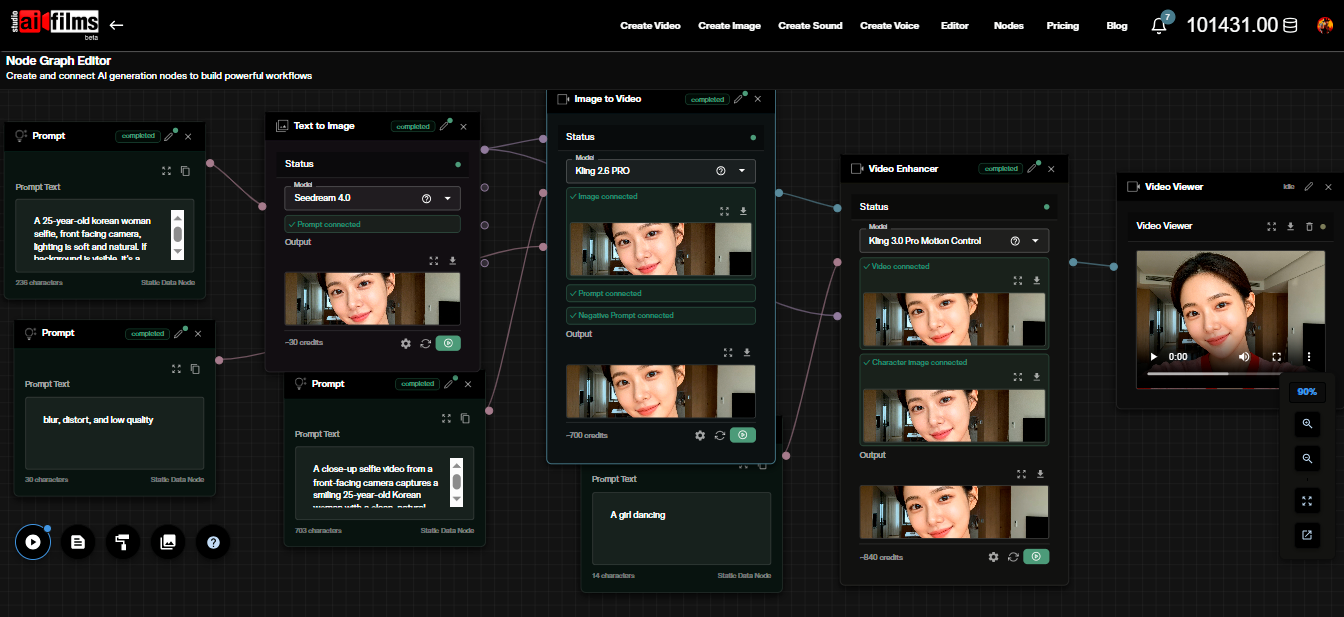
The Studio offers FLUX.2 Klein 9B Image to Image and FLUX.2 Klein LoRA in the image workspace. Other live editing models include Nano Banana 2 Image to Image, Seedream 5.0 Pro Image to Image, GPT Image 2 Image to Image and Kling Omni 3 Image to Image. The Nano Banana PRO Character Consistency model targets the same continuity problem. Start from the image to image page. In the Nodes Graph Editor you can send an edited frame straight into an image to video node.
Sources
FLUX.3 Klein Model Card (Black Forest Labs) | FLUX.3 Klein GitHub (Black Forest Labs) | FLUX Kommunity License v1.0
Continue Reading


Video & LipSync
- Video Generator
- Text to Video
- Image to Video
- Start-End Frame to Video
- Draw to Video
- Motion Control
- Video Enhancer
- Video Upscaler
- Video Extend
- Video to Video LipSync
- Audio to Video LipSync
- Image to Video LipSync
- Video FaceSwap
- Seedance 2.5
- WAN 3.0
- Seedance 2
- FLUX 3
- Minimax H3
- Vidu Q3 Pro
- Grok Imagine Video 1.5
- Gemini Omni
- Google Veo 3.1
- Kling 3.0 Pro
- Luma Ray 3.2
- LTX 2.3
- Happy Horse 1.1
- Kling 3.0 Motion
- ByteDance Upscaler
- InfiniteTalk
- InsightFace
Image & Edit
- AI Character
- AI Actor
- Art Generator
- Text to Image
- Image to Image
- LoRA Image to Image
- Draw to Edit
- Image LoRA Training
- Remove Background
- Image Enhancer
- MidJourney 8.0
- Krea 2
- OpenAI GPT Image 2.0
- Nano Banana Pro Ultra
- Nano Banana 2 Lite
- Nano Banana Pro
- Minimax Image
- Clarity Pro
- Z-Image Turbo LoRA
- Krea 2 Turbo LoRA
- Z-Image LoRA Trainer
- Qwen Image LoRA Trainer
- Background Erase Network 2 (BEN2)