

OOOLab & Sperid Labs (Apache 2.0)
Share this post:
Idol & OOOSplat: Open Source 3D Gaussian Splatting for Film
Idol (speridlabs/idol) and OOOSplat (ooolabdev/ooosplat) give filmmakers and virtual production supervisors two Apache 2.0 open source paths to 3D Gaussian Splatting (3DGS). Idol (arXiv:2610.02521) is a 1.2B neural network that turns a single photograph into a metric scale 3D Gaussian Splat scene in about 1 second (1.12M Gaussians at 1024x1024), while OOOSplat is a native Rust and Tauri desktop application for Windows, Apple Silicon macOS, and Ubuntu Linux that converts standard or 360 degree ERP video and photo sequences into editable .ply, .spz, and .sog 3D splats entirely offline.
Studio availability. Idol and OOOSplat are not available in AI FILMS Studio. This guide covers their open source releases and local 3D set reconstruction workflows. In the Studio, use NanoBanana Pro, Flux 2 Max, or Seedream 5.0 Lite on the Text to Image page to generate concept frames or 360 degree environment plates, then animate shots on the Image to Video page or in Studio Nodes.
Sperid Labs' Idol 1.2B reconstructing metric 3D Gaussian Splat scenes from a single image in 1 second
1. Sperid Labs' Idol: Single Image to Metric 3D Scene in 1 Second
Traditional 3D Gaussian Splatting requires capturing dozens of overlapping camera angles and running minutes of optimization for each scene. When a director only has a single concept illustration, storyboard frame, or archival location photo, photogrammetry cannot reconstruct the room.
Idol (speridlabs/idol) solves single view 3D reconstruction in one forward pass.
- 1.2B direct prediction architecture. Combines a frozen
DINOv3 ViT-L/16visual encoder with aUNet3Dvolumetric decoder and a metric scale head to output 1,122,304 colored 3D Gaussians from one1024x1024input image in roughly 1 second on a single GPU. - Indoor and outdoor generalization. Trained on a mixed real and synthetic corpus (ARKitScenes, TartanAir, ScanNet++, MatrixCity, DL3DV, and Mapillary), Idol reconstructs both interior film sets and wide exterior streetscapes with accurate metric depth.
- Direct PLY export. Saves standard
.plyGaussian Splat files ready to load into Unreal Engine, Blender, WebGPU viewers, or OOOSplat for camera blocking.
2. OOOSplat: Local Desktop Video to 3DGS Studio (Windows, Mac & Linux)
When you have location scouting video, drone footage, or 360 degree panoramic captures, OOOSplat (v0.7.1) bundles FFmpeg, FFprobe, COLMAP 4.2.1 (with automatic CUDA GPU detection on Windows and native Apple Silicon CPU plus Metal Brush support on macOS), and the Brush 3DGS trainer into a desktop application.
- Standard and 360 degree ERP panoramic video. Automatically extracts frames, detects 2:1 equirectangular (ERP) 360 degree footage, performs spherical camera registration, and converts registered views into 6 face training cubemaps.
- Interactive WebGPU viewport and editing. Includes
WASDcamera walkthroughs (0.1xto5.0xspeed), box, sphere, and rectangle Gaussian cropping, transform gizmos, and undo or redo history at up to 60 FPS. - Multiple export formats and reshoots. Exports standard
.ply, compressed.ply,SPZ v4, single file.sog, turntable.mp4videos, and standalone offline.htmlviewers, plus a reshoot mode to merge additional footage into an existing reconstruction without uploading raw media to the cloud.
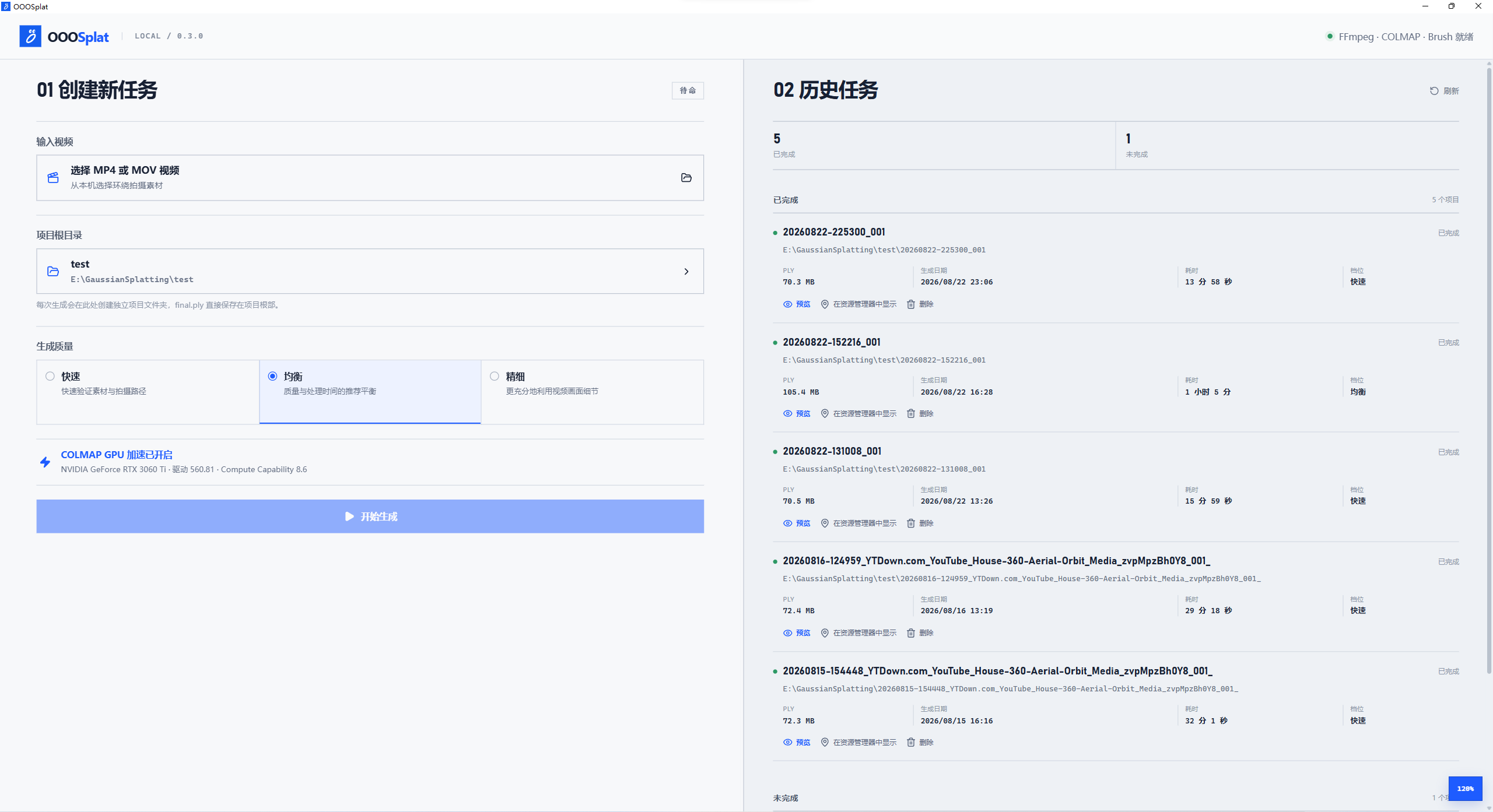
OOOSplat automates FFmpeg frame extraction, COLMAP camera registration, and Brush 3D Gaussian Splat training locally. Credit: OOOLab (Apache 2.0).
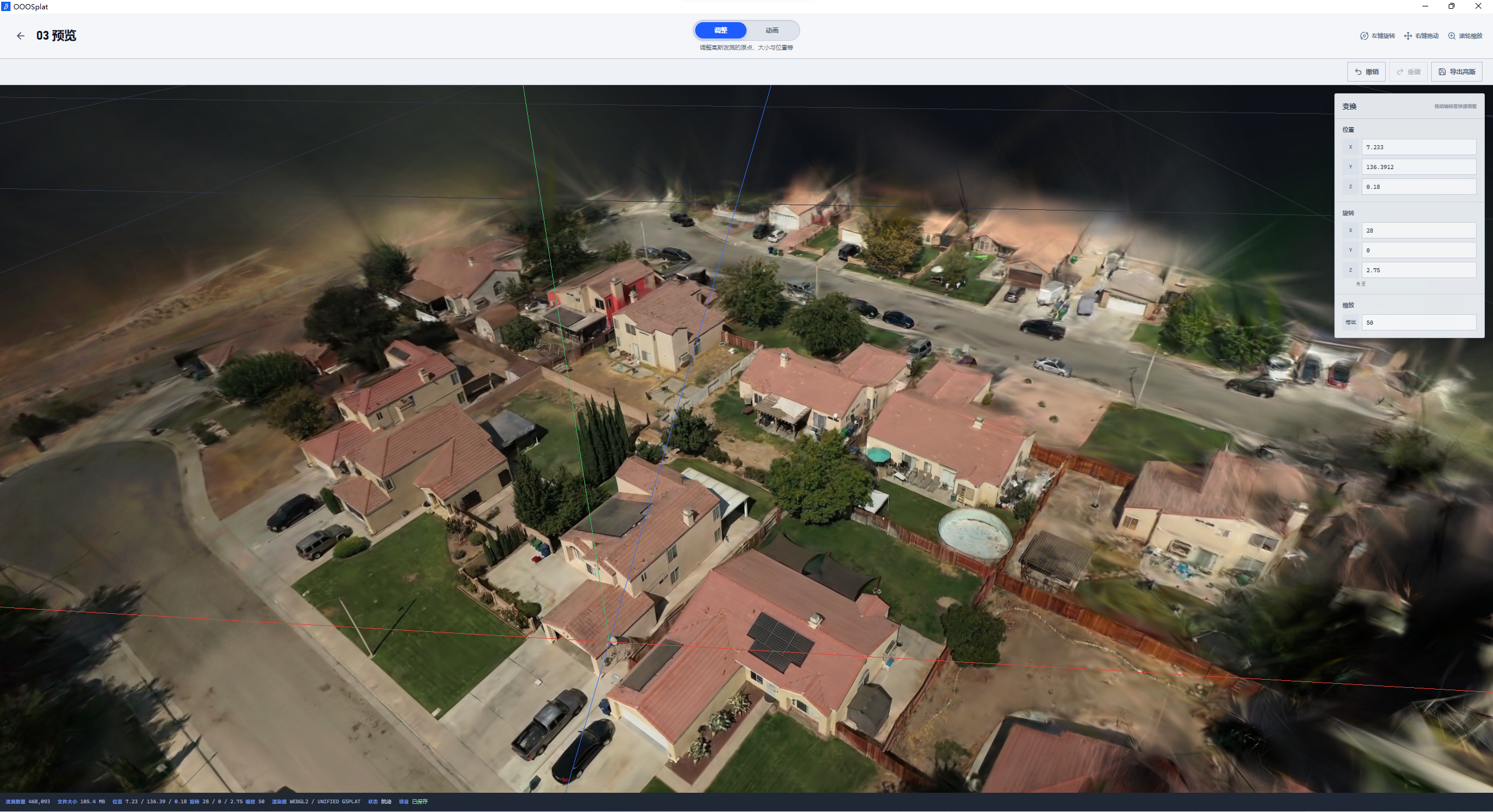
The built in WebGPU viewport supports interactive splat pruning, transform gizmos, WASD camera scouting, and SPZ or PLY export. Credit: OOOLab (Apache 2.0).
Comparison: Idol vs. OOOSplat
| Feature | Idol (speridlabs/idol) |
OOOSplat (ooolabdev/ooosplat) |
|---|---|---|
| Input Media | 1 single RGB image (1024x1024) |
Video (MP4/MOV), 360 degree ERP video, or photo sequence |
| Reconstruction Time | ~1 second (1.2B neural forward pass) | Minutes (local COLMAP + Brush iterative optimization) |
| Architecture / Stack | DINOv3 ViT-L/16 + UNet3D (1.12M Gaussians) |
Rust + Tauri 2 + FFmpeg + COLMAP + Brush + WebGPU |
| Export Formats | Metric 3D Gaussian .ply |
.ply, compressed .ply, SPZ v4, .sog, .mp4, offline .html |
| Platforms & Hardware | Python + CUDA GPU (12 to 24 GB VRAM) | Windows 11 x64, macOS 15+ (Apple Silicon M1+), Ubuntu 24.04 x86_64 |
| License | Apache 2.0 | Apache 2.0 |
Try Idol Live in the Embedded Hugging Face Space
Drop any concept frame or location photo into the live Idol Hugging Face Space below to generate and orbit a 3D Gaussian Splat scene in your browser, or open it at speridlabs-idol.hf.space.
Local Installation & CLI Quick Start
To run Idol locally in Python and convert concept images into .ply 3D Gaussian scenes, run the following commands.
git clone https://github.com/speridlabs/idol.git
cd idol
pip install -e .

# Download the 1.2B Idol checkpoint (~5 GB) from Hugging Face
hf download speridlabs/idol --local-dir checkpoints/idol

# Reconstruct a metric 3D Gaussian Splat (.ply) from a single image in ~1 second
python scripts/infer.py \
  --checkpoint checkpoints/idol \
  --input assets/example.jpg \
  --output outputs/scene_splat.ply
To install OOOSplat on Windows, Apple Silicon macOS, or Ubuntu 24.04, download the latest native installer from the OOOSplat v0.7.1 Releases page. You can also import .ply files generated by Idol directly into OOOSplat's "Completed" tab to crop stray splats, adjust scene transforms, and export compressed SPZ v4 or .sog assets. For companion 3D world and panorama pipelines, check out our guides to HY-World 2.0 for 3D world and 360 panorama generation, HunyuanWorld-Mirror for single image 3D scenes, and NVIDIA Lyra 2.0 for open source 3D worlds.
Generating Environment Plates in AI FILMS Studio
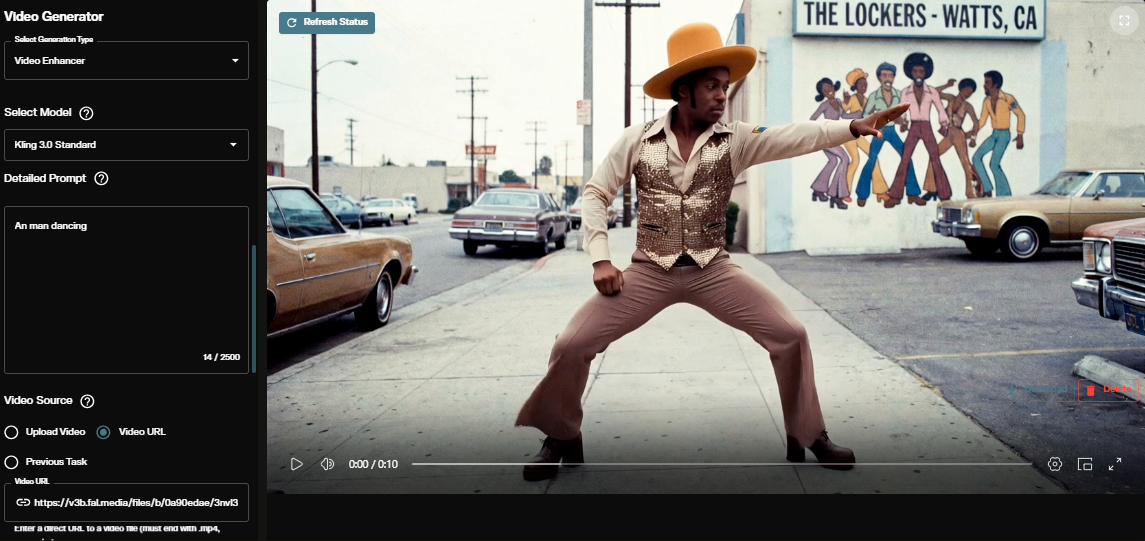
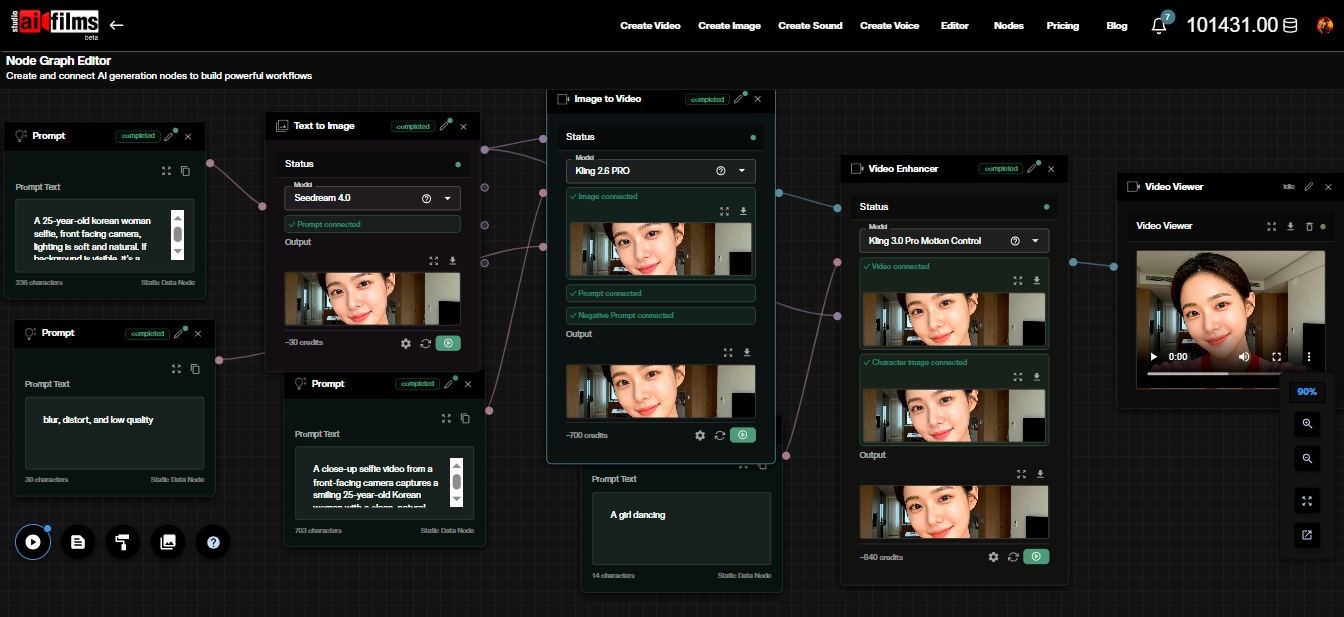
Idol and OOOSplat build 3D Gaussian scenes locally. To generate photorealistic concept art or 360 degree environment plates before converting them to 3D, or to animate rendered camera angles into video shots, open the video and image workspace or build a multi step workflow in the Nodes Graph Editor.
Sources
Continue Reading


Video & LipSync
- Video Generator
- Text to Video
- Image to Video
- Start-End Frame to Video
- Draw to Video
- Motion Control
- Video Enhancer
- Video Upscaler
- Video Extend
- Video to Video LipSync
- Audio to Video LipSync
- Image to Video LipSync
- Video FaceSwap
- Seedance 2.5
- WAN 3.0
- Seedance 2
- FLUX 3
- Minimax H3
- Vidu Q3 Pro
- Grok Imagine Video 1.5
- Gemini Omni
- Google Veo 3.1
- Kling 3.0 Pro
- Luma Ray 3.2
- LTX 2.3
- Happy Horse 1.1
- Kling 3.0 Motion
- ByteDance Upscaler
- InfiniteTalk
- InsightFace
Image & Edit
- AI Character
- AI Actor
- Art Generator
- Text to Image
- Image to Image
- LoRA Image to Image
- Draw to Edit
- Image LoRA Training
- Remove Background
- Image Enhancer
- MidJourney 8.0
- Krea 2
- OpenAI GPT Image 2.0
- Nano Banana Pro Ultra
- Nano Banana 2 Lite
- Nano Banana Pro
- Minimax Image
- Clarity Pro
- Z-Image Turbo LoRA
- Krea 2 Turbo LoRA
- Z-Image LoRA Trainer
- Qwen Image LoRA Trainer
- Background Erase Network 2 (BEN2)