

Netflix & Eyeline Labs, ID-V2V (SIGGRAPH Asia 2026)
Share this post:
ID-V2V: Open Source Identity Video Relighting & Restyling
ID-V2V (Eyeline-Labs/ID-V2V) is an open source video-to-video restylization and relighting framework developed by researchers at Netflix and Eyeline Labs (including Paul Debevec and Ning Yu) and accepted to SIGGRAPH Asia 2026 (arXiv:2607.22830). Given a live action source video and a single stylized or relit keyframe, ID-V2V generates a new 720p video that adopts the lighting, environment, and visual style of the keyframe while preserving the actor's facial identity, eye gaze, subtle expressions, and lip synchronization.
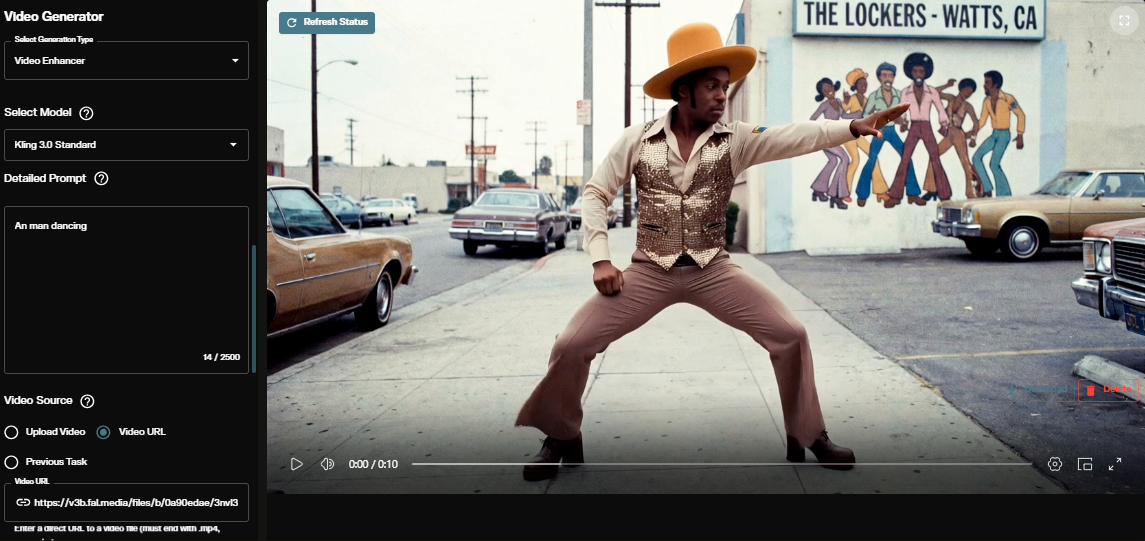
Studio availability. ID-V2V is not available in AI FILMS Studio. This guide covers the open source research release and local setup. In the Studio, use Runway Aleph, Kling O3 Video Edit, Wan 2.2 VACE, or LTX-2 Retake on the Video to Video page or in Studio Nodes.
ID-V2V identity preserving video relighting demonstration
Shoot First, Restyle Later: How ID-V2V Works
Traditional video-to-video diffusion pipelines face a balance problem between style strength and performance fidelity. Strong structural conditioning (such as Canny edges or dense depth maps) locks the silhouette and blocks wardrobe or background changes, while weak conditioning causes facial identity drift and lost eye gaze.
ID-V2V solves this with a two stage pipeline built on the Wan 2.1 Diffusion Transformer and VACE control architecture.
- Foreground on gray conditioning via SAM3. For full scene restylization, a preprocessing pass segments the performer with
facebook/sam3and places the foreground actor over a neutral gray background (orig_pixel.mp4). This strips away the original set while keeping every pixel of the actor's facial performance and skin tone cues intact. - Keyframe guided 81 frame generation. You style frame 0 in any image editor or relighting tool (
stylized_first_frame.png) and optionally supply anchor frames inkeyframes/<N>.png(for example,40.pngand80.png). ID-V2V propagates the new lighting and environment across overlapping 81 frame clips at1280x720.
Crucially, ID-V2V includes imperfect keyframe alignment recovery. When an image editing model alters the actor's head angle or mouth shape in stylized_first_frame.png, frame 0 matches the keyframe and frame 1 onward automatically realigns to the source video's exact facial performance and lip motion.
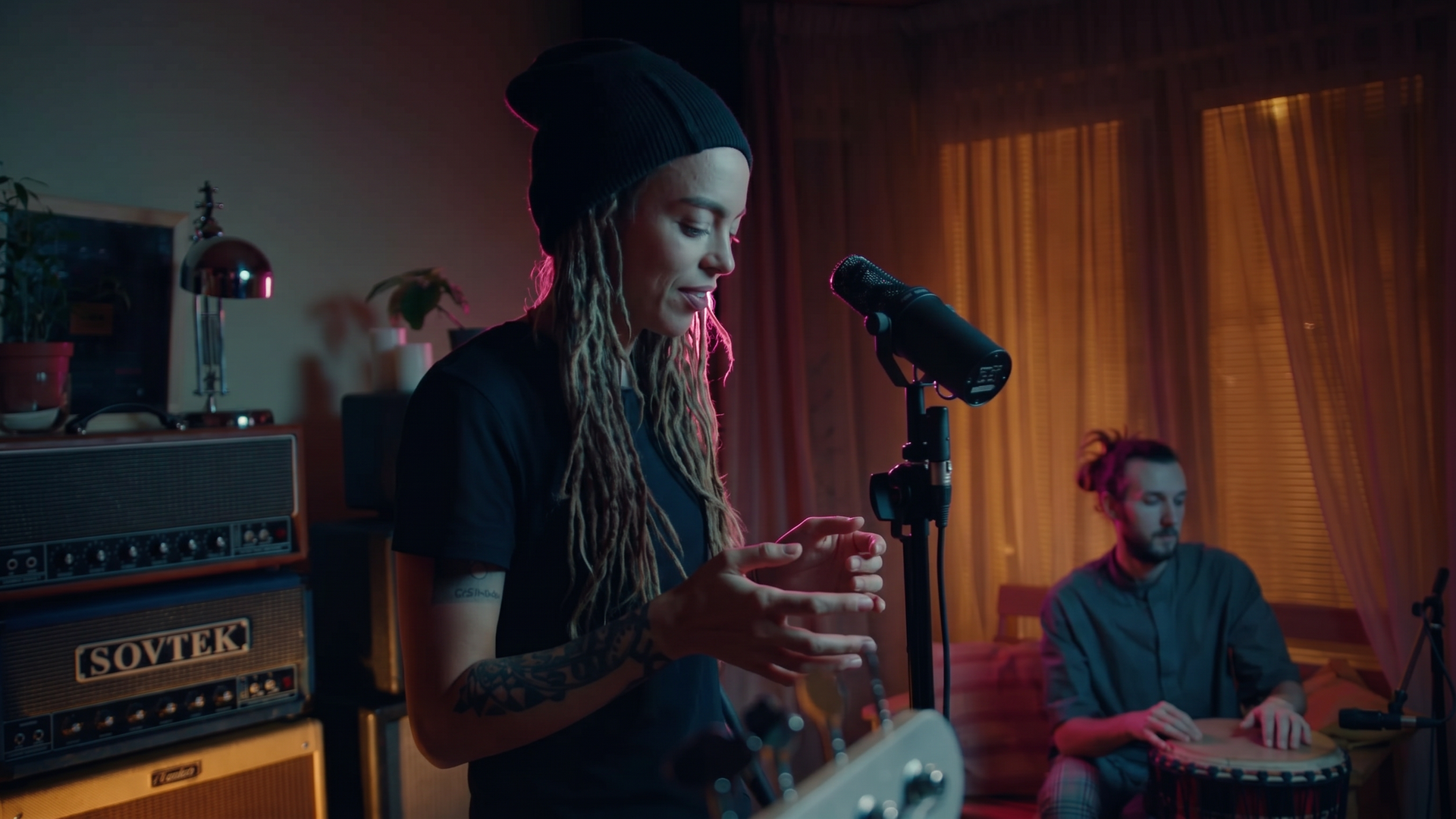
A single relit keyframe establishes the stage lighting palette that ID-V2V propagates across the full performance. Credit: Eyeline Labs.
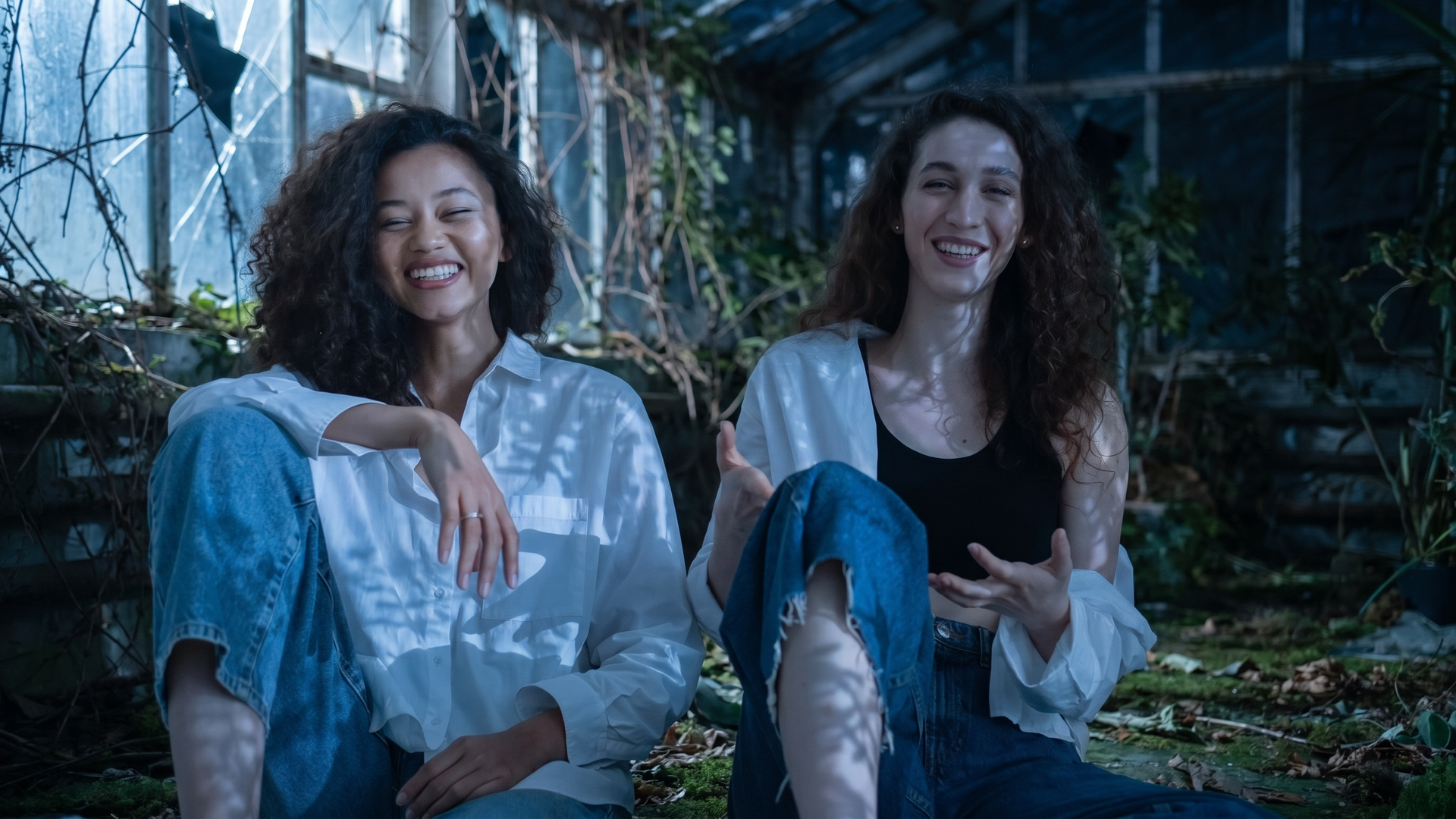
Scene restylization replaces the background environment and lighting while locking actor identity and eye gaze. Credit: Eyeline Labs.
Five Production Recipes Included in the Repo
The Eyeline-Labs/ID-V2V repository ships shell recipes under scripts/examples/ and matching templates under test_samples/.
- Scene restylization (
restylization.sh). Relights the performer and replaces the background environment using SAM3 foreground on gray conditioning. - Imperfect keyframe (
non_aligned_keyframe). Recovers exact source lip sync and gaze even when the stylized first frame has pose or expression drift. - Direct video relighting (
relighting). Skips SAM3 preprocessing entirely and feeds the unsegmented source video directly into the relighting pass. - Multiple keyframe anchoring (
first_last_frame). Pins multiple frame indices (keyframes/40.png,keyframes/80.png) for shots with large camera pans or lighting transitions. - Long form video stitching (
longer_video). Generates overlapping 81 frame windows (NUM_FRAMES_PER_CLIP=81) to process longer takes without seam flicker.
ID-V2V background replacement and scene restylization pass
Hardware, Checkpoints & License
| Attribute | Specification |
|---|---|
| GitHub Repository | Eyeline-Labs/ID-V2V |
| Hugging Face Checkpoints | Eyeline-Labs/ID-V2V (idv2v.pth + optional normal and depth variant) |
| Base Stack & Dependencies | Wan 2.1 (T5, VAE, CLIP) + facebook/sam3 (~96 GB total checkpoint footprint) |
| Output Resolution & Clip Window | 1280x720 (720p), 81 frames per clip with multi clip stitching |
| GPU & VRAM Requirements | Tested on 8x A100 80GB with xfuser USP sequence parallelism; supports single GPU 24 to 80 GB VRAM with GPU="0" CPU offload |
| License | Research and non commercial demonstration license (see repository LICENSE) |
Local Setup & Inference Commands
Install the unified uv environment (Python 3.10, PyTorch 2.6, xfuser, and flash-attn 2.7), authenticate with Hugging Face for gated facebook/sam3 access, and pull the checkpoints.
git clone https://github.com/Eyeline-Labs/ID-V2V && cd ID-V2V
uv sync && source .venv/bin/activate

# Authenticate for facebook/sam3 and download checkpoints (~96 GB)
hf auth login
bash scripts/download_checkpoints.sh
Place source.mp4, stylized_first_frame.png, and prompt.txt inside a sample directory, then run preprocessing and inference.
# Step 1: Segment foreground actor onto gray background with SAM3
SAMPLE_DIR=test_samples/restylization/two_sitting_woman SAM_PROMPT=person bash scripts/preprocess.sh

# Step 2: Run 720p generation (set GPU="0" for single GPU CPU offload)
GPU="0" SAMPLE_DIR=test_samples/restylization/two_sitting_woman bash scripts/infer.sh
Each run writes generated_video.mp4 alongside flip_test.mp4, an automated A/B inspection clip that freezes at five intervals to toggle between the source performance and the relit output. For joint 4D camera trajectory and illumination control, pair this workflow with our guide to Light-X 4D video rendering, or explore NVIDIA UniRelight for video relighting and Kiwi-Edit for open source video editing.
Restyling Video in AI FILMS Studio
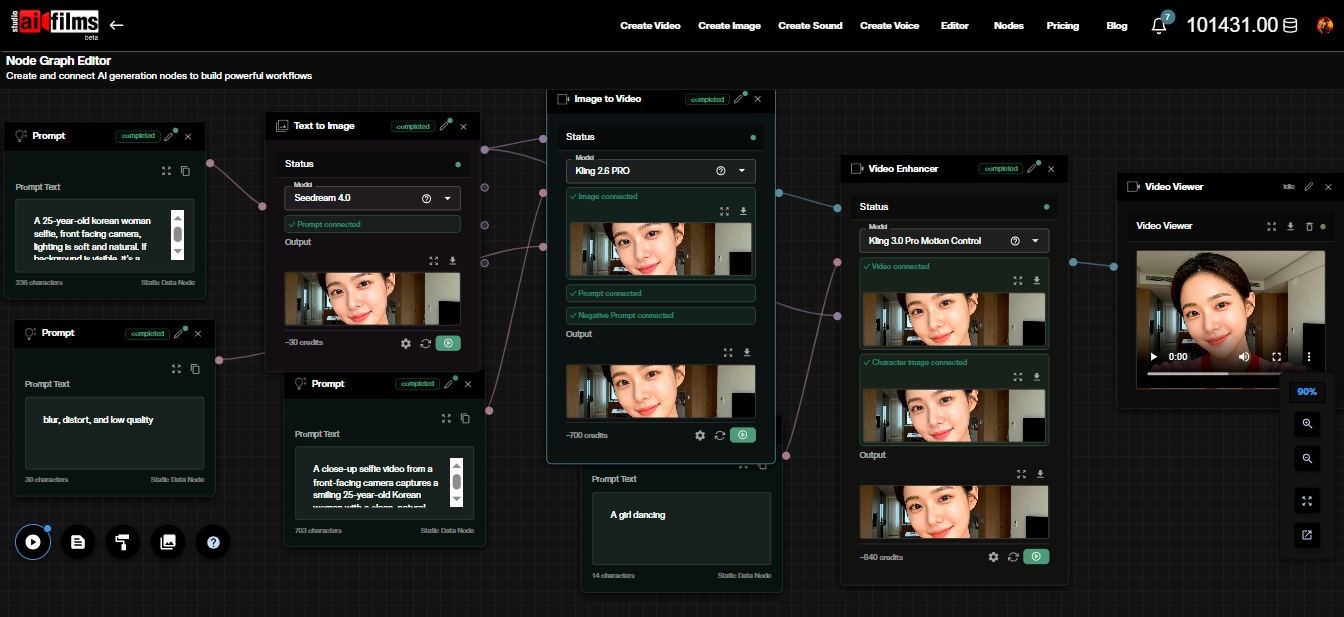
ID-V2V runs locally on dedicated GPU hardware. To transform live action plates in the browser without a 96 GB checkpoint download, open the video workspace to run Runway Aleph, Kling O3 Video Edit, Wan 2.2 VACE, and LTX-2 Retake, or connect keyframe and video nodes in the Nodes Graph Editor.
Sources
Continue Reading


Video & LipSync
- Video Generator
- Text to Video
- Image to Video
- Start-End Frame to Video
- Draw to Video
- Motion Control
- Video Enhancer
- Video Upscaler
- Video Extend
- Video to Video LipSync
- Audio to Video LipSync
- Image to Video LipSync
- Video FaceSwap
- Seedance 2.5
- WAN 3.0
- Seedance 2
- FLUX 3
- Minimax H3
- Vidu Q3 Pro
- Grok Imagine Video 1.5
- Gemini Omni
- Google Veo 3.1
- Kling 3.0 Pro
- Luma Ray 3.2
- LTX 2.3
- Happy Horse 1.1
- Kling 3.0 Motion
- ByteDance Upscaler
- InfiniteTalk
- InsightFace
Image & Edit
- AI Character
- AI Actor
- Art Generator
- Text to Image
- Image to Image
- LoRA Image to Image
- Draw to Edit
- Image LoRA Training
- Remove Background
- Image Enhancer
- MidJourney 8.0
- Krea 2
- OpenAI GPT Image 2.0
- Nano Banana Pro Ultra
- Nano Banana 2 Lite
- Nano Banana Pro
- Minimax Image
- Clarity Pro
- Z-Image Turbo LoRA
- Krea 2 Turbo LoRA
- Z-Image LoRA Trainer
- Qwen Image LoRA Trainer
- Background Erase Network 2 (BEN2)