

AI FILMS original chart, numbers from the Qwen-Image-2.1 README
Share this post:
Qwen-Image 2.1 Turbo: 8 Step Open Weights 2K Image AI
Look development needs many options fast. A slow model costs you the afternoon. Qwen-Image 2.1 from the Qwen team makes native 2K images and edits them in one model. Its Turbo version needs only 8 denoising steps, where the base model needs 40. The weights came out on 2026-09-20, and Turbo followed on 2026-10-09.
Studio availability. Qwen-Image 2.1 is not available in AI FILMS Studio. The Studio has separate Qwen Image LoRA tools, and those are not Qwen-Image 2.1. To generate images in the cloud, use the text to image page or the image workspace.
License Note
The repository uses the Qwen Research License Agreement. The README links the license file and does not summarize the terms. It does not say whether commercial use is allowed. Read the LICENSE file before you use output in paid work. A Pro version exists only as a hosted API, and the README mentions no weights for it.
What Is in the Model
| Part | Detail |
|---|---|
| Image transformer | 7B parameters, 32 single stream layers, block causal attention |
| Text encoder | Qwen3-VL 8B, reads both instructions and condition images |
| VAE | 64 channel RGBA autoencoder with 16x spatial compression |
| Scheduler | Flow matching, Euler discrete with dynamic shifting |
| Base model | Default 40 steps at 2048x2048 |
| Turbo model | 8 steps, CFG 1, own saved schedule |
| Prompt rewriters | Two Qwen3.5-VL 9B checkpoints, one for text to image and one for editing |
The model uses mixed granularity attention and a prefix KV cache. The cache stores the context of text and condition images across steps, which speeds up multi image editing.
The README lists these native sizes.
| Ratio | Size |
|---|---|
| 1:1 | 2048x2048 |
| 4:3 and 3:4 | 2400x1792 and 1792x2400 |
| 3:2 and 2:3 | 2528x1696 and 1696x2528 |
| 16:9 and 9:16 | 2752x1536 and 1536x2752 |
The 16:9 size is close to a film frame, so you can use the output as a still, as a start frame or as a storyboard panel.
Features Filmmakers Can Use
- Native transparency. The model generates RGBA images. The README advises wrapping a prompt with "This is an RGBA image with transparency" and saving as PNG. A prop, a costume piece or a title graphic then arrives with an alpha channel for compositing.
- Up to 10 reference images. Combine several subjects in one image.
- Local edits. Mark the area with a circle, a painted annotation or a separate mask.
- Identity preservation. Keep people and products consistent across edits.
- Typography. The README cites improved text rendering and shows dense poster examples. The page gives no benchmark scores, so test it on your own title cards.
- Layers and extraction. Edit transparent layers and pull a subject out of a photo.
Run It Locally
The pipeline needs torch 2.4.0 or newer, transformers 5.17 or newer, and Diffusers installed from GitHub source. The README gives no VRAM figure, so test with enable_model_cpu_offload() when memory is tight. Support also exists for AMD ROCm, Apple Silicon (through LightX2V) and Intel OpenVINO.
import torch
from diffusers import QwenImage21Pipeline

pipe = QwenImage21Pipeline.from_pretrained(
    "Qwen/Qwen-Image-2.1-Turbo", dtype=torch.bfloat16
).to("cuda")

# Turbo uses its saved 8 step schedule with CFG 1.
image = pipe(
    prompt="A film still of a night market, a hand painted sign reads 'NOODLES 24H'",
    width=2752,
    height=1536,
    use_kv_cache=True,
    generator=torch.Generator("cpu").manual_seed(42),
).images[0]
image.save("night_market.png")
Setting num_inference_steps alone does not override the Turbo schedule. For editing, pass the source with image=, or pass a list of images for several references. Weights are on Hugging Face as Qwen/Qwen-Image-2.1-Turbo, with a public demo in the Qwen-Image-2.1 Space.
Film Uses
- Fast look development. Eight steps let you test many frames in a session.
- Cutout assets. Generate props and set pieces with transparency.
- Poster and title tests. Check dense lettering before a designer starts.
- Reference sheets. Combine actor, costume and location references.
Related Image Guides
Compare other open weights image models in our guides. Read Z-Image and ERNIE-Image, Krea 2 Raw and Turbo, FLUX.3 Klein and BiRefNet matting. For background removal in the cloud, use the background remover page.
Frequently Asked Questions
How many steps does Turbo need?
Turbo uses 8 denoising steps with CFG 1 and its own saved schedule. The base model uses 40 steps by default.
What image sizes does it support?
Native 2K sizes. The 1:1 size is 2048x2048 and the 16:9 size is 2752x1536. The README lists seven ratios.
Can it make images with transparency?
Yes. The VAE has an RGBA channel layout. The README advises a prompt wrapper that states the image is an RGBA image with transparency, and PNG output.
How many reference images can it use?
Up to 10 for multi subject composition. Local edits can use circles, painted annotations or separate masks.
Is there a hosted Pro version?
Yes, but only through the Alibaba Cloud Model Studio API. The README mentions no weights for Pro.
Can I use it commercially?
The README does not say. The repository uses the Qwen Research License Agreement. Read the license file before you use output in paid work.
Image Generation in AI FILMS Studio
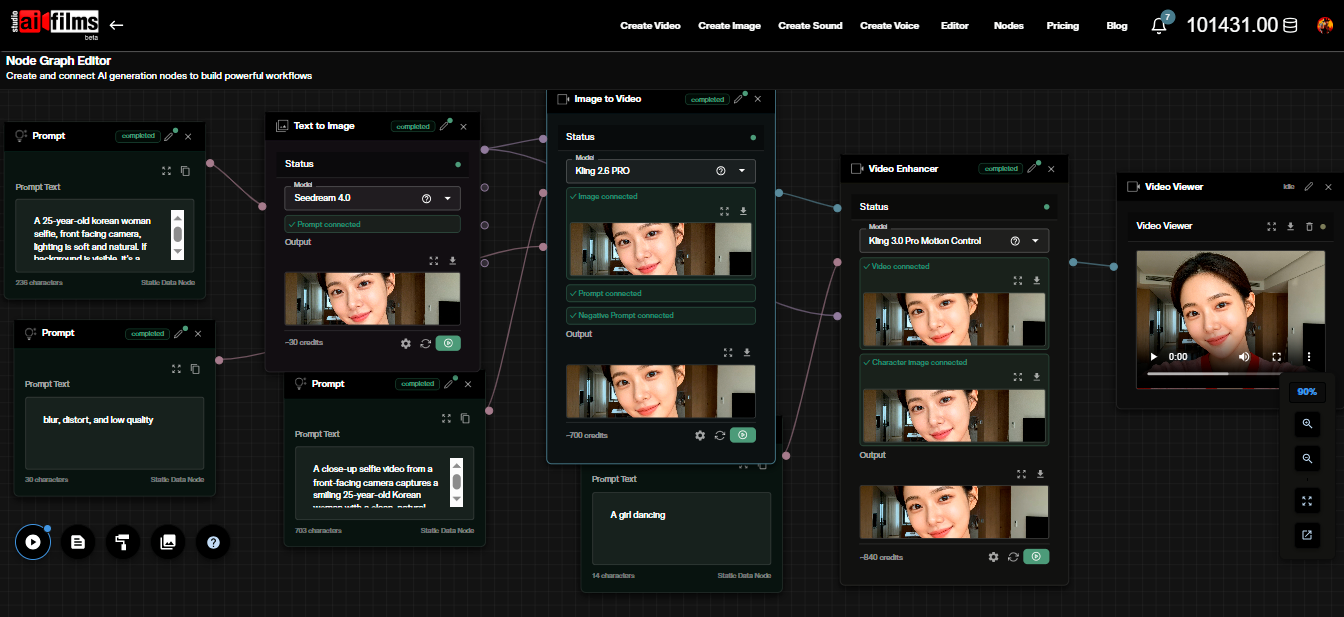
The text to image page lists live models such as Seedream 5.0 Pro Text to Image, HiDream O1 Text to Image, Krea 2 Turbo Text to Image and GPT Image 2 Text to Image. The image workspace lets you compare them side by side. Move a chosen frame into the Nodes Graph Editor to animate it.
Sources
Qwen-Image-2.1 GitHub (QwenLM) | Qwen/Qwen-Image-2.1-Turbo Hugging Face | Qwen/Qwen-Image-2.1 Hugging Face | Qwen Research License Agreement
Continue Reading


Video & LipSync
- Video Generator
- Text to Video
- Image to Video
- Start-End Frame to Video
- Draw to Video
- Motion Control
- Video Enhancer
- Video Upscaler
- Video Extend
- Video to Video LipSync
- Audio to Video LipSync
- Image to Video LipSync
- Video FaceSwap
- Seedance 2.5
- WAN 3.0
- Seedance 2
- FLUX 3
- Minimax H3
- Vidu Q3 Pro
- Grok Imagine Video 1.5
- Gemini Omni
- Google Veo 3.1
- Kling 3.0 Pro
- Luma Ray 3.2
- LTX 2.3
- Happy Horse 1.1
- Kling 3.0 Motion
- ByteDance Upscaler
- InfiniteTalk
- InsightFace
Image & Edit
- AI Character
- AI Actor
- Art Generator
- Text to Image
- Image to Image
- LoRA Image to Image
- Draw to Edit
- Image LoRA Training
- Remove Background
- Image Enhancer
- MidJourney 8.0
- Krea 2
- OpenAI GPT Image 2.0
- Nano Banana Pro Ultra
- Nano Banana 2 Lite
- Nano Banana Pro
- Minimax Image
- Clarity Pro
- Z-Image Turbo LoRA
- Krea 2 Turbo LoRA
- Z-Image LoRA Trainer
- Qwen Image LoRA Trainer
- Background Erase Network 2 (BEN2)