

AI FILMS original diagram, based on the ShotStream paper and README
Share this post:
ShotStream: Open Source Multi Shot Video AI at 16 FPS
A scene is a chain of shots. The hard part for AI video is not one good shot. It is the second and third shot with the same actor, the same room and the same light. Most multi shot models generate the whole sequence at once. You wait, and you cannot steer. ShotStream from Kling AI Research (arXiv:2603.25746, accepted to ECCV 2026) works shot by shot. You send a prompt for the next shot while the earlier shots play. The authors report 16 FPS on a single GPU with sub second latency.
Studio availability. ShotStream is not available in AI FILMS Studio. This article covers a research release for local deployment. To generate video in the Studio, see the models listed on the text to video page.
How ShotStream Keeps Shots Consistent
The task is framed as next shot generation. The model sees what came before and writes the next shot from the new prompt. Three ideas make this work.
- Causal architecture. The model generates in order and never needs future frames. This enables streaming and low latency.
- Dual cache memory. A global cache holds frames from earlier shots, so identity and setting stay stable across cuts. A local cache holds frames from the current shot, so motion stays smooth inside the shot. A RoPE discontinuity marker tells the model which cache is which.
- Two stage distillation. The team first fine tunes a text to video model into a bidirectional next shot teacher. Stage one distills it with intra shot self forcing on ground truth history. Stage two moves to inter shot self forcing on the model's own history. This reduces the gap between training and use and limits error build up.
The result is a 4 step causal student. The base is Wan2.1 T2V 1.3B.
The diagram on the right shows the inference path at the top and the training path at the bottom. For a film pipeline, the key point is the global cache. It acts like a continuity supervisor. It remembers the actor and the set, and it hands that memory to every new shot.
The authors claim quality that matches or exceeds slower bidirectional models. The abstract names no benchmark scores, so run your own tests on your own scenes.
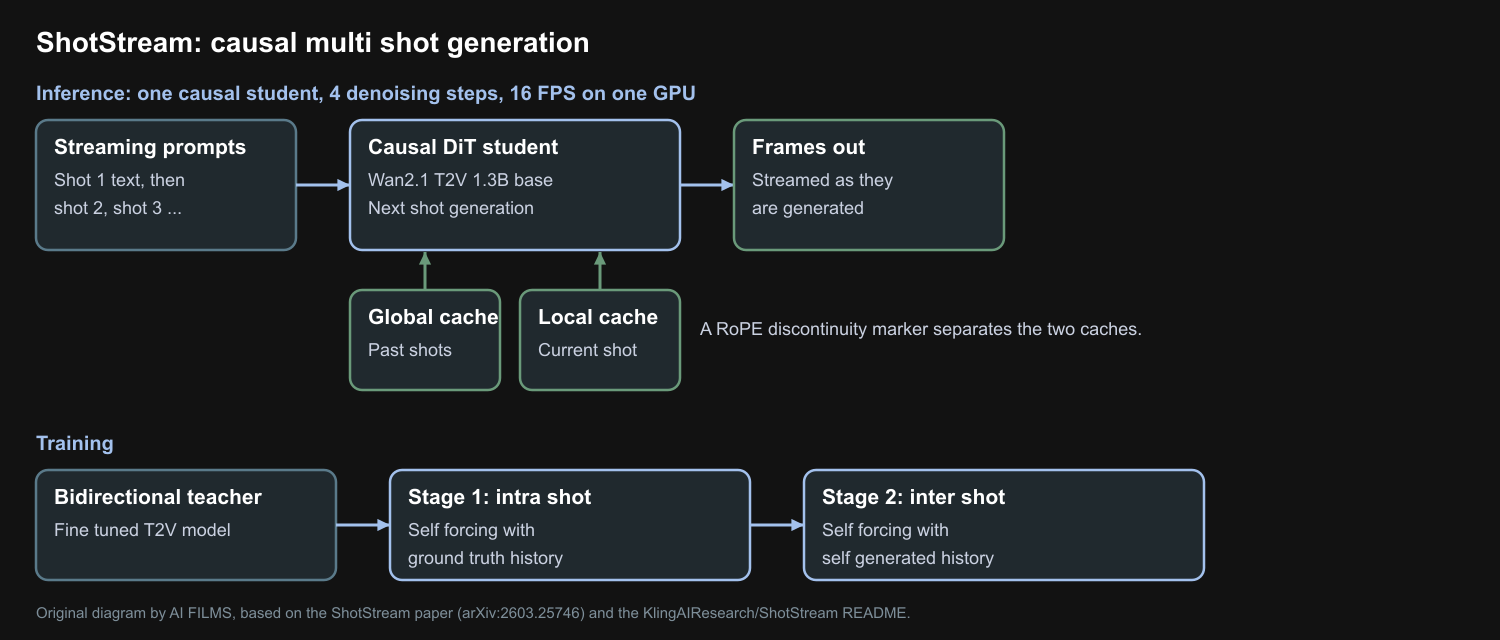
Original diagram by AI FILMS, based on the ShotStream paper and README.
Five shot sample from the project page. Credit: ShotStream authors.
Second five shot sample. Credit: ShotStream authors.
Run ShotStream Locally
The README gives no VRAM figure. The base model has 1.3B parameters, which is small, but the long context caches add memory. Test with short sequences first.
git clone https://github.com/KlingAIResearch/ShotStream.git
cd ShotStream
conda create -n shotstream python=3.10 -y
conda activate shotstream
conda install nvidia/label/cuda-12.4.1::cuda
conda install -c nvidia/label/cuda-12.4.1 cudatoolkit
pip install torch==2.8.0 torchvision==0.23.0 --index-url https://download.pytorch.org/whl/cu128
pip install -r requirements.txt
pip install flash-attn --no-build-isolation

# Weights
git clone https://huggingface.co/Wan-AI/Wan2.1-T2V-1.3B wan_models
git clone https://huggingface.co/KlingTeam/ShotStream ckpts

# 4 step autoregressive multi shot generation
bash tools/inference/causal_fewsteps.sh
The repository also includes training scripts in four stages, from the base model to long sequence distillation. Demo prompt files sit in demo/data/. The README notes that the demo prompts differ from the training prompts, so quality on your own prompts may vary.
Details That Matter Before You Use It
| Item | Detail |
|---|---|
| Base model | Wan2.1 T2V 1.3B |
| Student | Causal, 4 denoising steps |
| Speed | 16 FPS on a single NVIDIA GPU (authors) |
| Code and weights | Released 2026-03-27 on GitHub and KlingTeam/ShotStream |
| Venue | ECCV 2026 |
| License | Not stated on the repository page at the time of writing |
The Wan2.1 base has its own license. Check the repository license file and the base model terms before you use output in paid work.
Where It Fits
ShotStream is a draft tool. A 1.3B base model gives modest detail, so use it for animatics, story tests and interactive previs. A director can type a beat, see the shot, and then change the next beat. Then move the approved shots to a stronger model for final images.
Related guides show other answers to the same problem. HoloCine plans whole scenes at once. MultiShotMaster gives control over each shot. StoryMem uses a memory bank. ShotPlan plans cinematic coverage.
Frequently Asked Questions
How fast is ShotStream?
The authors report 16 FPS on a single NVIDIA GPU with sub second latency.
What is the base model?
Wan2.1 T2V 1.3B. The final model is a causal student with 4 denoising steps.
How does it keep shots consistent?
A global cache holds frames from earlier shots, and a local cache holds frames from the current shot. A RoPE discontinuity marker separates the two.
How was it trained?
First a bidirectional teacher was fine tuned. Then two distillation stages followed. Stage one used ground truth history, and stage two used the model's own generated history.
Multi Shot Work in AI FILMS Studio
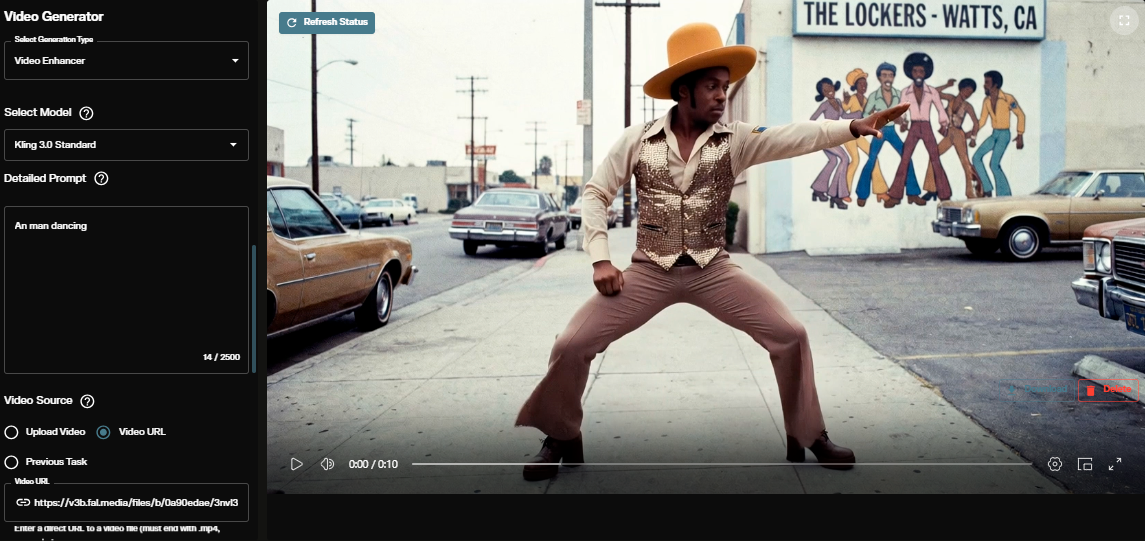
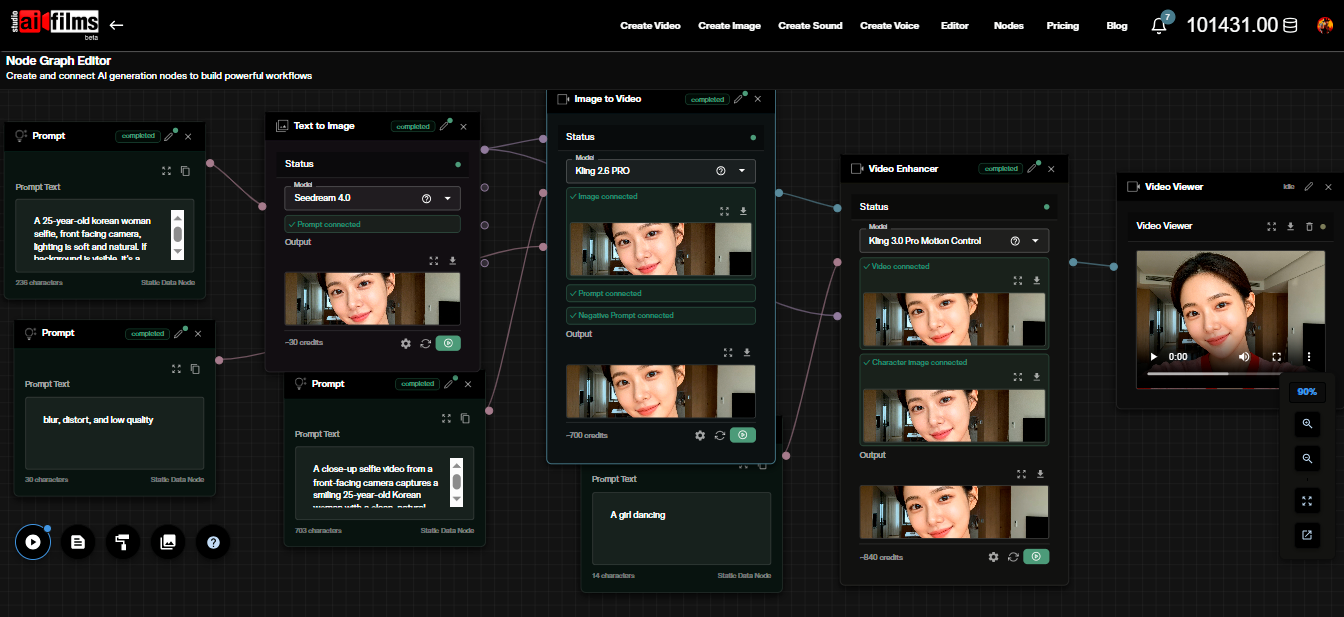
For final shots, the video workspace has cloud models such as Kling 3.0 Text to Video, Seedance 2.0 Text to Video, Google VEO 3.1 Text to Video and Vidu Q3 Pro Start-End to Video. To keep a character stable across shots, generate one reference frame and feed it into each shot through the image to video page. In the Nodes Graph Editor you can build one graph with a branch per shot.
Sources
ShotStream Paper (arXiv:2603.25746) | ShotStream GitHub (KlingAIResearch) | KlingTeam/ShotStream Hugging Face | ShotStream Project Page
Continue Reading


Video & LipSync
- Video Generator
- Text to Video
- Image to Video
- Start-End Frame to Video
- Draw to Video
- Motion Control
- Video Enhancer
- Video Upscaler
- Video Extend
- Video to Video LipSync
- Audio to Video LipSync
- Image to Video LipSync
- Video FaceSwap
- Seedance 2.5
- WAN 3.0
- Seedance 2
- FLUX 3
- Minimax H3
- Vidu Q3 Pro
- Grok Imagine Video 1.5
- Gemini Omni
- Google Veo 3.1
- Kling 3.0 Pro
- Luma Ray 3.2
- LTX 2.3
- Happy Horse 1.1
- Kling 3.0 Motion
- ByteDance Upscaler
- InfiniteTalk
- InsightFace
Image & Edit
- AI Character
- AI Actor
- Art Generator
- Text to Image
- Image to Image
- LoRA Image to Image
- Draw to Edit
- Image LoRA Training
- Remove Background
- Image Enhancer
- MidJourney 8.0
- Krea 2
- OpenAI GPT Image 2.0
- Nano Banana Pro Ultra
- Nano Banana 2 Lite
- Nano Banana Pro
- Minimax Image
- Clarity Pro
- Z-Image Turbo LoRA
- Krea 2 Turbo LoRA
- Z-Image LoRA Trainer
- Qwen Image LoRA Trainer
- Background Erase Network 2 (BEN2)