

VidDub & TaoLiveAIGC (Apache 2.0 / Research License)
Share this post:
VidDub & TaoMate-FVSR: Open Source AI Video Dubbing
VidDub (LAW1223/VidDub) and TaoMate-FVSR (TaoLiveAIGC/TaoMate-FVSR) are two complementary open source releases from November 2026 that solve the hardest problems in visual dialogue replacement and facial post production. VidDub (arXiv:2611.03404) distills a Wan 2.1 VACE 1.3B teacher into a 2 step full context video dubbing editor trained specifically for replacement speech, while TaoMate-FVSR (arXiv:2611.03393) combines audio guided facial video restoration (512x512 and 1024x1024) with visual dubbing under an Apache 2.0 code license.
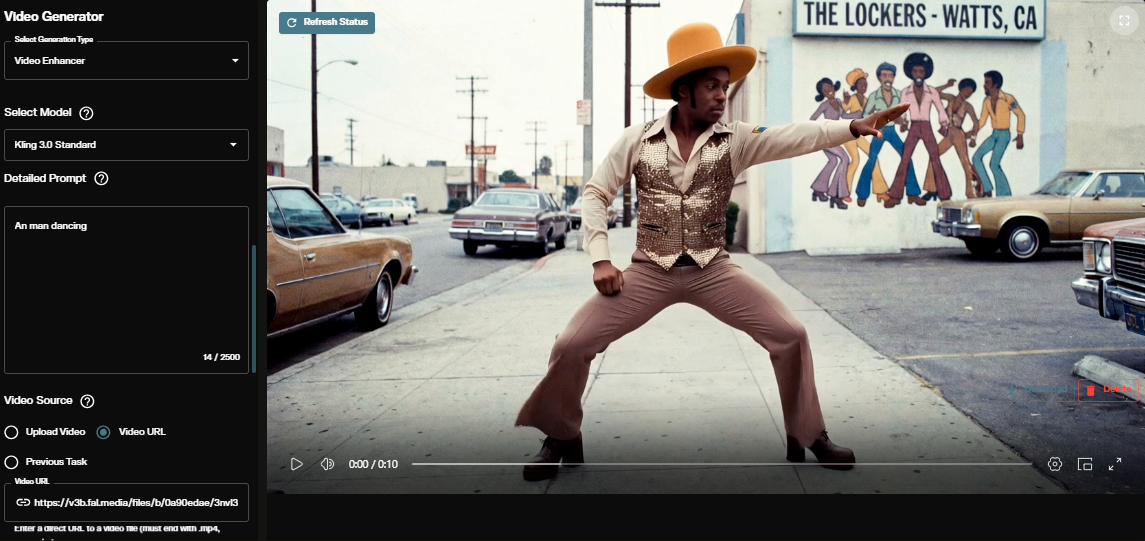
Studio availability. VidDub and TaoMate-FVSR are not available in AI FILMS Studio. This guide covers their open source releases and local setup. In the Studio, use Kling LipSync, Sync Lipsync v2 Pro, OmniHuman 1.5, or SeedVR2 on the Lip Sync page or in Studio Nodes.
TaoMate-FVSR audio guided facial restoration and visual dubbing output
Why Standard Lip Sync Models Fail on Replacement Dialogue
Most audio driven lip sync models are trained with same audio reconstruction. The training pipeline masks the lower face and teaches the model to reconstruct the original video frame using the original audio track. During inference, however, dubbing editors feed unpaired replacement audio (such as a translated foreign language voiceover or an ADR line change). Because the unmasked jaw, cheeks, and head motion in the source footage still correlate with the original syllables, same audio models suffer from mouth ghosting, double teeth, or muted articulation when the new audio disagrees with the recorded performance.
1. VidDub: Replacement Aware Distillation in 2 Denoising Steps
VidDub (AIPeanutman/VidDub) directly resolves the conflict between source appearance and replacement speech.
- Replacement aware supervision. Retains full facial reconstruction under paired audio, but masks conflicting source mouth supervision under replacement audio while keeping identity, lighting, head pose, and background evidence intact.
- 2 step trajectory and distribution matching distillation. Compresses the guided teacher trajectory into a 2 step student built on
Wan-AI/Wan2.1-VACE-1.3Bandopenai/whisper-small, removing auxiliary score networks at runtime. - Long form windowed inference. Processes longer takes using overlapping 81 frame windows with a 64 frame stride and 17 frame temporal blending overlap.
2. TaoMate-FVSR: Audio Guided 1024x1024 Facial Restoration + Dubbing
When archival footage, compressed livestream clips, or multi pass AI renders have degraded facial detail, dubbing alone leaves the mouth softer than the surrounding frame. TaoMate-FVSR (TaoLiveAIGC/TaoMate-FVSR) runs an end to end DWPose face crop, audio conditioned restoration (1x at 512x512 or 2x at 1024x1024 with GPEN-BFR reference enhancement), color and mask blending, and full scene paste back. On the 150 video restoration benchmark and 30 clip replacement speech benchmark, TaoMate-FVSR+ achieves the highest Sync-C (8.175) and MUSIQ (77.56) scores, outperforming two stage FlashVSR -> LipForcing and SparkVSR -> X-Dub cascades.
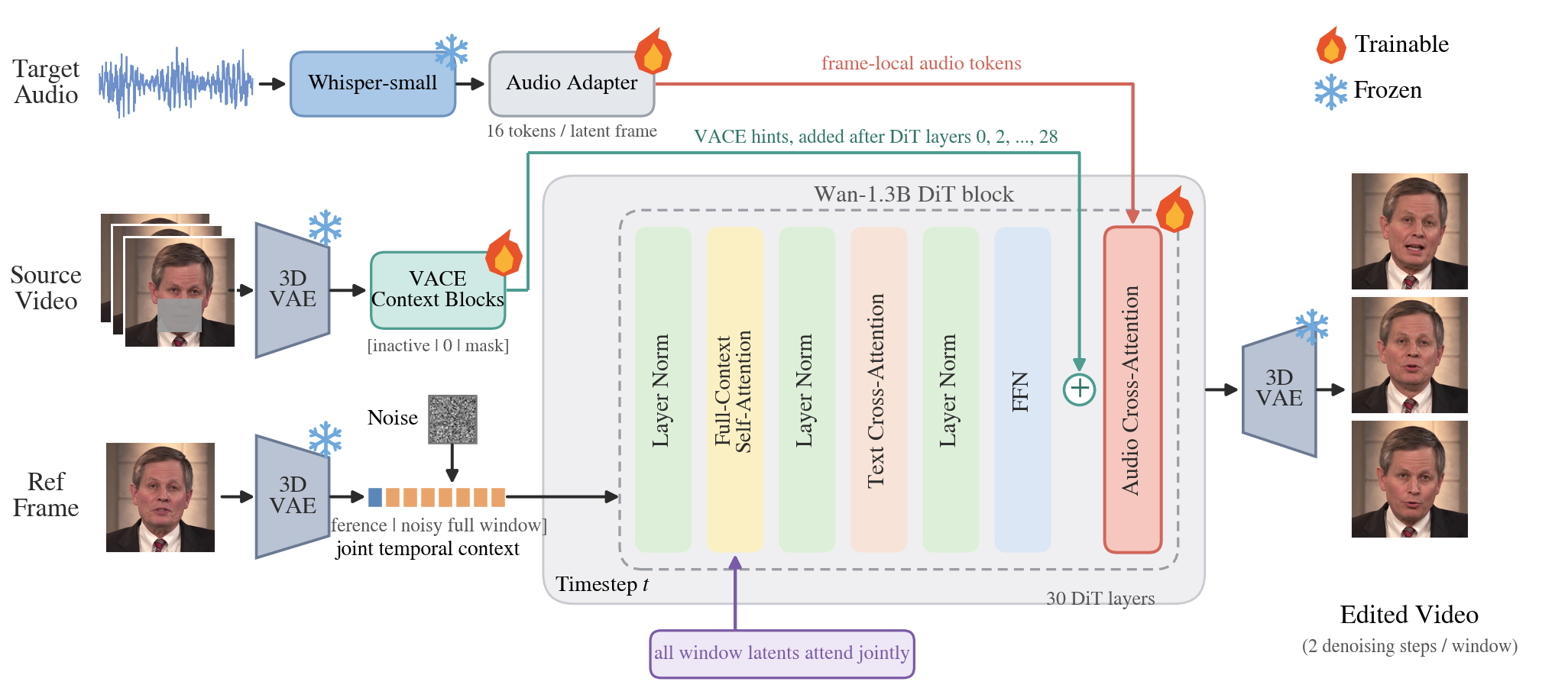
VidDub distills guided teacher trajectories into a 2 step Wan 2.1 VACE 1.3B student. Credit: VidDub Authors.
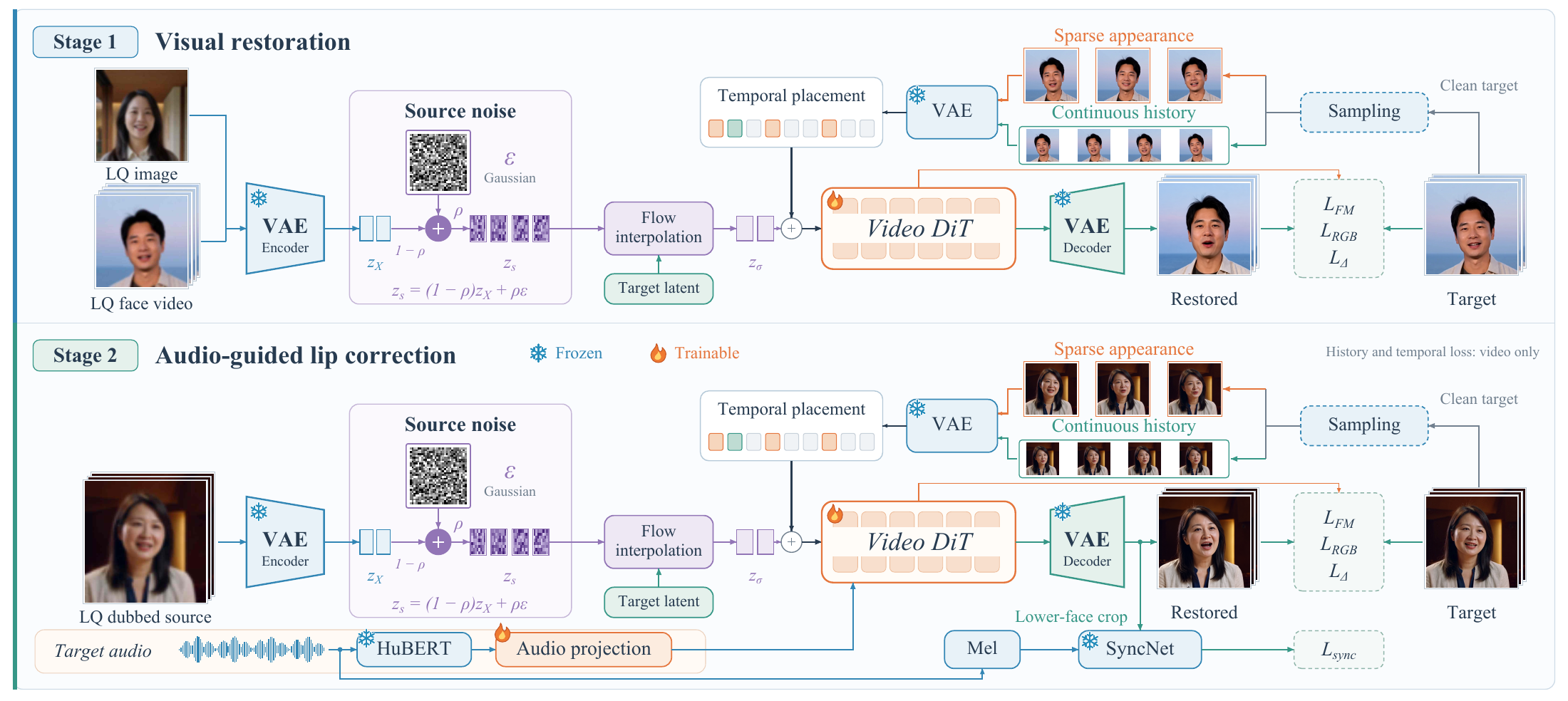
TaoMate-FVSR combines audio conditioning, sparse GPEN enhanced visual references, and generated frame history. Credit: TaoLiveAIGC (Apache 2.0).
VidDub 2 step replacement speech dubbing comparison (`case_05/cross.mp4`)
Comparison: VidDub vs. TaoMate-FVSR
| Feature | VidDub (LAW1223/VidDub) |
TaoMate-FVSR (TaoLiveAIGC/TaoMate-FVSR) |
|---|---|---|
| Primary Task | Fast 2 step replacement speech video dubbing | Audio guided facial restoration (1x / 2x) + visual dubbing |
| Hugging Face Checkpoints | AIPeanutman/VidDub + Wan2.1-VACE-1.3B + whisper-small |
TaoLiveAIGC/TaoMate-FVSR |
| Sampling Steps | 2 denoising steps per 81 frame window | 10 Euler steps (--scale 1 at 512x512 or --scale 2 at 1024x1024) |
| Long Video Handling | 81 frame windows, 64 frame stride, 17 frame overlap | DWPose crop + generated frame history + full frame paste back |
| Hardware & VRAM | Single 12 to 24 GB VRAM NVIDIA GPU (1.3B VACE backbone) | Single 16 to 24 GB VRAM NVIDIA GPU |
| License | Individual & Research License | Code: Apache 2.0 |
Local Setup & CLI Commands
To run VidDub in 2 denoising steps on any local video and replacement .wav track, use these commands.
git clone https://github.com/LAW1223/VidDub.git
cd VidDub
pip install -r requirements.txt

# Download base Wan2.1-VACE-1.3B, Whisper-Small, and VidDub weights
mkdir -p weights
huggingface-cli download Wan-AI/Wan2.1-VACE-1.3B --local-dir weights/Wan2.1-VACE-1.3B
huggingface-cli download openai/whisper-small --local-dir weights/whisper-small
huggingface-cli download AIPeanutman/VidDub --local-dir weights/VidDub

# Dub a video with automatic 81 frame windowed blending
python scripts/infer.py \
  --model weights/VidDub \
  --weight-root weights \
  --video input.mp4 \
  --audio replacement.wav \
  --output dubbed_output.mp4
To restore degraded facial footage or dub with TaoMate-FVSR, download the weights from TaoLiveAIGC/TaoMate-FVSR and run the full scene crop and paste back pipeline. To generate the replacement dialogue tracks for these dubbing models, see our guides to Fish Audio Drama-3 for multi speaker dialogue TTS and Open Source Voice Cloning with Qwen3-TTS, F5-TTS, Chatterbox, and Kokoro.
Lip Sync and Video Upscaling in AI FILMS Studio
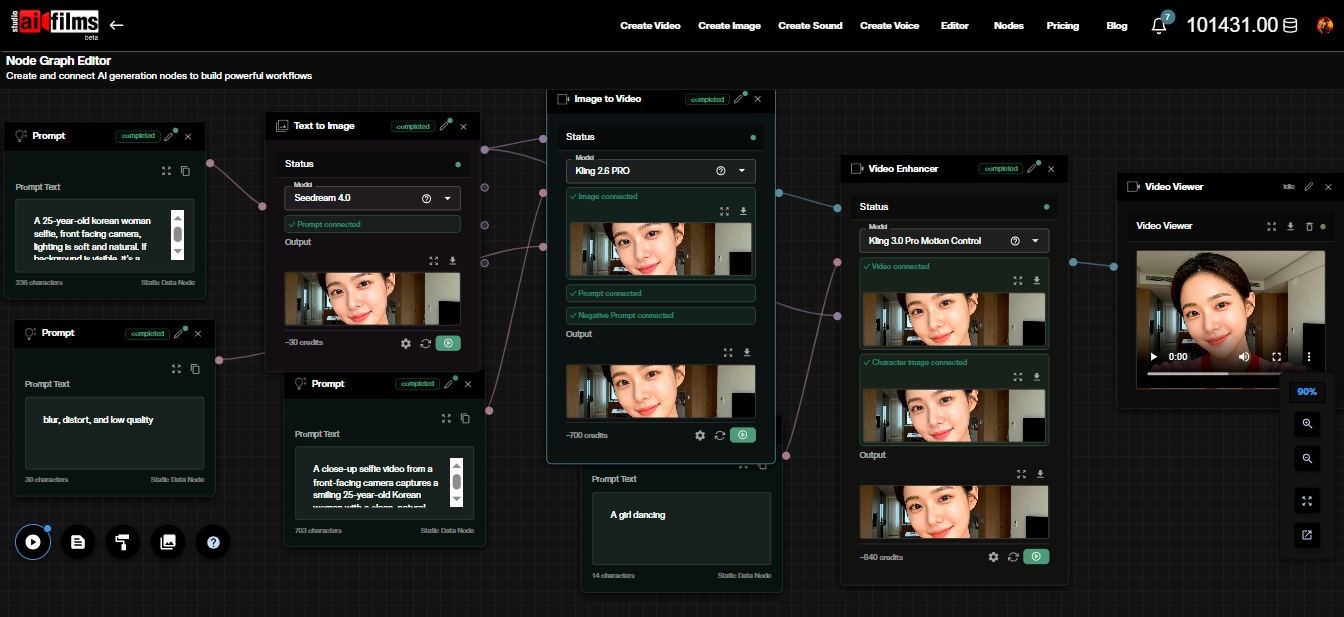
VidDub and TaoMate-FVSR run locally on Linux CUDA workstations. To dub dialogue across languages and upscale facial detail in the browser, open the video workspace to run Sync Lipsync v2 Pro, Kling LipSync, OmniHuman 1.5, and SeedVR2, or chain voice generation and lip sync in the Nodes Graph Editor.
Sources
Continue Reading


Video & LipSync
- Video Generator
- Text to Video
- Image to Video
- Start-End Frame to Video
- Draw to Video
- Motion Control
- Video Enhancer
- Video Upscaler
- Video Extend
- Video to Video LipSync
- Audio to Video LipSync
- Image to Video LipSync
- Video FaceSwap
- Seedance 2.5
- WAN 3.0
- Seedance 2
- FLUX 3
- Minimax H3
- Vidu Q3 Pro
- Grok Imagine Video 1.5
- Gemini Omni
- Google Veo 3.1
- Kling 3.0 Pro
- Luma Ray 3.2
- LTX 2.3
- Happy Horse 1.1
- Kling 3.0 Motion
- ByteDance Upscaler
- InfiniteTalk
- InsightFace
Image & Edit
- AI Character
- AI Actor
- Art Generator
- Text to Image
- Image to Image
- LoRA Image to Image
- Draw to Edit
- Image LoRA Training
- Remove Background
- Image Enhancer
- MidJourney 8.0
- Krea 2
- OpenAI GPT Image 2.0
- Nano Banana Pro Ultra
- Nano Banana 2 Lite
- Nano Banana Pro
- Minimax Image
- Clarity Pro
- Z-Image Turbo LoRA
- Krea 2 Turbo LoRA
- Z-Image LoRA Trainer
- Qwen Image LoRA Trainer
- Background Erase Network 2 (BEN2)