

Wan-Video / Alibaba Group, Wan-Animate-2 (Apache 2.0)
Share this post:
Wan-Animate-2: Open Source Character Animation & Camera
Wan-Animate-2 (Wan-Video/Wan-Animate-2) is an open source 14B character animation model released under the Apache 2.0 license (Wan-AI/Wan2.2-Animate-2-14B) and documented in arXiv:2608.06009. Unlike first generation animation pipelines that rely on brittle 2D skeleton or DWPose extractors, Wan-Animate-2 feeds raw driving videos directly into a redesigned Diffusion Transformer, adds text driven camera viewpoint control to decouple output framing from the driving footage, and includes a 10 step distilled checkpoint plus Wan-Animate-2-Lite for low latency character animation.
Studio availability. Wan-Animate-2 is not available in AI FILMS Studio. While Wan 2.2 Animate and Wan 2.2 Animate Replace are live in the Studio, the newer Wan-Animate-2 release covered here is a separate open source model. In the Studio, use Wan 2.2 Animate, Kling 2.6 Pro Motion Control, or DreamActor v2 on the Motion Control page or in Studio Nodes.
Wan-Animate-2 character animation driven directly by raw video without pose extractors
What Changed From Wan 2.2 Animate to Wan-Animate-2
Earlier character animation frameworks extract 2D keypoints or SMPL meshes from the driving video before conditioning the generator. When a performer turns rapidly, crosses limbs, or animates stylized characters with exaggerated proportions, keypoint extractors drop joints and introduce limb warping.
Wan-Animate-2 removes intermediate pose extractors completely and introduces three architectural upgrades.
- Direct driving video conditioning. The Diffusion Transformer ingests the raw driving video latents alongside the reference character image, capturing subtle secondary motion, cloth dynamics, and facial expressions that skeleton detectors miss.
- Text driven camera viewpoint decoupling. A structured text prompt specifies character appearance, background environment, and camera angle, allowing directors to change the output camera viewpoint independently of the driving video's camera perspective.
- 10 step distillation and Lite streaming. Alongside the 40 step Base model (
wan_animate_2.yaml), the release ships a 10 step distillation checkpoint (wan_animate_2_distillation.yamlwithsample_guide_scale=1.0) and aWan-Animate-2-Litevariant designed for real time streaming thresholds.
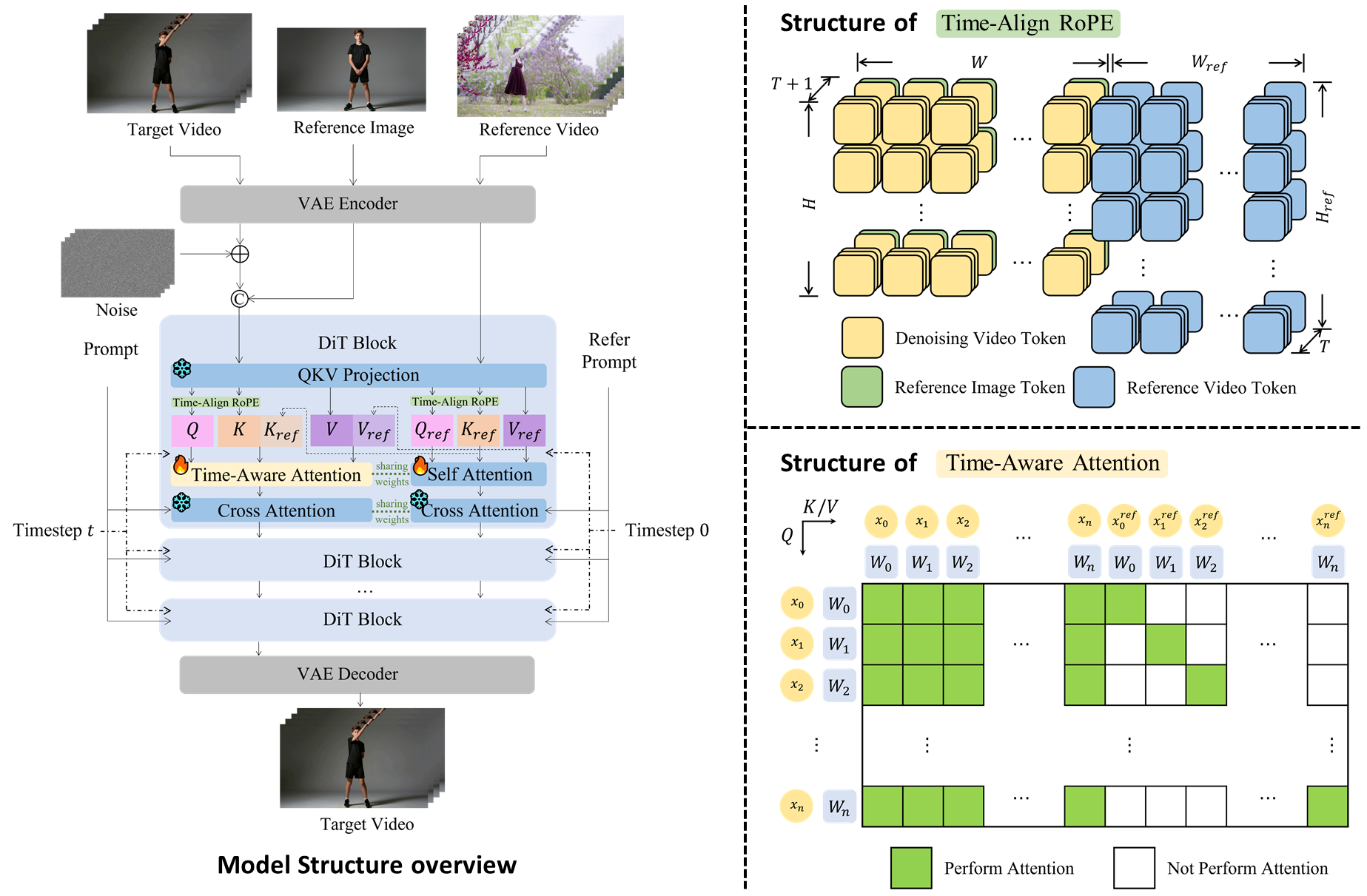
Wan-Animate-2 eliminates external pose extractors and feeds driving video tokens directly into the 14B Diffusion Transformer. Credit: Wan-Video (Apache 2.0).
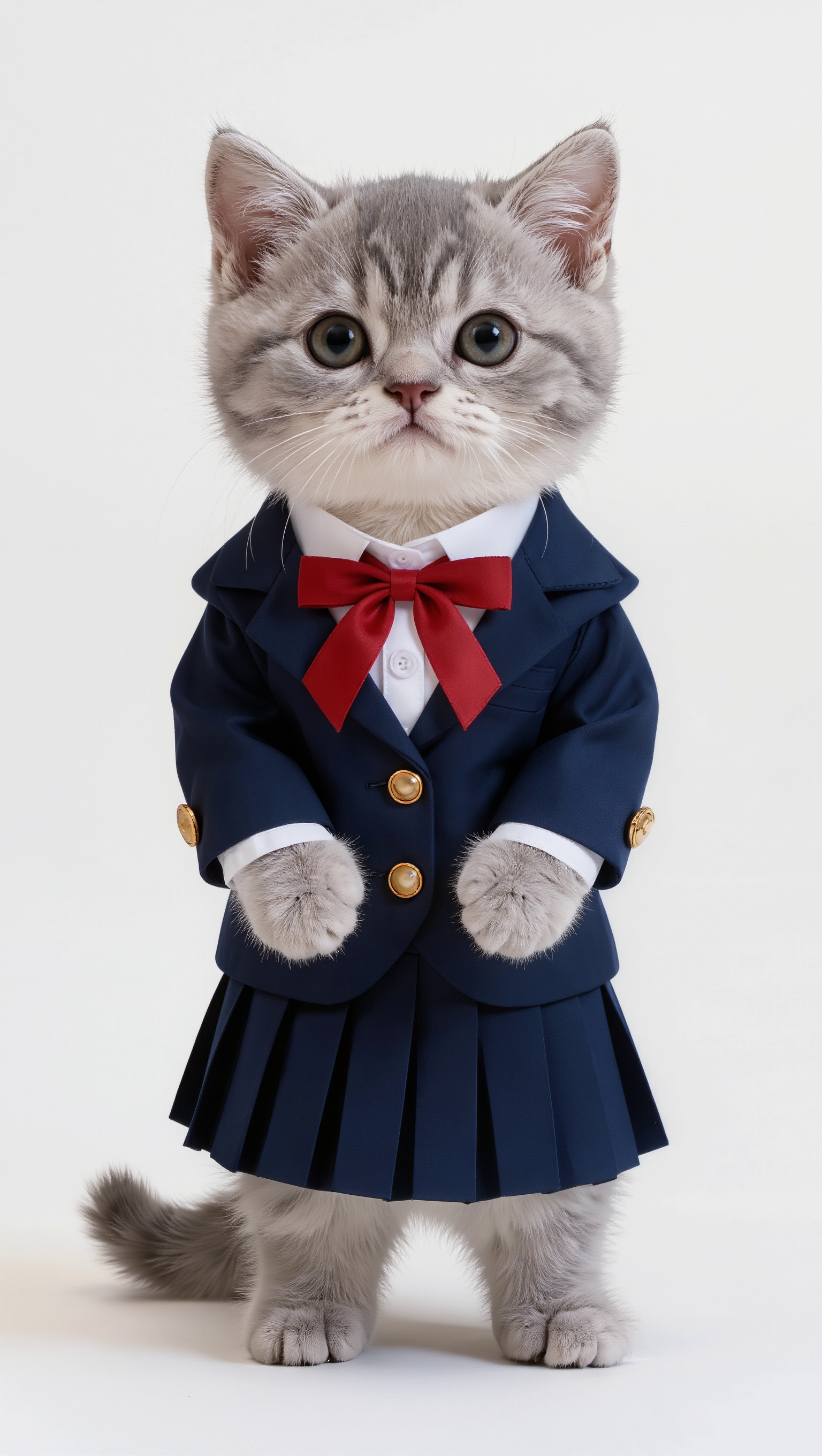
Because no human skeleton detector sits in the loop, stylized characters animate cleanly from human driving footage. Credit: Wan-Video (Apache 2.0).
Example driving performance clip (`examples/demo1/template.mp4`) from the Wan-Animate-2 repository
Model Variants, VRAM & License Matrix
| Variant | Hugging Face ID / Config | Inference Steps | Target Resolution & Hardware | License |
|---|---|---|---|---|
| Wan-Animate-2 Base (14B) | Wan-AI/Wan2.2-Animate-2-14B |
40 steps | 720p (multi GPU 8x A800) / 480p (2x A800 or single 48 to 80 GB GPU) | Apache 2.0 |
| Wan-Animate-2 Diffusers | Wan-AI/Wan2.2-Animate-2-14B-Diffusers |
40 steps (bfloat16) |
640x800 / 480p / 720p on single 40 to 80 GB GPU or CPU offload |
Apache 2.0 |
| Wan-Animate-2 Distillation | wan_animate_2_distillation.yaml |
10 steps (CFG=1.0) |
4x faster inference with no classifier free guidance overhead | Apache 2.0 |
| Community GGUF Quantized | fhzbox/wan-animate-gguf |
10 to 20 steps | Consumer 12 to 24 GB VRAM GPUs | Apache 2.0 |
Interactive GGUF Quantized Workspace on Hugging Face
You can inspect the community quantized GGUF character animation workflow directly in the embedded Hugging Face Space below, or open it at fhzbox-wan-animate-gguf.hf.space.
Running Wan-Animate-2 Locally With Diffusers or CLI
Wan-Animate-2 is integrated into Hugging Face diffusers via WanAnimate2Pipeline (PR #14412). Install diffusers and flash-attn, then run character animation in Python.
import torch
from diffusers import WanAnimate2Pipeline
from diffusers.utils import export_to_video, load_image

pipe = WanAnimate2Pipeline.from_pretrained(
    "Wan-AI/Wan2.2-Animate-2-14B-Diffusers",
    torch_dtype=torch.bfloat16,
).to("cuda")

output = pipe(
    image=load_image("examples/demo1/reference.png"),
    driving_video="examples/demo1/template.mp4",
    prompt=(
        "Character appearance: A silver tabby kitten wearing a navy blazer "
        "with gold buttons, white shirt, red bow tie, and pleated skirt. "
        "Background: Clean bright white studio backdrop with even lighting."
    ),
    height=800,
    width=640,
    num_inference_steps=40,
)

export_to_video(output.frames[0], "wan_animate_2_output.mp4", fps=24)
To run the 10 step distilled checkpoint from the official repository CLI without classifier free guidance overhead, run the following command.
git clone --recursive https://github.com/Wan-Video/Wan-Animate-2.git
cd Wan-Video/Wan-Animate-2
huggingface-cli download Wan-AI/Wan2.2-Animate-2-14B --local-dir ./ckpts/

export PYTHONPATH="$(pwd)"
cd infer
python wan_animate_2_demo.py \
  --prompt "Character and background description" \
  --refer-img-file ../examples/demo1/reference.png \
  --refer-video-file ../examples/demo1/template.mp4 \
  --config ./wan_animate_2_distillation.yaml \
  --sample_guide_scale 1.0 \
  --step 10
For related motion and character pipelines, read our tutorial on Wan 2.2 Animate, our guide to Wan Move motion control, and our overview of NVIDIA ARDY for real time 3D character motion generation.
Character Animation in AI FILMS Studio
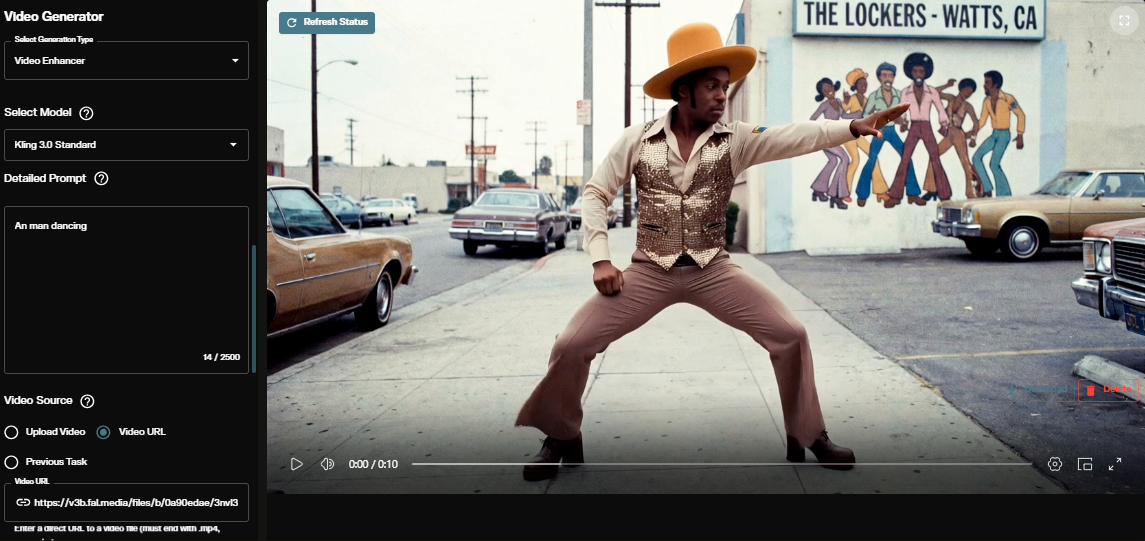
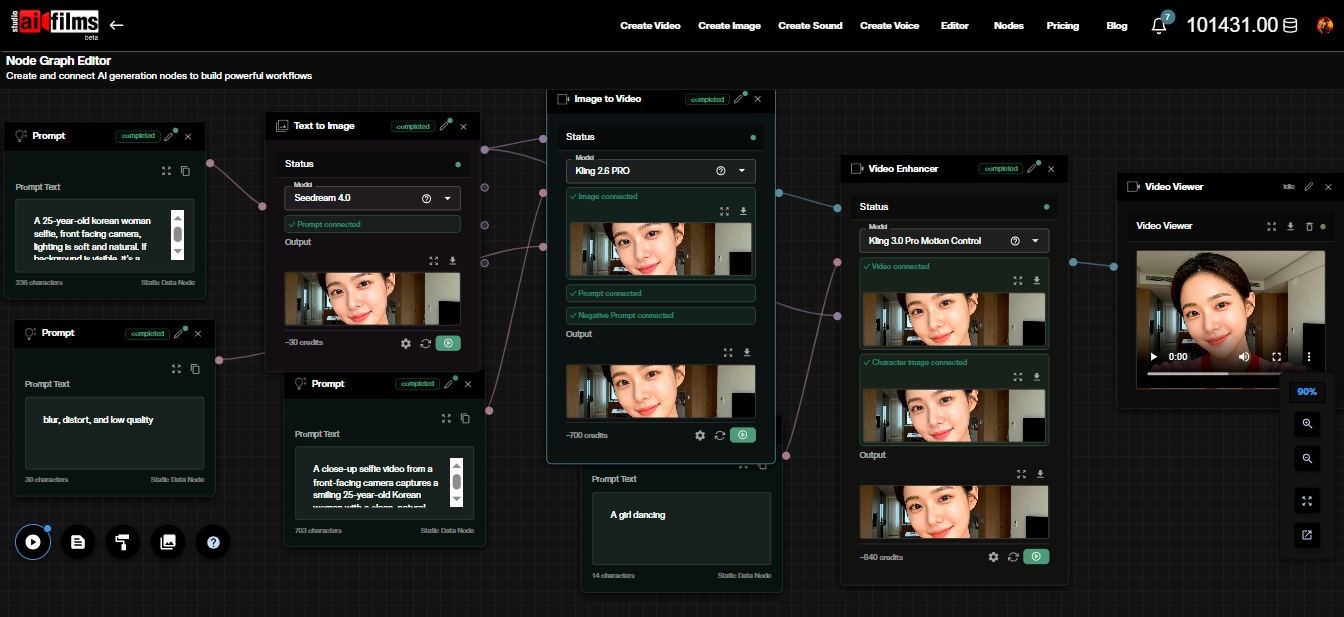
Wan-Animate-2 runs locally on your own GPU environment. To animate characters or replace actors in the browser, open the video workspace to run Wan 2.2 Animate, Wan 2.2 Animate Replace, Kling 2.6 Pro Motion Control, and DreamActor v2, or connect character plates and motion drivers in the Nodes Graph Editor.
Sources
Continue Reading


Video & LipSync
- Video Generator
- Text to Video
- Image to Video
- Start-End Frame to Video
- Draw to Video
- Motion Control
- Video Enhancer
- Video Upscaler
- Video Extend
- Video to Video LipSync
- Audio to Video LipSync
- Image to Video LipSync
- Video FaceSwap
- Seedance 2.5
- WAN 3.0
- Seedance 2
- FLUX 3
- Minimax H3
- Vidu Q3 Pro
- Grok Imagine Video 1.5
- Gemini Omni
- Google Veo 3.1
- Kling 3.0 Pro
- Luma Ray 3.2
- LTX 2.3
- Happy Horse 1.1
- Kling 3.0 Motion
- ByteDance Upscaler
- InfiniteTalk
- InsightFace
Image & Edit
- AI Character
- AI Actor
- Art Generator
- Text to Image
- Image to Image
- LoRA Image to Image
- Draw to Edit
- Image LoRA Training
- Remove Background
- Image Enhancer
- MidJourney 8.0
- Krea 2
- OpenAI GPT Image 2.0
- Nano Banana Pro Ultra
- Nano Banana 2 Lite
- Nano Banana Pro
- Minimax Image
- Clarity Pro
- Z-Image Turbo LoRA
- Krea 2 Turbo LoRA
- Z-Image LoRA Trainer
- Qwen Image LoRA Trainer
- Background Erase Network 2 (BEN2)