

Video Rebirth, HyperFlow H3 Flash (Apache 2.0 Code / MiniMax H3 Community License)
Share this post:
HyperFlow H3 Flash: Open Source 4-Step Video LoRA & GGUF
HyperFlow H3 Flash (VideoRebirthAI/hyperflow-h3-flash and Video-Rebirth/hyperflow-h3-flash) is an open source, structurally pruned 13.7B to 13.9B video and stereo audio generation suite developed by Video Rebirth on top of the ~31B MiniMax-H3 architecture. Released alongside the 2.8 GB rank 256 HyperFlow 8-Step LoRA (VideoRebirthAI/hyperflow), HyperFlow H3 Flash compresses the base transformer by more than half and executes joint 1344x768 24 fps video and 32 kHz stereo audio generation in 4, 6, or 8 steps (CFG=1.0) using GGUF (Q3_K_M to Q8_0) and rotated W8A8 INT8 safetensors (convrot). The inference code is licensed under Apache 2.0, while the model weights follow the MiniMax H3 Community License Agreement.
Studio availability. HyperFlow H3 Flash is not available in AI FILMS Studio. This article covers a public research release. To generate video in the Studio, see the models listed on the Image to Video page or in Studio Nodes.
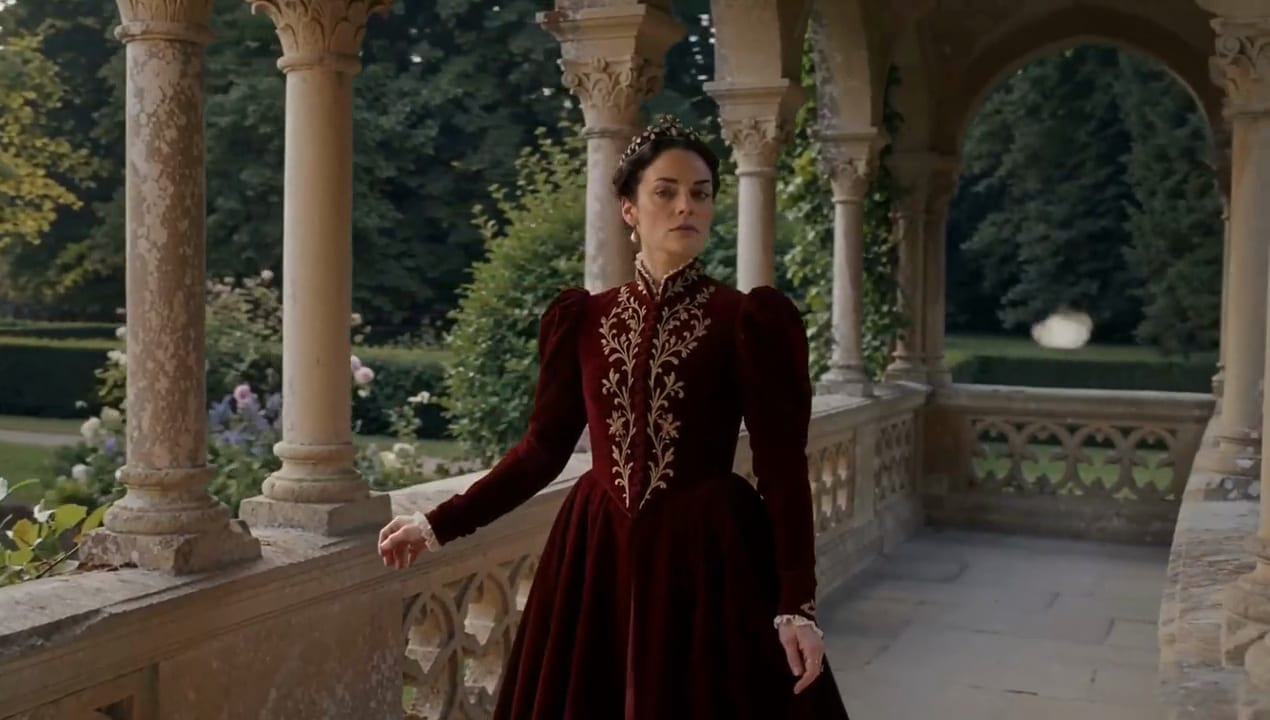
HyperFlow H3 Flash 6 step 768p video and synchronized stereo audio generation
How HyperFlow H3 Flash Cuts Latency and VRAM in Half
Running the stock 31B MiniMax-H3 transformer in Hugging Face diffusers requires 49 neural function evaluations (50 sigma points) and multi GPU data center memory. Video Rebirth addresses both the step count and the memory footprint through three technical stages.
- Two time flow map conditioning
(t, r). Built on the AnyFlow formulation, aTwoTimeEmbedderwraps the basetime_embedderand adds a second embedding for the step endpointr, blended via a learned gate stored in the safetensors header. Conditioning tokens (fl2vakeyframes andref2vareference media) keepr = tso reference frames remain pinned while the denoiser jumps across a 4, 6, or 8 step sigma grid (video_shift = 12,audio_shift = 3) with no classifier free guidance overhead (CFG = 1.0). - Structural pruning and low rank factorization. Rather than uniformly shrinking layer widths, the
fl2vapartition drops 3 of 50 transformer blocks (blocks 6, 21, and 22) and factors 102 linear layers to reach 13.7B parameters. Theref2vapartition drops block 9 and factors 114 linear layers to reach 13.9B parameters, preserving multi modal reference routing for up to 12 inputs (up to 9 images, 3 videos, and 3 audio tracks). - Rotated W8A8 INT8 (
convrot) and GGUF quantization. For fast tensor core execution, 180 linear layers are quantized to W8A8 INT8 behind a block diagonal Hadamard rotation (~16 GB), dispatching to fused Triton orcuBLASLtINT8 kernels. For lower memory footprints, GGUF quantizations shrink the transformer down to 9.1 GB (Q4_K_M) or 7.2 GB (Q3_K_M).

HyperFlow H3 Flash renders 5.2s to 15s 768p clips with 32 kHz stereo soundtracks in 8.7s on 4x B200 GPUs. Credit: Video Rebirth.
With 9.1 GB Q4_K_M GGUF and 16 GB INT8 convrot weights, the 14B pipeline runs locally on 24 GB RTX 4090 and 32 GB RTX 5090 cards. Credit: Video Rebirth.
HyperFlow H3 Flash 6 step output preserving camera motion, lighting detail, and stereo audio synchronization
Weight Formats, Hardware & Benchmark Matrix
All benchmarks below measure complete generation (text encoding, 6 step denoising at 1344x768, and video plus stereo audio VAE decoding) for a 5.2 second clip (124 frames at 24 fps) and a 15 second clip (362 frames).
| Weight Variant / Adapter | Hugging Face Path | Size & Precision | Hardware & Total Speed (5.2s / 15s) | License |
|---|---|---|---|---|
| HyperFlow H3 Flash INT8 | VideoRebirthAI/hyperflow-h3-flash (fl2va_int8_convrot/, ref2va_int8_convrot/) |
~16.0 GB (W8A8 INT8 + bf16 low rank) |
4x B200 (8.7s), 1x H200 (36s / 229s), RTX 5090 32 GB (83s / 518s), RTX 4090 24 GB (130s / 750s) | MiniMax H3 Community License |
| HyperFlow H3 Flash GGUF Q4_K_M | VideoRebirthAI/hyperflow-h3-flash (fl2va_gguf/, ref2va_gguf/) |
9.1 GB (fl2va) / 9.2 GB (ref2va) |
RTX 5090 32 GB (99s / 575s), RTX 4090 24 GB (151s / 812s with --fast-disk on 16 GB RAM PC) |
MiniMax H3 Community License |
| HyperFlow H3 Flash GGUF Q8_0 | VideoRebirthAI/hyperflow-h3-flash (fl2va_gguf/, ref2va_gguf/) |
14.9 GB (fl2va) / 15.2 GB (ref2va) |
24 to 32 GB VRAM GPUs for near full precision GGUF execution | MiniMax H3 Community License |
| HyperFlow H3 Flash GGUF Q3_K_M | VideoRebirthAI/hyperflow-h3-flash (fl2va_gguf/, ref2va_gguf/) |
7.2 GB (fl2va) / 7.4 GB (ref2va) |
Smallest footprint for compact local setups (stable-diffusion.cpp / Unsloth Studio) |
MiniMax H3 Community License |
| HyperFlow 8-Step LoRA (31B) | VideoRebirthAI/hyperflow (minimax_h3_hyperflow_8step_v1.0.safetensors) |
2.8 GB (rank 256 PEFT LoRA for full 31B MiniMax-H3) |
4x H200 (60s vs 175s baseline), 1x H200 (130s vs 395s baseline, ~3x speedup) | MiniMax H3 Community License |
Running HyperFlow H3 Flash Locally in Python and CLI
Install the hyperflow-h3-flash package with fp8 text encoder support (which saves ~22 GiB of system RAM during CPU offload) or Hopper FlashAttention-3 support.
pip install "hyperflow-h3-flash[fp8] @ git+https://github.com/Video-Rebirth/hyperflow-h3-flash"

# 1. Text to video + stereo audio (t2va) in 6 steps
hyperflow-h3-flash \
  --prompt "A chef slides a steaming bowl of ramen across a wooden counter; rain taps on the window." \
  --steps 6 \
  --text-encoder-precision fp8 \
  --output ramen_sync.mp4

# 2. First and last keyframe conditioning (fl2va)
hyperflow-h3-flash \
  --prompt "Camera tracks forward as the lantern lights up the misty alley." \
  --image first_frame.png \
  --last-image last_frame.png \
  --steps 6 \
  --output lantern_transition.mp4

# 3. Multi-modal reference to video + audio (ref2va)
hyperflow-h3-flash \
  --prompt "<Picture 1> walks through the neon street of <Picture 2> while speaking." \
  --reference actor.png \
  --reference street_plate.png \
  --steps 6 \
  --block-chunk 16384 \
  --output ref2va_scene.mp4
You can also invoke load_pipeline in Python with diffusers >= 0.40 or run the Q4_K_M GGUF checkpoint via stable-diffusion.cpp (sd-cli -M vid_gen).
import torch
from diffusers.utils.export_utils import encode_video
from hyperflow_h3_flash import load_pipeline

pipe = load_pipeline("fl2va")
out = pipe(
    prompt="A red fox trotting through a snowy pine forest with crisp footsteps in the snow.",
    image="first_keyframe.png",
    num_frames=124,
    num_inference_steps=6,
    generator=torch.Generator().manual_seed(42),
    output=["videos", "audio", "sampling_rate"],
)

encode_video(
    out["videos"][0],
    fps=24,
    output_path="fox_snow_6step.mp4",
    audio=out["audio"][0],
    audio_sample_rate=out["sampling_rate"],
)
For related MiniMax-H3 and GGUF acceleration workflows, see our guide to FreeVideo, MiniMax-H3, and Pika H3-Flex, our MiniMax-H3 video generation tutorial, and our walkthrough of Wan 2.2 GGUF 8 GB VRAM local workflows.
Fast Image-to-Video and Audio Workflows in AI FILMS Studio
HyperFlow H3 Flash runs locally on consumer and workstation GPUs and is governed by the territorial and commercial terms of the MiniMax H3 Community License Agreement. To generate high resolution image to video, keyframe transitions, and synchronized audio directly in the browser, open the video workspace or chain multi reference shots in the Nodes Graph Editor.


Sources
Continue Reading


Video & LipSync
- Video Generator
- Text to Video
- Image to Video
- Start-End Frame to Video
- Draw to Video
- Motion Control
- Video Enhancer
- Video Upscaler
- Video Extend
- Video to Video LipSync
- Audio to Video LipSync
- Image to Video LipSync
- Video FaceSwap
- Seedance 2.5
- WAN 3.0
- Seedance 2
- FLUX 3
- Minimax H3
- Vidu Q3 Pro
- Grok Imagine Video 1.5
- Gemini Omni
- Google Veo 3.1
- Kling 3.0 Pro
- Luma Ray 3.2
- LTX 2.3
- Happy Horse 1.1
- Kling 3.0 Motion
- ByteDance Upscaler
- InfiniteTalk
- InsightFace
Image & Edit
- AI Character
- AI Actor
- Art Generator
- Text to Image
- Image to Image
- LoRA Image to Image
- Draw to Edit
- Image LoRA Training
- Remove Background
- Image Enhancer
- MidJourney 8.0
- Krea 2
- OpenAI GPT Image 2.0
- Nano Banana Pro Ultra
- Nano Banana 2 Lite
- Nano Banana Pro
- Minimax Image
- Clarity Pro
- Z-Image Turbo LoRA
- Krea 2 Turbo LoRA
- Z-Image LoRA Trainer
- Qwen Image LoRA Trainer
- Background Erase Network 2 (BEN2)