

S-Lab NTU, BAAI & Tsinghua University, Light-X
Share this post:
Light-X: Open Source 4D Video Camera & Relighting AI
Light-X (TQTQliu/Light-X) is an open source generative 4D video rendering framework developed by S-Lab (NTU), BAAI, Tsinghua University, and HUST (arXiv:2512.05115) that jointly controls 3D camera trajectories and scene illumination from a single monocular video. By decoupling dynamic 3D point cloud geometry from projected relighting cues, Light-X lets directors reshoot existing footage with gradual, bullet, direct, or Hitchcock style dolly-zoom camera moves while simultaneously relighting the scene from text prompts, background plates, reference images, or HDR environment maps.
Studio availability. Light-X is not available in AI FILMS Studio. This guide covers the open source research checkpoints and local workflow. In the Studio, use Runway Aleph, Kling O3 Video Edit, Wan 2.2 VACE, or Kling 2.6 Pro Motion Control on the Video to Video page or in Studio Nodes.
Light-X simultaneous 3D camera trajectory and scene illumination control
How Light-X Disentangles 4D Geometry and Illumination
Most video relighting models require a locked or original camera path, while camera trajectory models (such as TrajectoryCrafter) bake the source lighting into the point cloud and cannot alter shadows or specular highlights when the camera orbits.
Light-X solves both problems in a single generative pass through two technical contributions.
- Disentangled geometry and lighting projection. Geometry and subject motion are lifted from the monocular video into dynamic 3D point clouds and projected along the user's target camera trajectory (
--camera trajor--camera target). Simultaneously, a relit anchor frame is projected into the exact same 3D geometry so the Diffusion Transformer receives spatially aligned, decoupled geometry and illumination cues. - The Light-Syn training dataset (
tqliu/Light-Syn). Because studios rarely capture synchronized multiple view and multiple illumination video pairs outside of a Light Stage, the authors built a degradation and inverse mapping pipeline that synthesizes paired training clips from monocular footage.
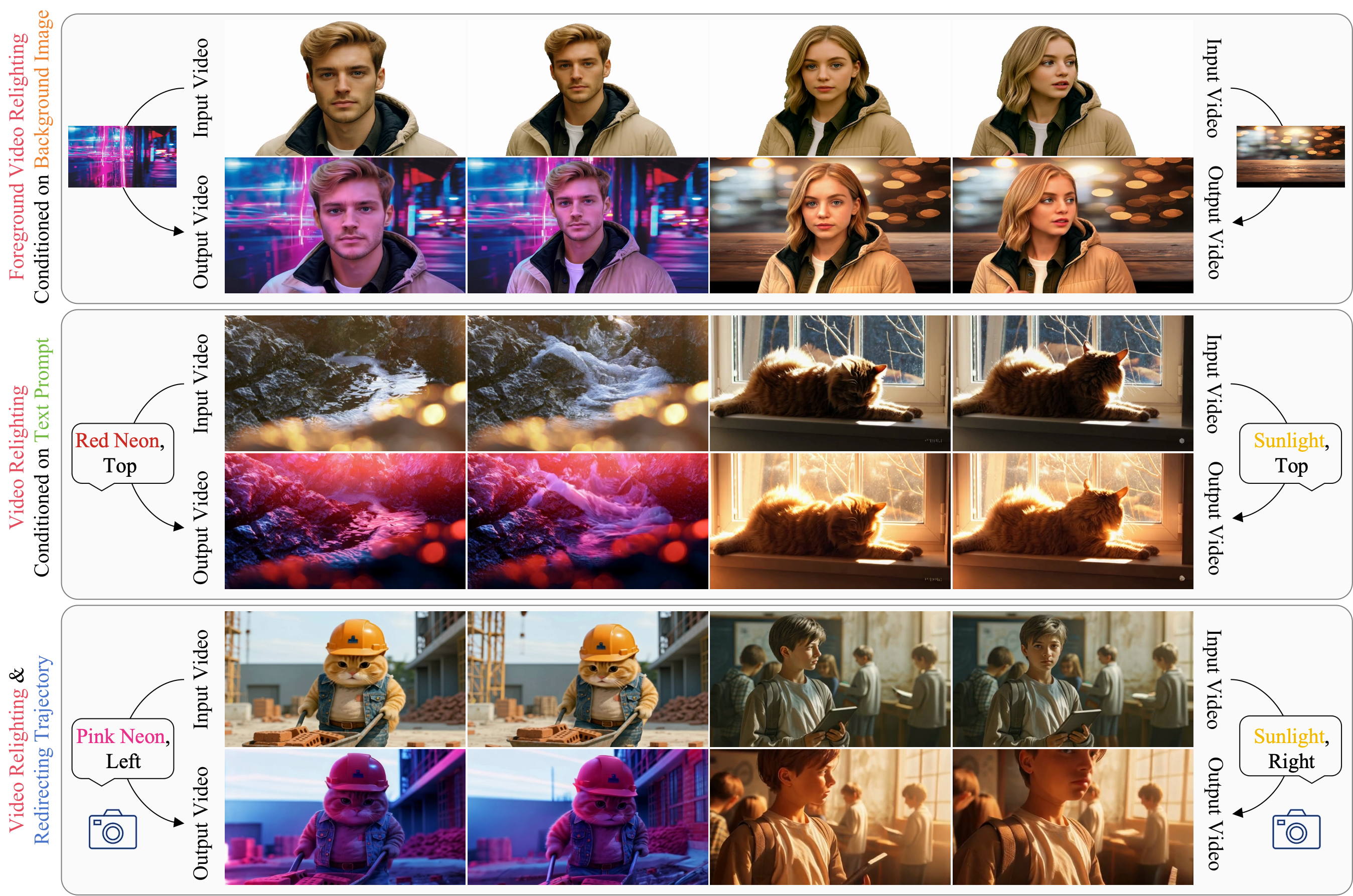
Light-X renders novel camera trajectories while relighting the scene via text prompts, reference images, or HDR domes. Credit: Light-X Authors.
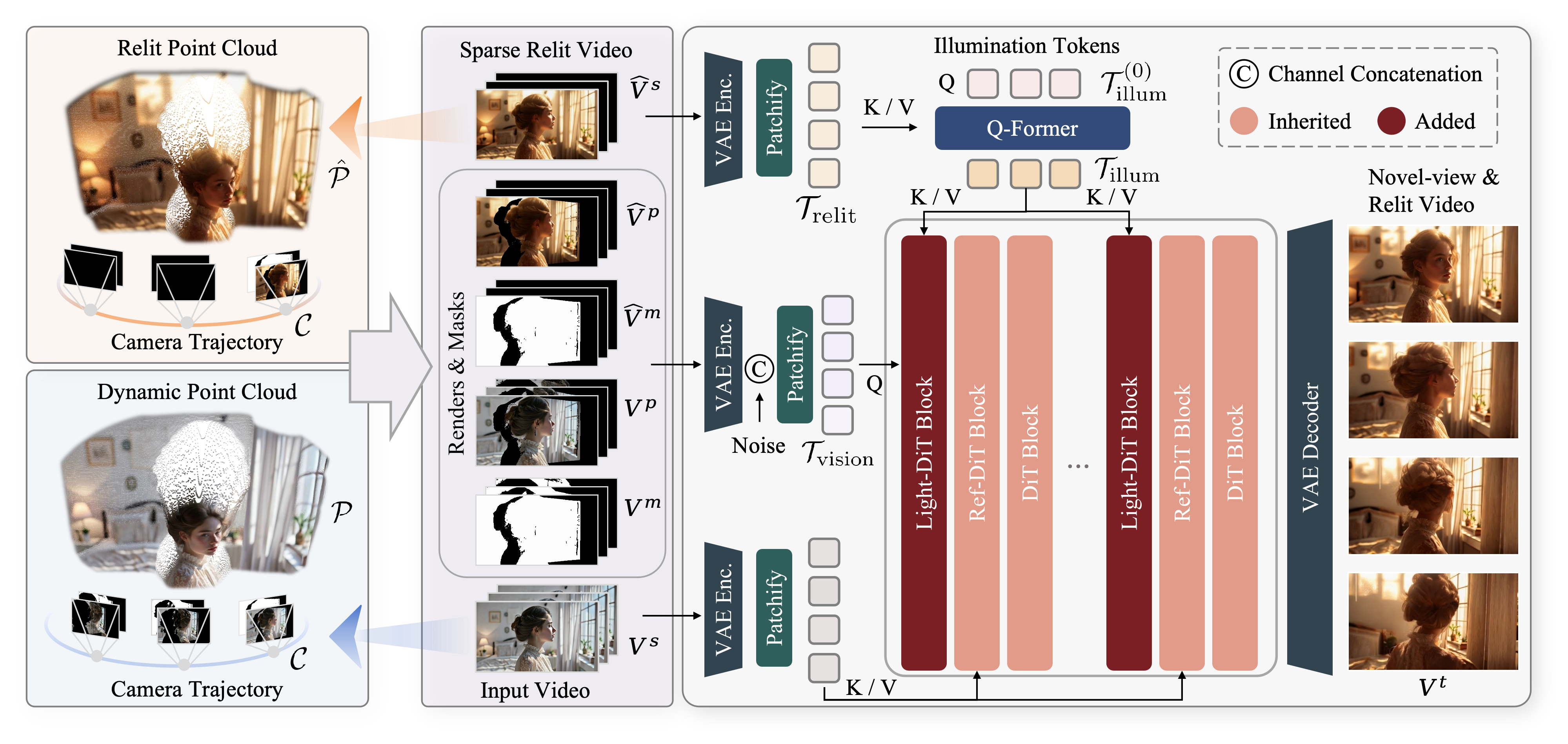
Dynamic point clouds carry 3D camera geometry while a projected relit frame guides consistent shadow and specular synthesis. Credit: Light-X Authors.
Four Camera Modes & Four Relighting Sources
Light-X exposes cinematic camera choreography and lighting controls directly through CLI flags in inference.py.
- Camera motion styles (
--mode).gradual: Smooth, continuous viewpoint transition for natural dolly or crane moves.bullet: Fast orbit and parallax shift around the subject for slow motion or frozen moment shots.direct: Rapid transition from the starting camera pose to a target<theta phi r x y>pose.dolly-zoom: Simultaneous camera translation and radius adjustment (Hitchcock vertigo zoom) that keeps the foreground subject size constant while compressing or expanding the background.
- Illumination sources (
--relit_cond_type).ic: Text prompted or background plate conditioned relighting (tqliu/Light-X).ref: Reference image lighting transfer (tqliu/Light-X-Uni).hdr: 360 degree HDR environment map illumination (tqliu/Light-X-Uni).bg: Composite background conditioning with automatic foreground masking (--mask).
Light-X text conditioned video relighting across dynamic camera angles
Checkpoints, Dataset & Hardware Matrix
| Resource | Hugging Face / GitHub ID | Supported Conditioning | Hardware & VRAM | License |
|---|---|---|---|---|
| Light-X Base Model | tqliu/Light-X |
Text prompt + background image relighting + 3D camera control | Single 24 to 48 GB VRAM NVIDIA GPU (RTX 4090 / A6000 / A100) | Open Research Release |
| Light-X-Uni Model | tqliu/Light-X-Uni |
HDR environment map + reference image + text + background | Single 24 to 48 GB VRAM NVIDIA GPU | Open Research Release |
| Light-Syn Dataset | tqliu/Light-Syn |
Paired multiple view and multiple illumination synthetic video dataset | Training & evaluation dataset | Open Research Dataset |
Local Installation & CLI Usage
Clone the repository and create the Python 3.10 Conda environment. Pretrained weights from tqliu/Light-X and tqliu/Light-X-Uni download automatically on first run.
git clone https://github.com/TQTQliu/Light-X.git
cd Light-X
conda create -n lightx python=3.10 -y
conda activate lightx
pip install -r requirements.txt
Run joint camera trajectory rendering (--recam_vd) and HDR or text relighting (--relit_vd).
python inference.py \
  --video_path test/videos/1.mp4 \
  --stride 1 \
  --out_dir outputs/dolly_zoom_relight \
  --camera traj \
  --mode dolly-zoom \
  --mask \
  --traj_txt test/trajs/loop1.txt \
  --relit_txt test/Prompts/relight_prompts.txt \
  --relit_cond_type ic \
  --relit_vd \
  --recam_vd
For actor relighting where preserving exact expressions and lip sync is the top priority, compare Light-X with Netflix and Eyeline Labs' ID-V2V and NVIDIA UniRelight. For dedicated camera trajectory control, see CameraNoise, TriMotion, and FlashMotion or InfCam precise camera control.
Camera Control and Video Relighting in AI FILMS Studio
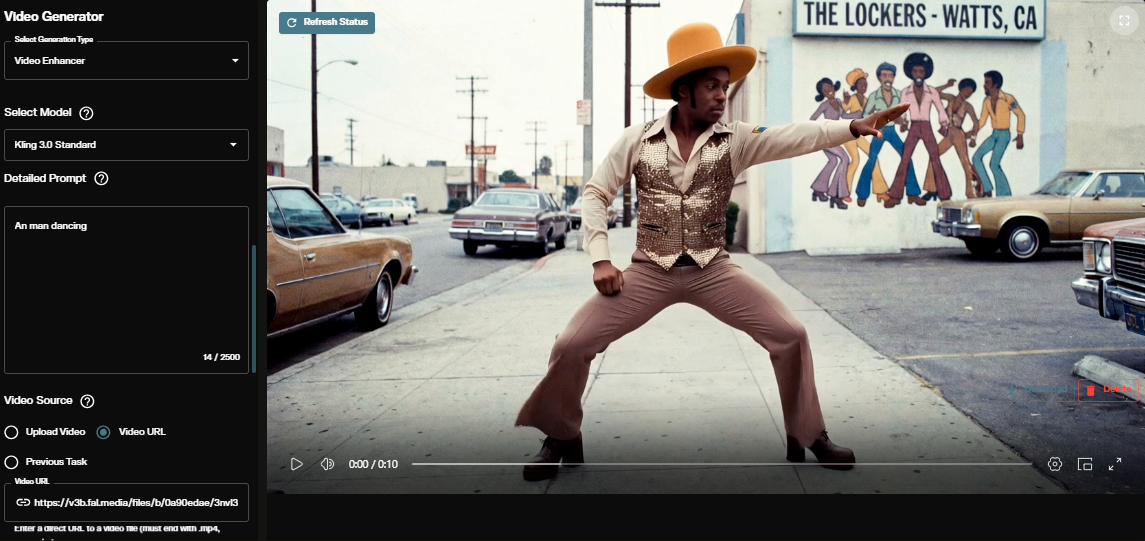
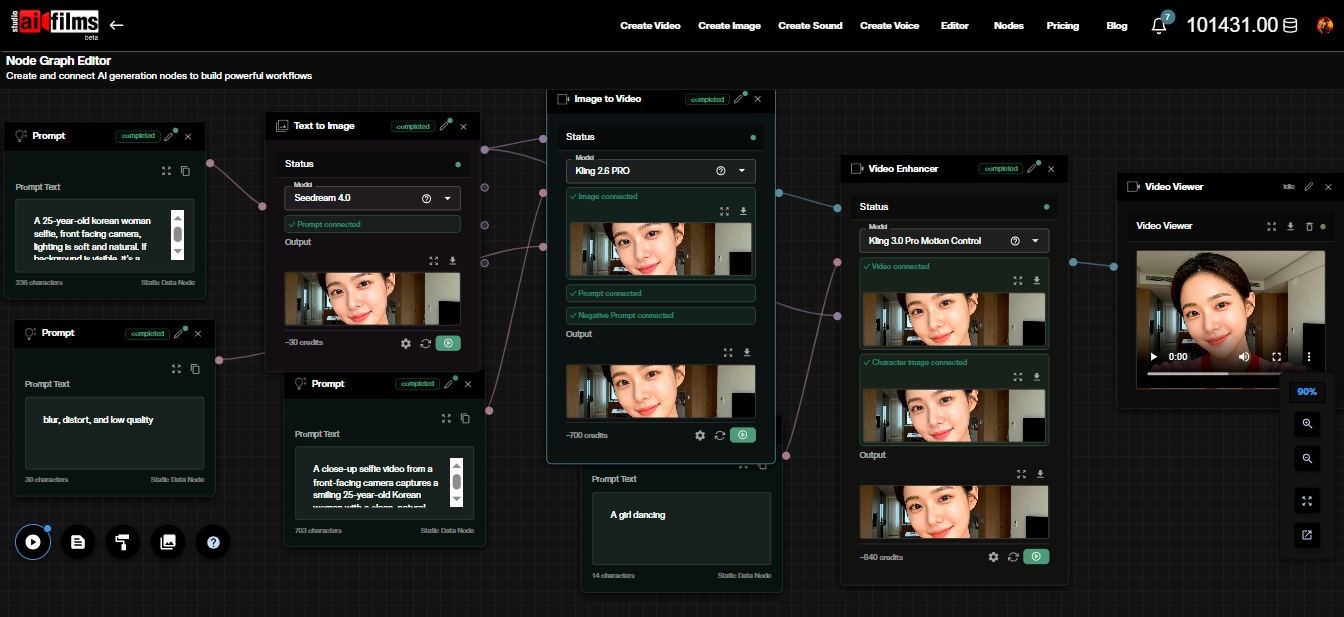
Light-X runs locally on CUDA GPUs. To change camera framing and transform scene lighting in the browser without building local point clouds, open the video workspace to run Runway Aleph, Kling O3 Video Edit, Kling 2.6 Pro Motion Control, and Wan 2.2 VACE, or connect camera and relighting passes in the Nodes Graph Editor.
Sources
Continue Reading


Video & LipSync
- Video Generator
- Text to Video
- Image to Video
- Start-End Frame to Video
- Draw to Video
- Motion Control
- Video Enhancer
- Video Upscaler
- Video Extend
- Video to Video LipSync
- Audio to Video LipSync
- Image to Video LipSync
- Video FaceSwap
- Seedance 2.5
- WAN 3.0
- Seedance 2
- FLUX 3
- Minimax H3
- Vidu Q3 Pro
- Grok Imagine Video 1.5
- Gemini Omni
- Google Veo 3.1
- Kling 3.0 Pro
- Luma Ray 3.2
- LTX 2.3
- Happy Horse 1.1
- Kling 3.0 Motion
- ByteDance Upscaler
- InfiniteTalk
- InsightFace
Image & Edit
- AI Character
- AI Actor
- Art Generator
- Text to Image
- Image to Image
- LoRA Image to Image
- Draw to Edit
- Image LoRA Training
- Remove Background
- Image Enhancer
- MidJourney 8.0
- Krea 2
- OpenAI GPT Image 2.0
- Nano Banana Pro Ultra
- Nano Banana 2 Lite
- Nano Banana Pro
- Minimax Image
- Clarity Pro
- Z-Image Turbo LoRA
- Krea 2 Turbo LoRA
- Z-Image LoRA Trainer
- Qwen Image LoRA Trainer
- Background Erase Network 2 (BEN2)