

JD Open Source, JoyAI-Video-Edit (Apache 2.0)
Share this post:
JoyAI-Video-Edit: Open Source Live Video Editing AI
Most AI video editors need the full clip first. You upload, you wait, you download. JoyAI-Video-Edit from JD Open Source (jd-opensource) works on a stream. It edits frames as they arrive, so you can type an instruction while a camera feed is running. The paper (arXiv:2608.03974) describes a 16B model that edits 720p video at about 30 FPS on one NVIDIA B200 GPU. The code and weights use the Apache 2.0 license.
Studio availability. JoyAI-Video-Edit is not available in AI FILMS Studio. This article covers an open source release for local deployment. To generate and extend video in the Studio, see the models listed on the text to video page.
Why a Streaming Editor Matters for Film
A streaming editor changes when you can look at a result. A director can try a costume, a background or a color style on a live preview and decide on the spot. A colorist can test ten looks in a minute. A previs team can turn a rough camera test into a cartoon, a watercolor or a cel animation look while the actor is still moving.
The model supports these edit types according to the repository.
- Add, remove or replace a subject.
- Edit one local object.
- Change the background.
- Transfer a style such as watercolor, cartoon or cel animation.
- Change global appearance such as outfits and hairstyles.
- Change motion.
- Edit with a reference image (reference image to video, called RV2V in the repository).
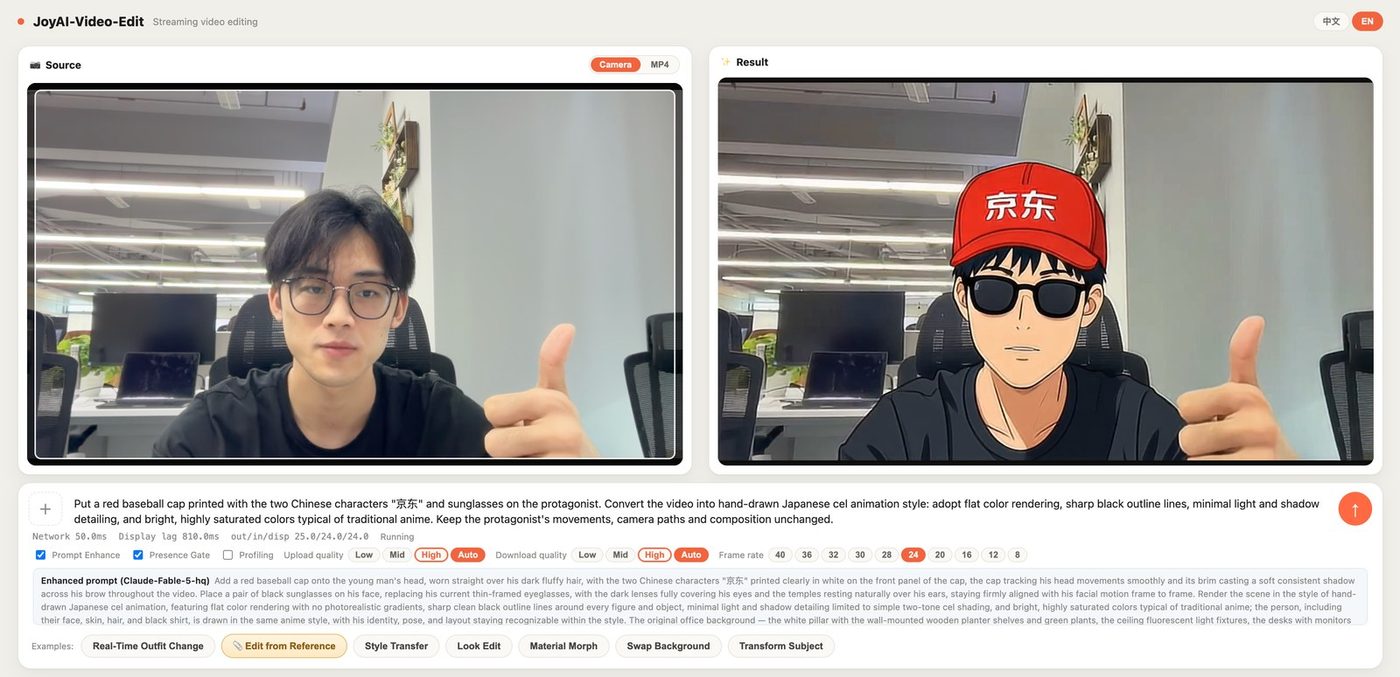
Live webcam demo, cel animation style. Credit: JD Open Source, Apache 2.0.
The demo screenshot shows the live interface. The left side is the camera input. The right side is the edited stream. You can try the same idea in the public Hugging Face Space.
The featured chart at the top of this article shows the claim of the authors. On OpenVE-Bench the model sits at about 37 FPS of transformer throughput while keeping an editing quality score near the offline models.
How the Model Edits Without the Whole Clip
The model uses chunk wise autoregressive diffusion. It never needs future frames and never needs to know the clip length. The authors name two training methods.
- Source Anchored Distribution Matching Distillation (SA-DMD). It reduces the mismatch between training and inference and keeps the edit close to the source frames. It also makes two step generation possible.
- Long Horizon Autoregressive Distillation. It reduces temporal drift, which is the slow change in look that builds up over a long stream.
The deployment uses a 16B multimodal diffusion transformer, a language model based condition encoder (MiMo-VL is a required external dependency) and a causal video VAE. Optional ONNX detectors add quality gates. If you do not install them, those gates switch off.

Source clip. Credit: JD Open Source (Apache 2.0).

Edited clip. Credit: JD Open Source (Apache 2.0).
Hardware and Speed
The README gives no VRAM figure. It gives frame rates for three setups.
| Setup | Output size | Reported speed |
|---|---|---|
| Deployment benchmark | 720x1248 | About 30 FPS end to end |
| NVIDIA RTX PRO 6000 (Blackwell) | 840x480 | 24 FPS |
| NVIDIA RTX PRO 6000 (Blackwell) | 720p | 16 FPS |
| GeForce RTX 5090 (32 GB) | 840x480 | 24 FPS |
The paper reports about 30 FPS at 720p on a B200. The consumer card numbers come from the repository, so treat the RTX 5090 figure as the practical target for a home workstation.
Run JoyAI-Video-Edit Locally
The project ships a web server with a browser interface. Installation needs Python 3.10, a build of the CUDA operator library in deploy/joyomni_ops, and an attention backend (SageAttention or flash-attn-4) that matches your GPU. The file DEPLOYMENT.md in the repository lists each step.
conda create -n joyai-video-edit python=3.10 -y
conda activate joyai-video-edit
python -m pip install -r deploy/requirements.txt

# Place weights from huggingface.co/jdopensource/JoyAI-Video-Edit under
# deploy/deps/checkpoints/JoyAI-Video-Edit/ (dit/ and vae/ folders)

cd deploy
bash run_server.sh
# Open http://localhost:8080
The server binds to 0.0.0.0:8080. On a remote machine, use SSH port forwarding instead of opening the port to the internet.
The repository has a release history that matters when you choose a checkpoint.
- 2026-08-05. First release with code, report and checkpoints.
- 2026-08-14. Upgraded checkpoint
joyai_video_edit_dit_0811.pthwith stronger reference image editing. - 2026-08-24. Consumer GPU support for the RTX 5090.
- 2026-10-09. Example training scripts and the LongV2VBench benchmark for long video to video edits.
Where It Fits in a Film Pipeline
Use JoyAI-Video-Edit for the fast and loose part of the work. Test looks on a live feed. Try wardrobe and prop changes on a rehearsal take. Then move to a slower and more controlled tool for final shots.
Two related guides cover the offline side of video editing. Kiwi-Edit handles instruction and reference guided edits on finished clips. LiveEdit and SANA Streaming cover other streaming approaches. For object removal, read Effect Erase.
Frequently Asked Questions
What license does JoyAI-Video-Edit use?
The repository states Apache 2.0. The MiMo-VL dependency has its own terms, so check them.
Does it need future frames?
No. It works chunk by chunk and does not need the clip length in advance.
Where are the weights?
On Hugging Face at jdopensource/JoyAI-Video-Edit. Place them under deploy/deps/checkpoints/JoyAI-Video-Edit/.
Finishing Video in AI FILMS Studio
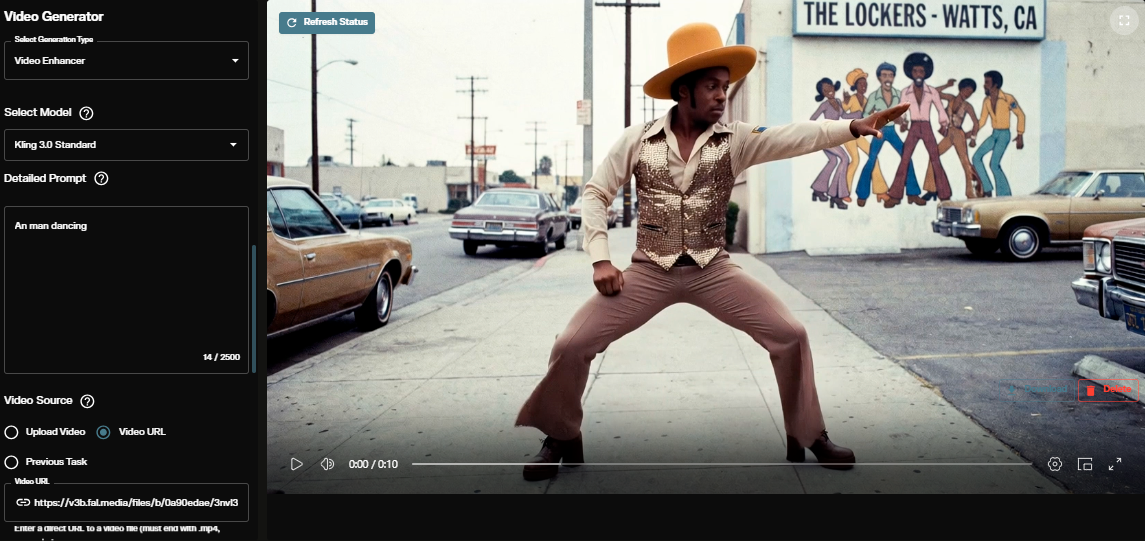
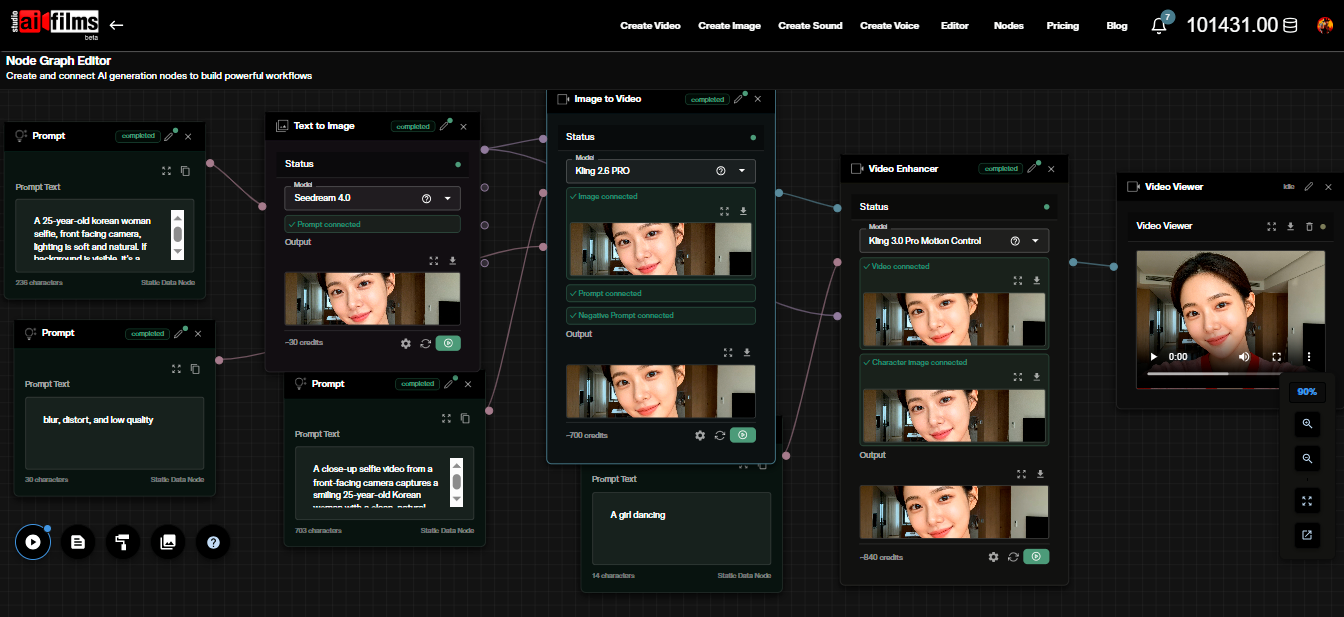
JoyAI-Video-Edit runs outside the Studio. For the cloud part of a pipeline, the video workspace offers cloud generation and extension models such as Kling 3.0 Text to Video, Seedance 2.0 Video Extend and FLUX 3 Video Extend. For delivery, the SeedVR2 Video Upscaler and the Real-ESRGAN Video Upscaler raise a 480p or 720p result toward 1080p. In the Nodes Graph Editor you can chain these steps in one graph.
Sources
JoyAI-Video-Edit Paper (arXiv:2608.03974) | JoyAI-Video-Edit GitHub (JD Open Source) | jdopensource/JoyAI-Video-Edit Hugging Face | JoyAI-Video-Edit Hugging Face Space
Continue Reading


Video & LipSync
- Video Generator
- Text to Video
- Image to Video
- Start-End Frame to Video
- Draw to Video
- Motion Control
- Video Enhancer
- Video Upscaler
- Video Extend
- Video to Video LipSync
- Audio to Video LipSync
- Image to Video LipSync
- Video FaceSwap
- Seedance 2.5
- WAN 3.0
- Seedance 2
- FLUX 3
- Minimax H3
- Vidu Q3 Pro
- Grok Imagine Video 1.5
- Gemini Omni
- Google Veo 3.1
- Kling 3.0 Pro
- Luma Ray 3.2
- LTX 2.3
- Happy Horse 1.1
- Kling 3.0 Motion
- ByteDance Upscaler
- InfiniteTalk
- InsightFace
Image & Edit
- AI Character
- AI Actor
- Art Generator
- Text to Image
- Image to Image
- LoRA Image to Image
- Draw to Edit
- Image LoRA Training
- Remove Background
- Image Enhancer
- MidJourney 8.0
- Krea 2
- OpenAI GPT Image 2.0
- Nano Banana Pro Ultra
- Nano Banana 2 Lite
- Nano Banana Pro
- Minimax Image
- Clarity Pro
- Z-Image Turbo LoRA
- Krea 2 Turbo LoRA
- Z-Image LoRA Trainer
- Qwen Image LoRA Trainer
- Background Erase Network 2 (BEN2)