

KAIST AI, Korea University & Adobe Research, VideoMaMa (CVPR 2026)
Share this post:
VideoMaMa & VideoMaMa++: Open Source AI Video Matting
VideoMaMa (cvlab-kaist/VideoMaMa) and its October 2026 successor VideoMaMa++ (cvlab-kaist/VideoMaMa-PlusPlus) are open source mask guided video matting frameworks developed by KAIST AI, Korea University, and Adobe Research (CVPR 2026, arXiv:2601.14255). By repurposing a pretrained video diffusion prior (stable-video-diffusion-img2vid-xt) into a single step alpha estimator, VideoMaMa converts coarse binary segmentation masks from SAM2 into temporally coherent alpha mattes with fine hair detail, while VideoMaMa++ removes the external mask tracker requirement for end to end rotoscoping.
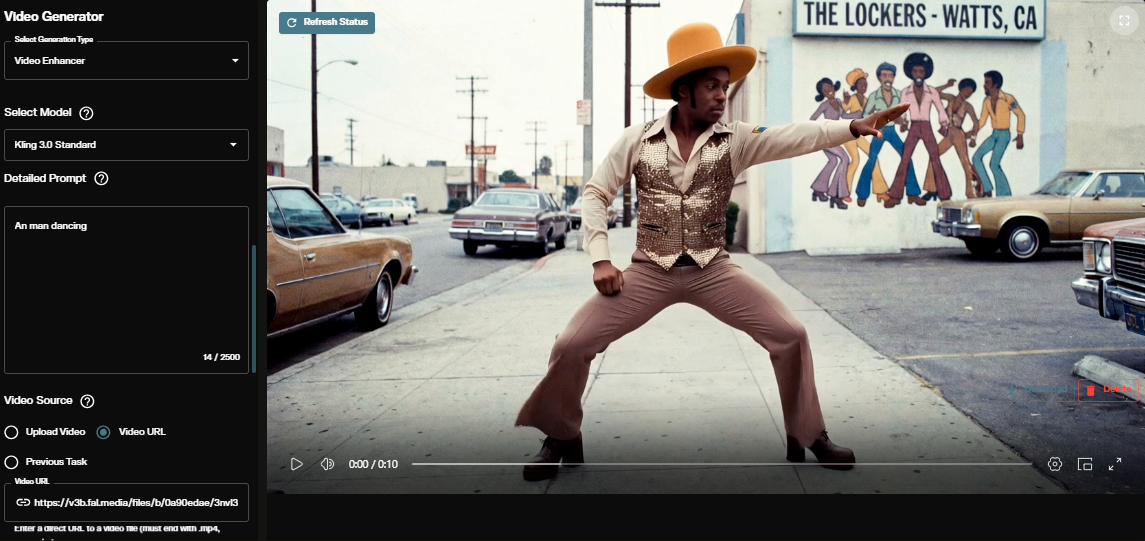
Studio availability. VideoMaMa and VideoMaMa++ are not available in AI FILMS Studio. This guide covers the open source research checkpoints and VFX pipeline integration. In the Studio, use Runway Aleph, Kling O3 Video Edit, or Wan 2.2 VACE on the Video to Video page or in Studio Nodes.
Input RGB video clip before single step VideoMaMa alpha matting
Why Segmentation Masks Fail in VFX Compositing (and How VideoMaMa Fixes Them)
Promptable video segmentation models like Meta's SAM2 excel at tracking object boundaries across complex shots, but they output hard binary masks (0 or 1). When compositors key a subject over a new background plate using a binary mask, flyaway hair strands, motion blurred fingers, translucent fabrics, and soft focus edges exhibit harsh stepped borders and halo chatter.
VideoMaMa bridges the gap between object segmentation and compositing alpha mattes.
- Generative video prior for fine structures. Trained on top of Stable Video Diffusion XT (
stabilityai/stable-video-diffusion-img2vid-xt) with DINO projection features (dino_projection_mlp.pth), VideoMaMa already understands natural motion blur, fur, and hair opacity across consecutive frames. - One step inference (
inference_onestep_folder.py). Instead of running 25 to 50 iterative denoising steps, VideoMaMa predicts continuous opacity (0.0to1.0) in a single forward pass conditioned on the RGB video frames and coarse binary masks. - VideoMaMa++ upgrade (October 2026). Released on October 20, 2026, VideoMaMa++ unifies mask propagation and alpha refinement so VFX artists no longer need to pregenerate dense masks for every frame before pulling a clean key. Both models are already integrated into open source VFX keying tools including
CorridorKeyandSammie-Roto-2.
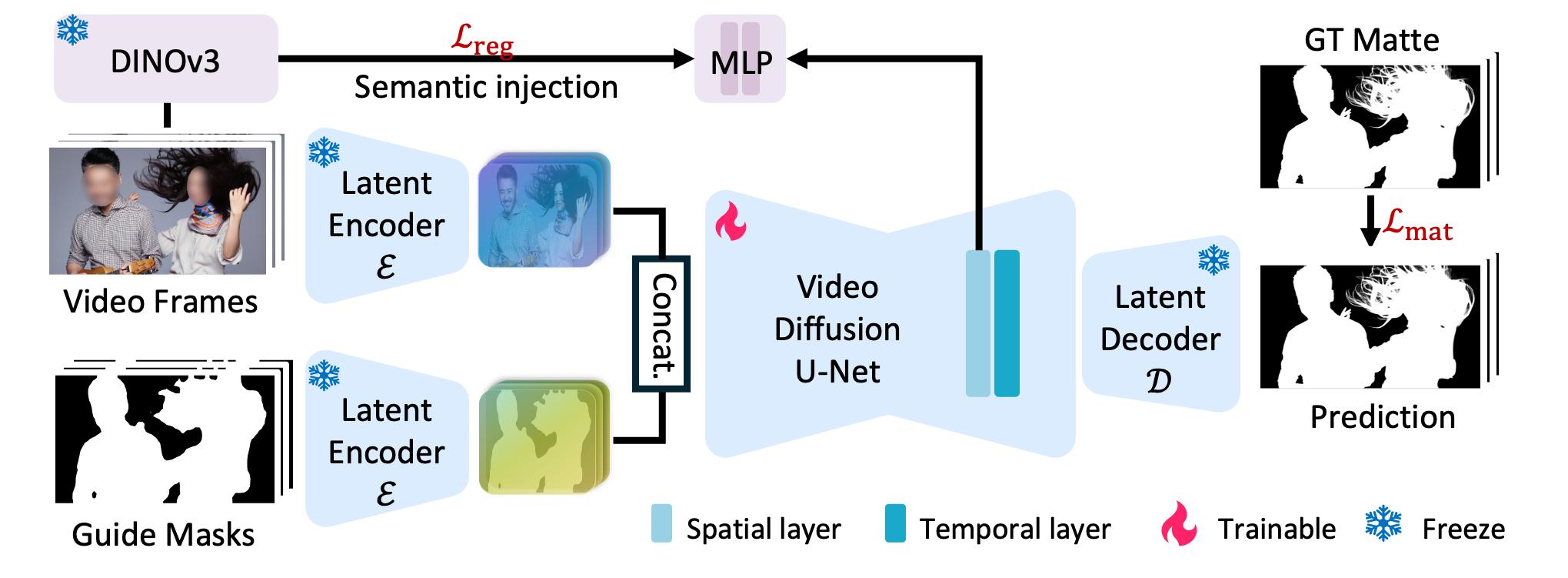
VideoMaMa fuses RGB frames, coarse binary masks, and DINO semantic features inside a single step video diffusion UNet. Credit: KAIST CVLab.
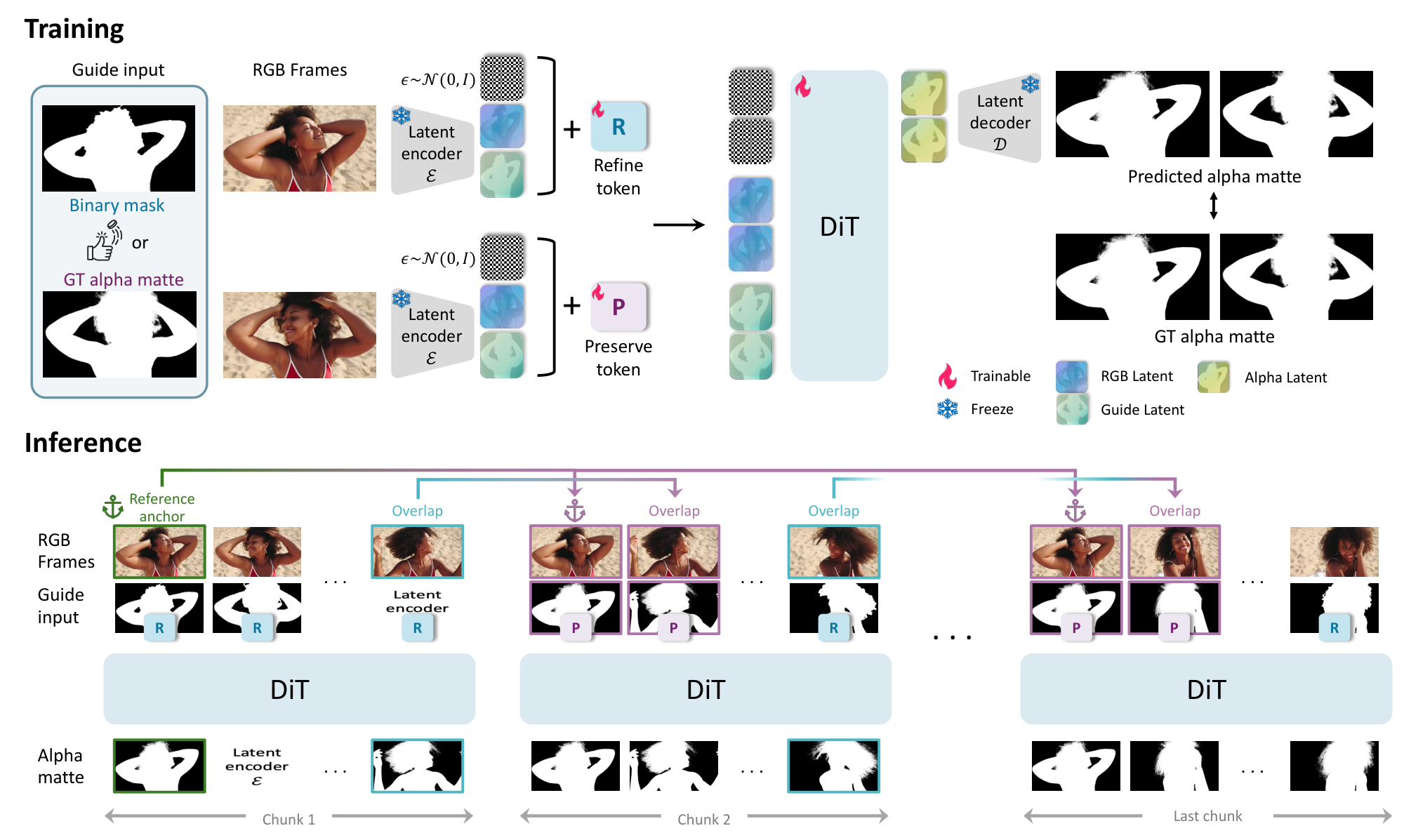
VideoMaMa++ extends the architecture to handle temporal propagation and multi object alpha refinement in one pass. Credit: KAIST CVLab.
Predicted continuous alpha matte (`0_pred_alpha.mp4`) preserving fine hair and motion blurred edges
Specifications, Checkpoints & License
| Attribute | VideoMaMa (CVPR 2026) | VideoMaMa++ (Oct 2026 Upgrade) |
|---|---|---|
| GitHub Repository | cvlab-kaist/VideoMaMa |
cvlab-kaist/VideoMaMa-PlusPlus |
| Hugging Face Weights & Demo | SammyLim/VideoMaMa |
SammyLim/VideoMaMa-PlusPlus |
| Conditioning Input | RGB video frames + binary masks per frame (e.g., SAM2) | RGB video frames + sparse or interactive prompt guidance |
| Sampling Schedule | 1 step UNet forward pass (--keep_aspect_ratio) |
1 step unified temporal alpha prediction |
| Hardware & VRAM | Single 12 to 24 GB VRAM NVIDIA GPU | Single 12 to 24 GB VRAM NVIDIA GPU |
| Code & Checkpoint License | Code: CC BY-NC 4.0 · Weights: Stability AI Community License | Research & Non Commercial License |
Test VideoMaMa++ Live on Hugging Face Spaces
You can upload a video clip and test alpha matte extraction directly in the embedded VideoMaMa++ Hugging Face Space below, or open it in a new tab at sammylim-videomama-plusplus.hf.space.
Local Installation & Single Step CLI Inference
Clone the repository and run scripts/setup.sh, which creates the videomama Conda environment and downloads the Stable Video Diffusion XT base weights, SAM2, and the SammyLim/VideoMaMa UNet checkpoint.
git clone https://github.com/cvlab-kaist/VideoMaMa.git
cd VideoMaMa
bash scripts/setup.sh
conda activate videomama
Run single step folder inference across an RGB frame sequence and its corresponding mask directory.
python inference_onestep_folder.py \
  --base_model_path "checkpoints/stable-video-diffusion-img2vid-xt" \
  --unet_checkpoint_path "checkpoints/VideoMaMa" \
  --image_root_path "assets/example/image" \
  --mask_root_path "assets/example/mask" \
  --output_dir "outputs/example_alpha" \
  --keep_aspect_ratio
Once you have extracted clean alpha mattes or foreground plates, you can feed them into relighting or background replacement pipelines such as ID-V2V for identity video relighting, Light-X for 4D camera and illumination control, or Effect Erase for video object removal.
Compositing and Video Editing in AI FILMS Studio
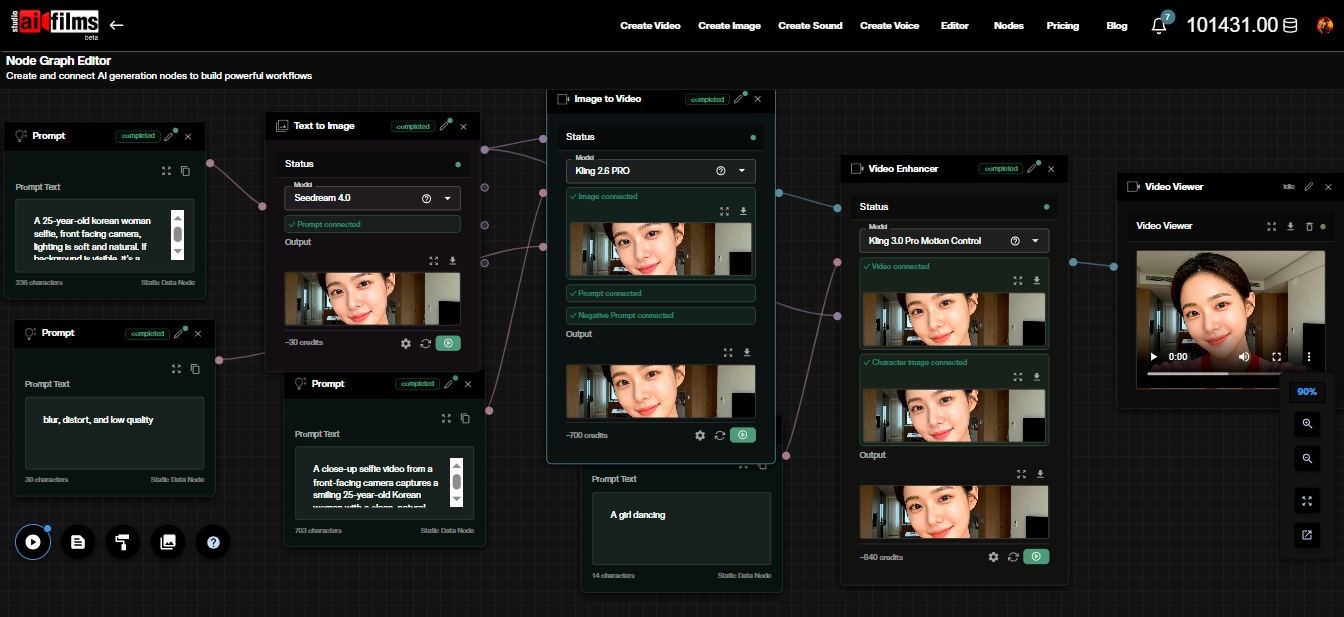
VideoMaMa runs locally as a Python or VFX compositing tool. When you want to swap backgrounds, relight scenes, or edit objects directly in the cloud, open the video workspace to use Runway Aleph, Kling O3 Video Edit, and Wan 2.2 VACE, or chain editing passes in the Nodes Graph Editor.
Sources
Continue Reading


Video & LipSync
- Video Generator
- Text to Video
- Image to Video
- Start-End Frame to Video
- Draw to Video
- Motion Control
- Video Enhancer
- Video Upscaler
- Video Extend
- Video to Video LipSync
- Audio to Video LipSync
- Image to Video LipSync
- Video FaceSwap
- Seedance 2.5
- WAN 3.0
- Seedance 2
- FLUX 3
- Minimax H3
- Vidu Q3 Pro
- Grok Imagine Video 1.5
- Gemini Omni
- Google Veo 3.1
- Kling 3.0 Pro
- Luma Ray 3.2
- LTX 2.3
- Happy Horse 1.1
- Kling 3.0 Motion
- ByteDance Upscaler
- InfiniteTalk
- InsightFace
Image & Edit
- AI Character
- AI Actor
- Art Generator
- Text to Image
- Image to Image
- LoRA Image to Image
- Draw to Edit
- Image LoRA Training
- Remove Background
- Image Enhancer
- MidJourney 8.0
- Krea 2
- OpenAI GPT Image 2.0
- Nano Banana Pro Ultra
- Nano Banana 2 Lite
- Nano Banana Pro
- Minimax Image
- Clarity Pro
- Z-Image Turbo LoRA
- Krea 2 Turbo LoRA
- Z-Image LoRA Trainer
- Qwen Image LoRA Trainer
- Background Erase Network 2 (BEN2)