

yunpeng1998 / Qwen-Video-Edit — Empirical multi instruction video editing grid
Share this post:
Qwen-Video-Edit: Open Source Instruction Video Editing
Qwen-Video-Edit (yunpeng1998/Qwen-Video-Edit) is an open source instruction guided video editing framework that adapts the Qwen-Image-Edit visual backbone to operate directly on compressed Wan 2.1 and Wan 2.2 video VAE latents through lightweight trainable projection layers. Instead of training a massive native video editing transformer from scratch, filmmakers get precise text directed wardrobe swaps, weather changes, object insertions, and style transfers across moving footage with a fraction of the training cost and VRAM overhead.
Studio availability. Try the public Hugging Face demo below; Qwen-Video-Edit is not part of a paid AI FILMS Studio plan (use Kling 3 or WAN 3.0 in the video workspace for example instead).
Why Latent Projection Beats Frame by Frame Image Editing
Applying a strong image editor frame by frame to a 24 fps film shot always fails. Even tiny lighting or texture variations between consecutive frames explode into severe temporal flicker, turning jackets, skin tones, and background signage into boiling noise.
Qwen-Video-Edit bridges the image editing precision of Qwen-Image-Edit with temporal coherence inside the video VAE space:
- Direct Wan video VAE latent editing. Incoming footage is encoded into temporally compressed
Wan3D video latents first. Lightweight projection heads map those spatio temporal latents straight into theQwen-Image-Edittransformer and back out to the video decoder, preserving camera pan stability and natural motion blur. - Rich instruction adherence inherited from Qwen. Because the core attention weights come from a dedicated instruction image editor, the system understands complex natural language edits such as changing a sunlit street to wet neon rain, swapping a wool coat for leather, or removing background props without manual rotoscoping masks.
- Low VRAM footprint compared to 14B+ native video editors. Avoiding a second heavy bidirectional video backbone lets indie post houses run instruction edits locally on single workstation GPUs.
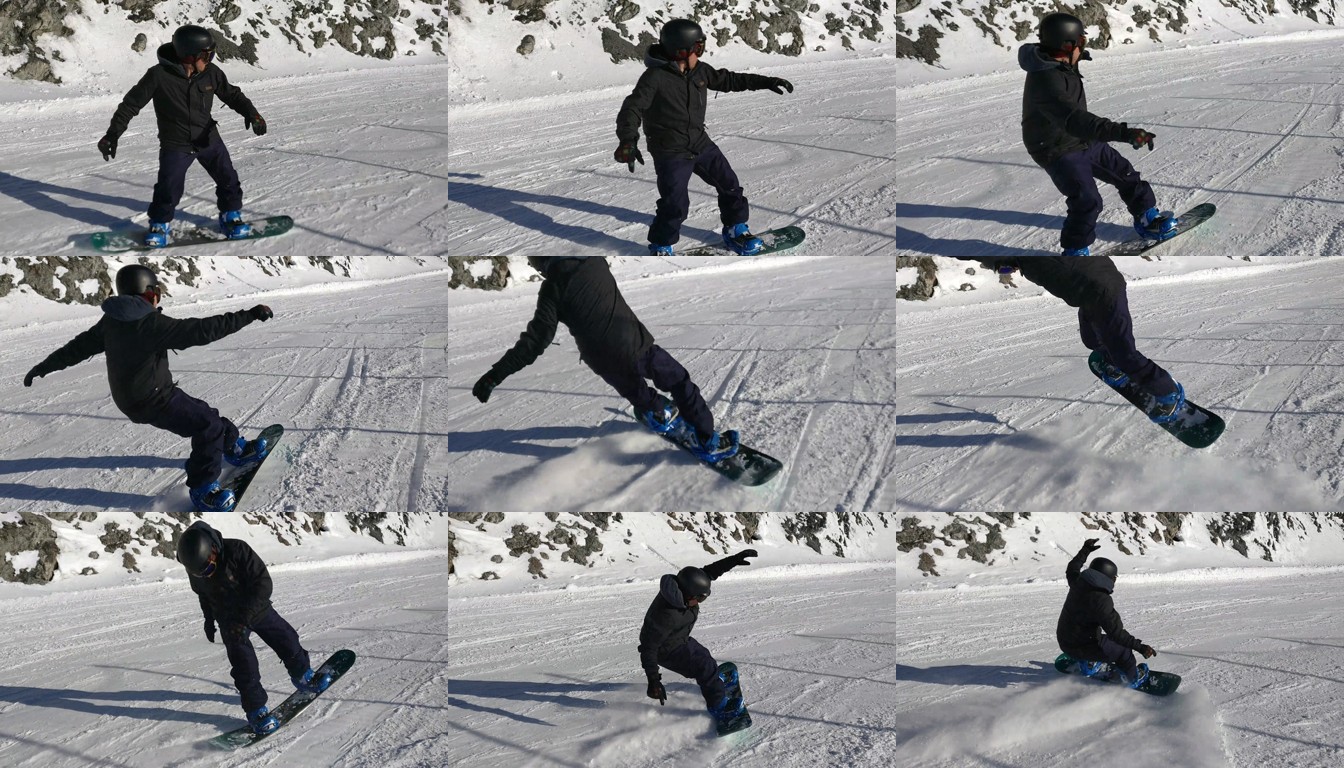
Source footage plates prior to text guided latent editing. Credit: yunpeng1998/Qwen-Video-Edit.
Original camera framing, subject silhouette, and background parallax stay anchored inside the compressed 3D video latents while the edit instruction modifies only the targeted semantic attributes.
This makes Qwen-Video-Edit practical for look development, rapid client revisions, and wardrobe continuity fixes across short shots.
Try Qwen-Video-Edit Live in the Browser
You can test Qwen-Video-Edit directly in the embedded Hugging Face Space below (hugging-apps-qwen-video-edit.hf.space) without local GPU setup.
Animated demonstrations confirm stable object replacement and relighting across moving shots without per frame jitter.
Editors can iterate multiple creative directions from one locked source take before committing to final high resolution compositing.
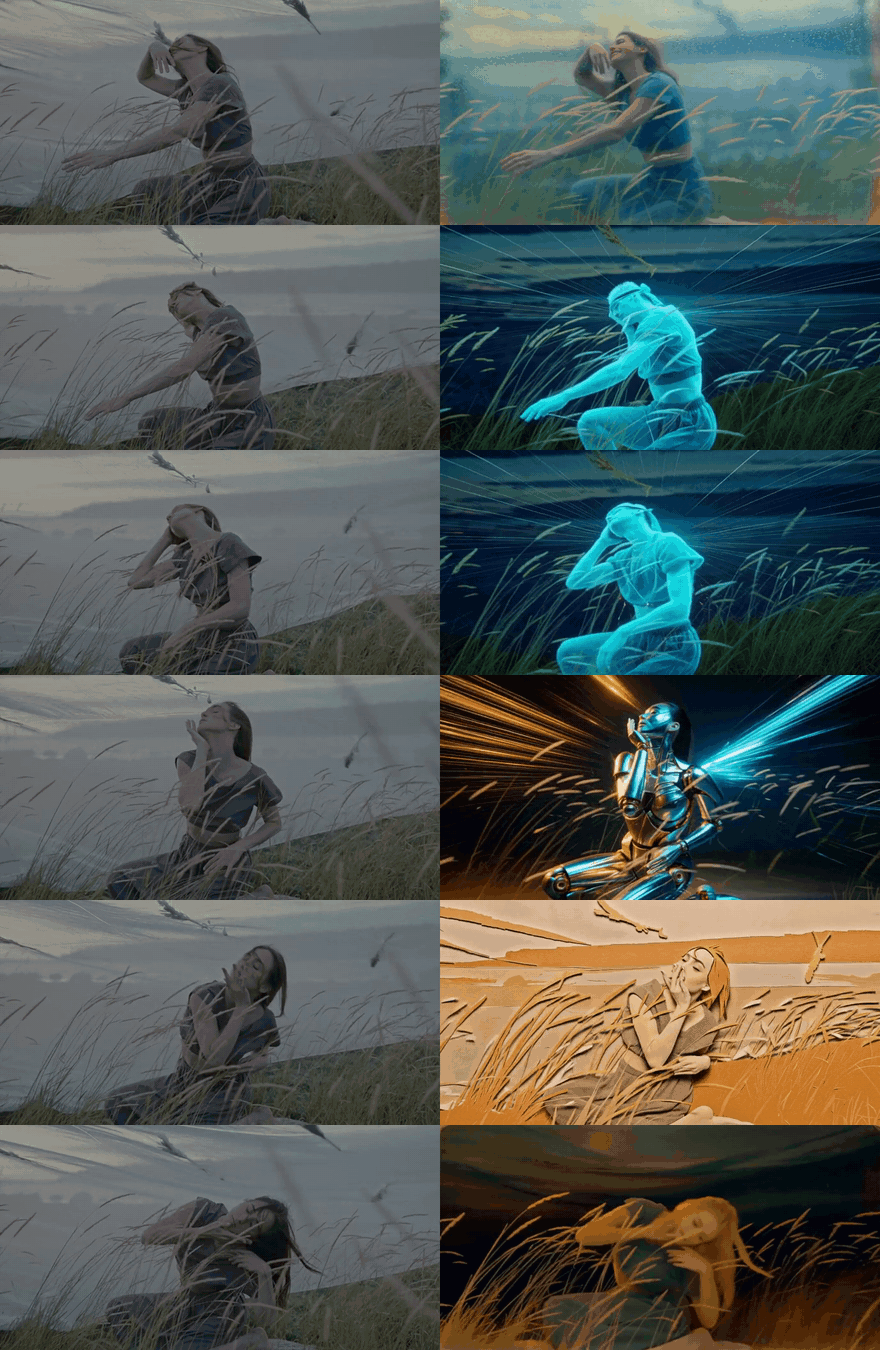
Temporal stability in Qwen-Video-Edit during text driven appearance and lighting transformations. Credit: yunpeng1998/Qwen-Video-Edit.
Hardware, Architecture, and Performance Matrix
| Component | Technical Role | Typical VRAM Tier | Best Production Fit |
|---|---|---|---|
| Qwen-Image-Edit Backbone + Projections | Instruction understanding and latent editing | 16 GB – 24 GB VRAM (BF16 / FP8) |
Single RTX 4090 / RTX 5090 edit bays |
| Wan 2.1 / 2.2 3D Video VAE | Temporal latent compression and decoding | Shared inside 16 GB – 24 GB budget |
480p to 720p clips (3 to 6 seconds) |
Parameter Reference Table
| Parameter | Recommended Value | Effect on Edited Shot |
|---|---|---|
--instruction |
Direct imperative edit prompt | Specific changes (e.g., "Change the red jacket to dark olive canvas") preserve untouched regions best. |
--num_inference_steps |
20 to 30 |
Balances fine fabric texture against turnaround time. |
--guidance_scale |
4.5 to 6.5 |
Higher values force stronger edits; lower values protect original actor identity. |
--seed |
Fixed integer | Keep locked while adjusting guidance scale to compare intensity cleanly. |
Local Setup with Python
git clone https://github.com/yunpeng1998/Qwen-Video-Edit.git
cd Qwen-Video-Edit
pip install -r requirements.txt

huggingface-cli download yunpeng1998/Qwen-Video-Edit --local-dir ./weights/Qwen-Video-Edit
python infer_video_edit.py \
  --checkpoint_dir ./weights/Qwen-Video-Edit \
  --video_path ./clips/street_walk_480p.mp4 \
  --instruction "Turn the sunny afternoon street into heavy evening rain with wet asphalt reflections" \
  --num_inference_steps 24 \
  --guidance_scale 5.5 \
  --output ./outputs/street_walk_rain_edit.mp4
Filmmaker Production Playbook
- Write surgical, single target edit instructions. Asking for wardrobe, weather, and camera lens changes in one pass degrades temporal stability; run one clean pass per visual change.
- Pre stabilize shaky handheld clips. Running mild stabilization before Wan VAE encoding reduces high frequency motion blur and keeps fine edge edits sharp.
- Upscale final keepers. After approving the edit at
480por720p, pass the clip through SeedVR2 or Real-ESRGAN for1080por4Kdelivery.
Related Reading
- Kiwi-Edit: Open Source Instruction Video Editing
- LiveEdit: Real Time Streaming Video Editing
- JoyAI-Video-Edit: Open Source Real Time Video Editing
- Wan 2.2 FP8DA + AOTInductor: Open Source Fast Video Acceleration


Sources
Continue Reading


Video & LipSync
- Video Generator
- Text to Video
- Image to Video
- Start-End Frame to Video
- Draw to Video
- Motion Control
- Video Enhancer
- Video Upscaler
- Video Extend
- Video to Video LipSync
- Audio to Video LipSync
- Image to Video LipSync
- Video FaceSwap
- Seedance 2.5
- WAN 3.0
- Seedance 2
- FLUX 3
- Minimax H3
- Vidu Q3 Pro
- Grok Imagine Video 1.5
- Gemini Omni
- Google Veo 3.1
- Kling 3.0 Pro
- Luma Ray 3.2
- LTX 2.3
- Happy Horse 1.1
- Kling 3.0 Motion
- ByteDance Upscaler
- InfiniteTalk
- InsightFace
Image & Edit
- AI Character
- AI Actor
- Art Generator
- Text to Image
- Image to Image
- LoRA Image to Image
- Draw to Edit
- Image LoRA Training
- Remove Background
- Image Enhancer
- MidJourney 8.0
- Krea 2
- OpenAI GPT Image 2.0
- Nano Banana Pro Ultra
- Nano Banana 2 Lite
- Nano Banana Pro
- Minimax Image
- Clarity Pro
- Z-Image Turbo LoRA
- Krea 2 Turbo LoRA
- Z-Image LoRA Trainer
- Qwen Image LoRA Trainer
- Background Erase Network 2 (BEN2)