

Viggle AI (Meridian teaser showcase frame)
Share this post:
Viggle Meridian: Open Source Camera Angle Video Reshoot
Once a production wraps on location, every camera angle is normally locked to what the lens captured on the day. Reshooting a missed crane orbit, a wider establishing pass, or a dramatic bullet time move usually requires either returning to set or rebuilding the shot in CGI. Viggle Meridian, published on Hugging Face by Viggle AI in September 2026, decouples camera trajectory from recorded time by pairing MiniMax-H3 video diffusion with VGGT-Omega 3D scene geometry. You can test Viggle Meridian free in the embedded browser demo below with zero login.
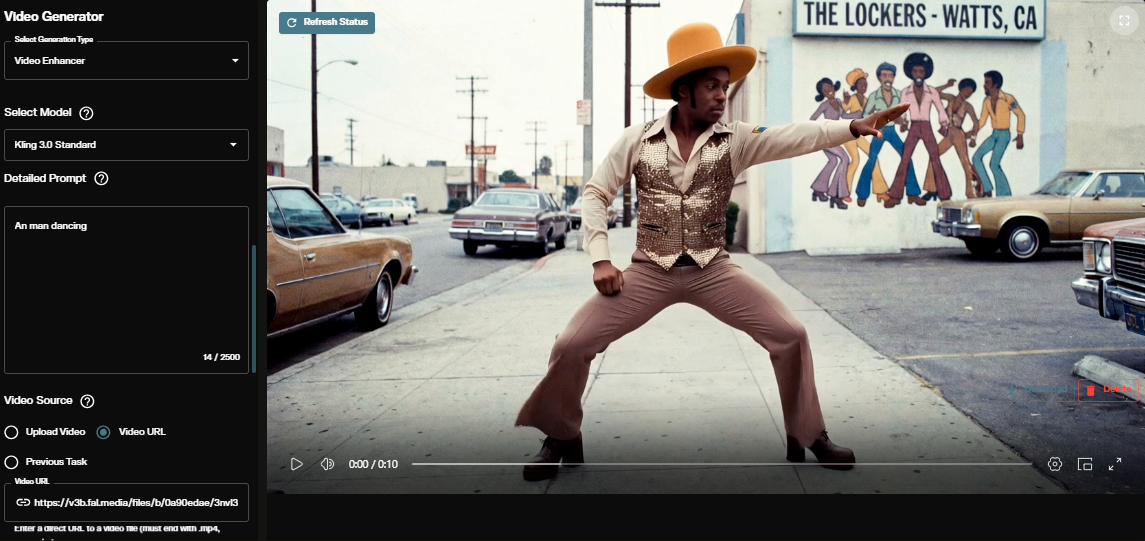
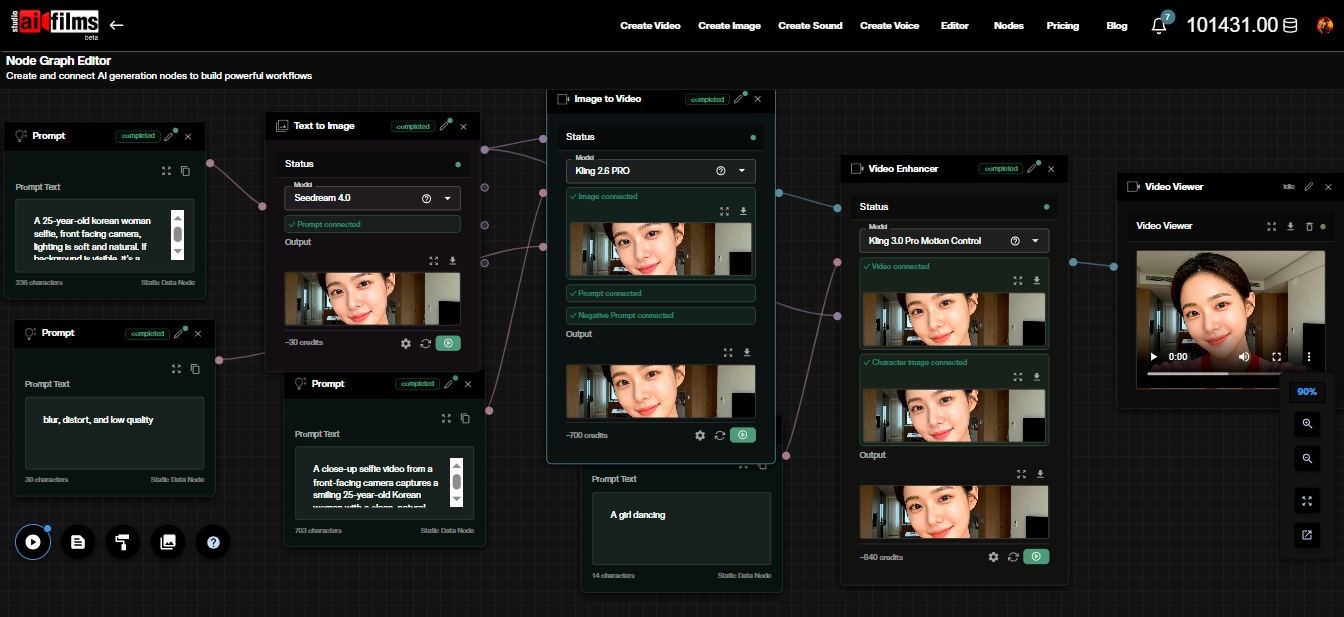
Studio availability. Try the public Hugging Face demo below; Viggle Meridian is not part of a paid AI FILMS Studio plan (use Kling 3.0 Pro Motion Control in the video workspace for example instead).
Try Viggle Meridian Live
Upload a photo or short clip inside the public Hugging Face Space below, drag the interactive 3D camera controller to author a new viewpoint, and synthesize a geometry guided reshoot directly in your browser.
Architecture and Technical Design
Meridian treats camera reshooting as a three stage geometric synthesis pipeline rather than asking a text prompt to hallucinate parallax from scratch. First, VGGT-Omega estimates dense depth maps and camera poses across the source frames to project the scene into colored 3D points. Next, the renderer splats those 3D points along the filmmaker's new camera trajectory, leaving occluded regions blank in grey.
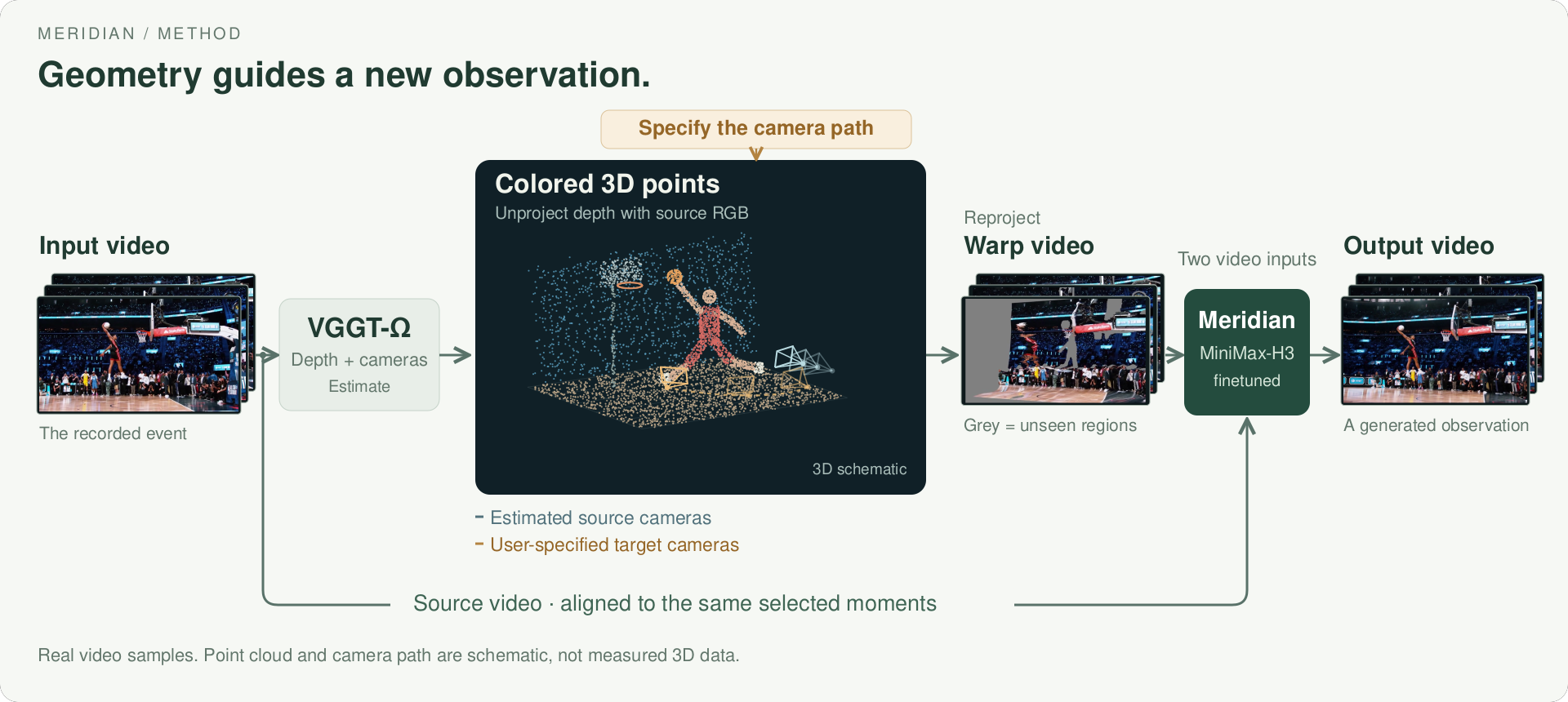
Meridian geometry guided novel view pipeline by Viggle AI (MiniMax H3 Community License)
In the third stage, Meridian feeds both the original source video and the warped geometric render into the unmodified MiniMax-H3 transformer and VAE. Because the model receives the grey disocclusion map alongside the original appearance frames, it completes unseen surfaces while keeping character clothing, lighting, and perspective locked to the 3D render.
Rendering the 3D preview takes about 0.24 seconds for a 73 frame clip. Directors can inspect blocking, adjust focal length, and fix framing before spending GPU time on final video diffusion.
Unlike standalone fine tuned checkpoints that duplicate tens of gigabytes of weights, the current Meridian release ships as two lightweight LoRA adapters (teacher_lora/ and turbo_lora/, 2.5 GiB each) on top of the 61.7 GiB base MiniMax-H3 checkpoint. It also skips loading a text encoder at inference time by reading precomputed task embeddings stored in assets/, saving both memory and startup latency.
A critical engineering detail in Meridian is that both adapters must be loaded dynamically at weight 1.0 and never baked into the BF16 base weights. The distilled turbo_lora compresses the 50 step teacher schedule into just 3 forward passes (--steps 4 --flow-shift 3), and its weight updates sit roughly two orders of magnitude below BF16 rounding precision.
Because space and time are parameterized separately, filmmakers can freeze a single source frame during a 35 degree orbit for bullet time, run slow motion retiming before path synthesis, or animate a moving camera out of one still production photograph.
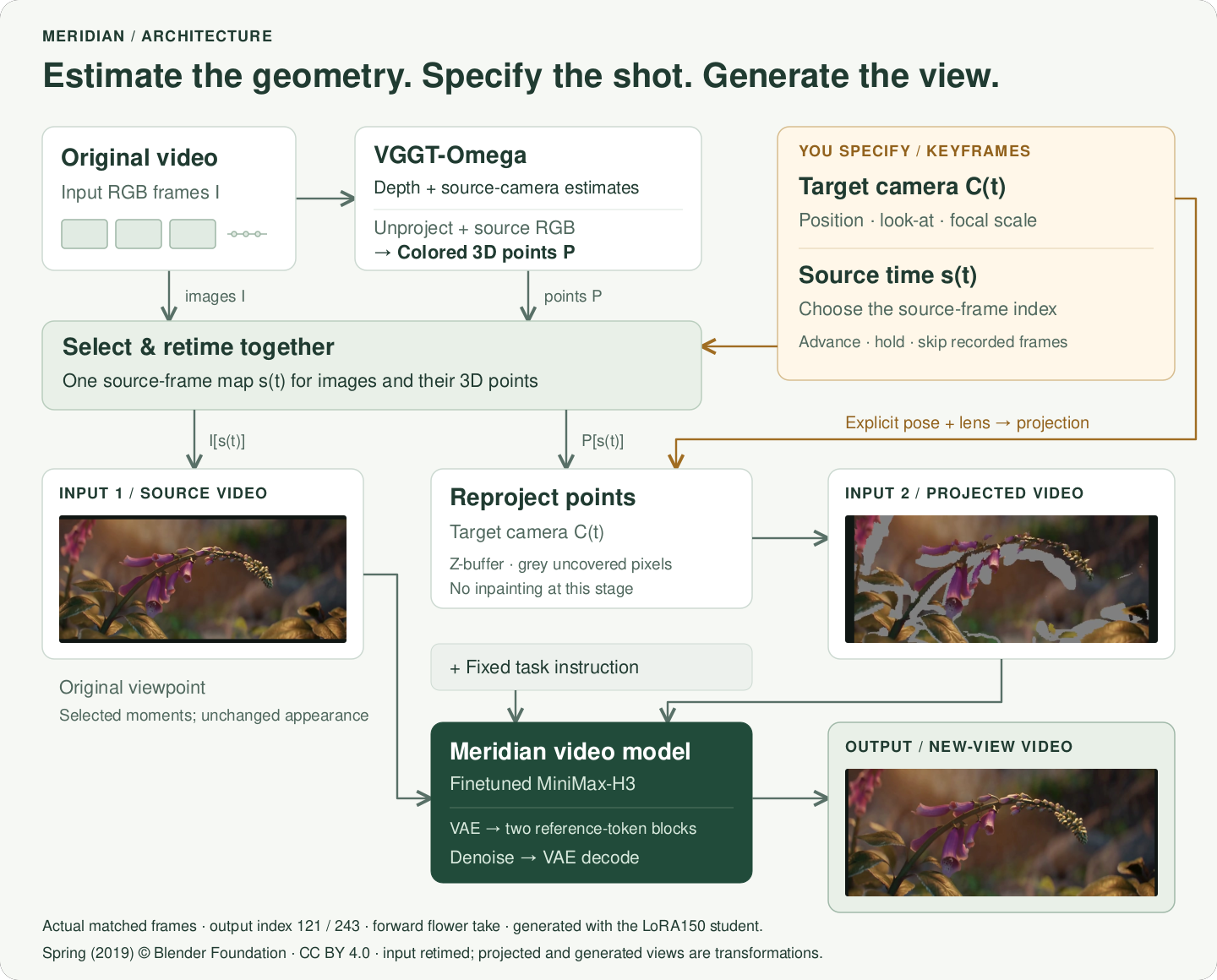
Meridian conditioning architecture diagram from Viggle/Meridian
Hardware, VRAM, and License Matrix
| Component / Profile | Size / Parameters | Runtime Memory & Speed (1x B200) | License | Production Role |
|---|---|---|---|---|
teacher_lora/ |
2.5 GiB LoRA adapter | 50 steps, --flow-shift 12 |
MiniMax H3 Community License | Full step re camera teacher adapter |
turbo_lora/ |
2.5 GiB distilled LoRA | 36 s (73 frames, 88 GiB) to 150 s (243 frames, 113 GiB) | MiniMax H3 Community License | Fast 3 forward pass distilled inference |
Base MiniMax-H3 (fl2va) |
61.7 GiB base transformer + VAE | Loaded alongside both unmerged adapters | MiniMax H3 Community License | Video diffusion backbone without text encoder |
Inference & Service Code (recam/, inference/, service/) |
Python CLI + local Studio prototype | Local loopback preview at 127.0.0.1:8412 |
Apache 2.0 | Camera keyframing, 3D splat preview, CLI |
| VGGT-Omega (separate install) | External geometry estimator | Required for depth and pose estimation | FAIR Noncommercial Research License v1 | Point cloud reconstruction from input frames |
Review the license terms carefully before commercial deployment. The MiniMax H3 Community License includes specific territorial clauses and commercial authorization thresholds, and VGGT-Omega carries a separate non commercial research license from Meta.
Parameter Reference
| Setting / Flag | Supported Values | Filmmaking Behavior |
|---|---|---|
| Output frame rate & canvas | 24 fps, 1344 x 768 (16:9 class) |
Matches cinema playback cadence across aspect matched canvases |
| Supported clip lengths | 73, 90, 107, 124, 141, 158, 175, 243 frames |
Roughly 3 to 10 seconds per continuous take at 24 fps |
--steps & --flow-shift |
Turbo 4 / 3; Teacher 50 / 12 |
Controls sampling quality against generation speed |
--yaw, --sweep, --ease |
Degrees + smooth easing flags | Authors orbital camera arcs around the subject |
--freeze START:COUNT |
Example 24:49 |
Plays frames normally, then holds one moment while the camera moves |
--preview-only |
Boolean flag | Outputs the fast 3D point cloud render (render.mp4) without running diffusion |
Local Python and CLI Setup
The official reference runtime targets a single high memory CUDA GPU on Linux (such as H200 or B200 with 88 GiB to 113 GiB peak memory depending on take length). Export your source footage at constant 24 fps with no internal cuts before running the CLI.
# Clone the Meridian repository and install weights per docs/installation.md
git clone https://huggingface.co/Viggle/Meridian
cd Meridian

# 1. Gentle 15 degree camera orbit across a live 73 frame clip
python inference/sample.py \
  --video examples/media/sp_bouldering_hang.mp4 \
  --yaw 15 --sweep --ease \
  --out out/orbit

# 2. Bullet time freeze on frame 24 for 49 output frames with a 35 degree orbit
python inference/sample.py \
  --video examples/media/sp_bouldering_reach.mp4 \
  --yaw 35 --freeze 24:49 \
  --out out/bullet

# 3. Launch the local 3D keyframe preview studio on loopback
CARD=0 bash service/run.sh --host 127.0.0.1 --port 8412
Every run writes out.mp4 for the final take, render.mp4 for the grey masked geometric reference, and grid.mp4 showing a side by side comparison of source, geometry render, and generated shot.
Filmmaker Production Playbook
Salvage coverage gaps in post production
When an edit needs a closer push in or a subtle 15 to 25 degree parallax shift to bridge a jump cut, run --preview-only first. Inspect render.mp4 to confirm that the grey disoccluded bands stay small before launching the 36 second turbo diffusion pass.
Stage bullet time transitions on action beats
Retime the source clip in your NLE first if you want speed ramped slow motion, then pass --freeze on the exact apex frame of a jump or impact. Because Meridian locks the rendered point cloud to that frame while moving the virtual lens, the generated background rotates cleanly without temporal wobble.
Keep camera moves realistic for unseen geometry
Meridian synthesizes occluded areas rather than recovering hidden pixels. Moderate arcs, dolly pushes, and truck moves hold sharper facial and architectural detail than aggressive 180 or 360 degree orbits behind a subject.
Known Limitations and Edge Cases
Viggle AI documents three practical boundaries that supervisors should check before assigning Meridian to a shot. First, the video diffusion stage cannot recover from severe depth failures or heavily warped VGGT-Omega point clouds, so specular mirrors, heavy fog, or fast strobe lighting should be inspected in render.mp4 first. Second, wide viewpoint swings expose large grey disocclusion bands that can cause hallucinated textures or identity drift in background extras.
Third, retiming selects which existing input frames feed the geometry stage rather than synthesizing missing motion between original shutters. Separately generated takes from different paths will also not stitch cleanly at cut boundaries without matching camera keyframes and blending in compositing.
Frequently Asked Questions
Can Viggle Meridian animate a single still photograph?
Yes. Passing a single still frame lets you author an orbital camera move or push in over a frozen 3D point cloud, producing a 73 to 243 frame 24 fps clip from one production still.
Why should I never merge Meridian's turbo LoRA into MiniMax-H3?
The distilled turbo_lora weight updates sit roughly two orders of magnitude smaller than BF16 rounding steps. Baking turbo_lora into BF16 base weights erases almost all of the distillation signal, so both teacher_lora and turbo_lora must stay loaded separately at weight 1.0.
Can Meridian run commercially in Europe or the United States?
Check the exact territorial terms in the MiniMax H3 Community License Agreement and the separate FAIR Noncommercial Research License v1 covering VGGT-Omega before deploying Meridian inside any commercial pipeline.
Related Reading
- Explore how proxy driven world rendering compares in Invoker-Render 1.0 open source world video renderer.
- Pair multi angle video reshoots with still camera framing in QMA Camera Angles open source VFX shot framing.
- Speed up local MiniMax-H3 video pipelines with MiniMax-H3 FlashGen 4 step video audio.
- For cloud camera motion workflows inside AI FILMS Studio, visit the AI Video Motion Control page.

Sources
Continue Reading


Video & LipSync
- Video Generator
- Text to Video
- Image to Video
- Start-End Frame to Video
- Draw to Video
- Motion Control
- Video Enhancer
- Video Upscaler
- Video Extend
- Video to Video LipSync
- Audio to Video LipSync
- Image to Video LipSync
- Video FaceSwap
- Seedance 2.5
- WAN 3.0
- Seedance 2
- FLUX 3
- Minimax H3
- Vidu Q3 Pro
- Grok Imagine Video 1.5
- Gemini Omni
- Google Veo 3.1
- Kling 3.0 Pro
- Luma Ray 3.2
- LTX 2.3
- Happy Horse 1.1
- Kling 3.0 Motion
- ByteDance Upscaler
- InfiniteTalk
- InsightFace
Image & Edit
- AI Character
- AI Actor
- Art Generator
- Text to Image
- Image to Image
- LoRA Image to Image
- Draw to Edit
- Image LoRA Training
- Remove Background
- Image Enhancer
- MidJourney 8.0
- Krea 2
- OpenAI GPT Image 2.0
- Nano Banana Pro Ultra
- Nano Banana 2 Lite
- Nano Banana Pro
- Minimax Image
- Clarity Pro
- Z-Image Turbo LoRA
- Krea 2 Turbo LoRA
- Z-Image LoRA Trainer
- Qwen Image LoRA Trainer
- Background Erase Network 2 (BEN2)