

MiniMax AI, MiniMax-H3-Image showcase hero
Share this post:
MiniMax H3 Image: Open Weights 4K Multi Reference AI
MiniMax-H3-Image (MiniMaxAI/MiniMax-H3-Image, November 2026) is a 33.1 billion parameter single stream Diffusion Transformer (DiT) that unifies native 4K (16 megapixel, up to 4000x4000) text to image synthesis and up to 16 reference image editing in a single open weights checkpoint. Shipped alongside its companion prompt enhancer MiniMax-H3-Image-PE (Qwen fine tuned to emit structured JSON prompts), the release runs in 6 sampling steps at CFG 1.0 without classifier free guidance overhead.
Studio availability. Try the public Hugging Face demo below; MiniMax-H3-Image is not part of a paid AI FILMS Studio plan (use FLUX 2 or Seedream 5.0 Pro in the image workspace).
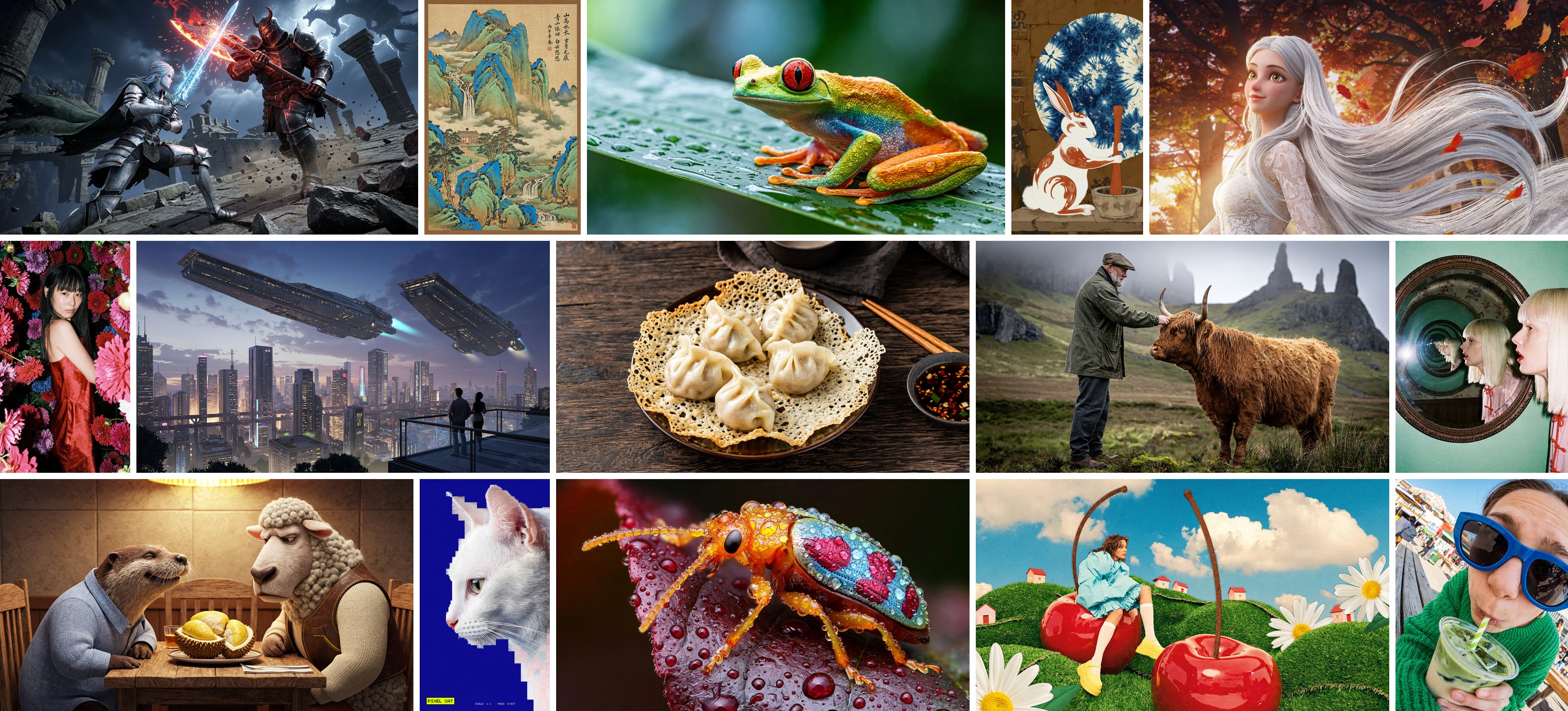
Why Filmmakers Care About 16 Reference 4K Still Generation
Pre production art departments hit two walls with older open image models. First, most open checkpoints cap native output near 1024x1024 or 2048x2048, forcing artists to run multi stage upscalers that hallucinate fabric weave, typography, and facial pores. Second, keeping a cast of four actors, three wardrobe pieces, a hero prop, and a location lighting plate locked inside one storyboard frame usually requires brittle ControlNet stacks or LoRA training.
MiniMax-H3-Image addresses both limits inside one unified single stream DiT backbone:
- Up to 16 reference images in one context window. Art directors can feed character turnarounds, costume swatches, location photographs, and lighting keys into the same forward pass. The single stream attention mechanism attends jointly across text tokens and all reference visual tokens, keeping faces, logos, and garment details consistent across wide and tight storyboard frames.
- Native 4K and 16 megapixel output. Instead of generating a low resolution draft and tiled upscaling it later, the model resolves fine foliage, architectural signage, and skin micro texture natively up to
4000x4000. - Six step PDD distillation with
CFG 1.0. Using a distilledPDDnoise schedule, the model reaches final visual fidelity in 6 denoising steps with guidance scale fixed at1.0. Skipping unconditional guidance passes cuts per step compute in half compared to standard dual pass DiT inference. - Structured JSON prompt enhancement (
MiniMax-H3-Image-PE). MiniMax released a dedicated prompt enhancer checkpoint that rewrites rough filmmaker notes into structured scene, camera, lighting, and subject placement JSON before the DiT runs.
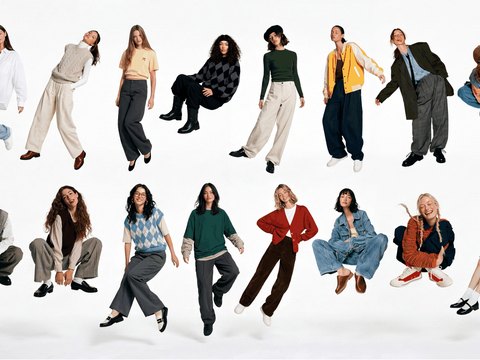
Multi subject scene composition generated from multiple reference portraits and prop plates. Credit: MiniMax AI.
In multi character blocking shots, older two or three reference editors blur secondary actors together or swap clothing colors between foreground and background talent.
MiniMax-H3-Image separates identity tokens per reference slot, allowing directors to stage ensemble key frames and over the shoulder coverage from the exact same casting folder.
Try MiniMax-H3-Image Live in the Browser
You can test MiniMax-H3-Image directly in the official Hugging Face Space below (minimaxai-minimax-h3-image.hf.space) without local GPU setup.
Hardware, Quantization, and License Matrix
Because the full BF16 checkpoint carries 33.1B parameters, hardware planning depends on whether you run native precision on a workstation card or quantized GGUF and W4A8 weights on a consumer GPU.
| Tier / Quantization | VRAM Needed | Target GPU | Step Count | Native Max Resolution | License & Territory Note |
|---|---|---|---|---|---|
| Full BF16 Master | 48 GB+ |
RTX 6000 Ada, A6000, H100 | 6 steps (CFG 1.0) |
4000x4000 (16 MP) |
MiniMax-H3-Image Community License |
| W4A8 / Q4_K_M GGUF | 12 GB – 16 GB |
RTX 4070 Ti Super, RTX 4080, RTX 5070 Ti | 6 steps (CFG 1.0) |
2048x2048 – 4000x4000 |
MiniMax-H3-Image Community License |
| Pruned Q2_K + CPU Offload | 8 GB – 12 GB |
RTX 3070, RTX 4060 Ti 8GB | 6 steps (CFG 1.0) |
1024x1024 – 2048x2048 |
MiniMax-H3-Image Community License |
| MiniMax-H3-Image-PE | 4 GB – 8 GB |
Any modern CUDA or Apple Silicon GPU | Text pass (~1s) | JSON prompt output | MiniMax-H3-Image Community License |
Critical License Check Before Commercial Production. The MiniMax-H3-Image Community License Agreement permits royalty free commercial use up to $1 million USD ARR inside permitted territories, requires visible
"MiniMax-H3-Image"attribution in commercial UIs, and prohibits training competing models on its outputs. Crucially, the default community license excludes local execution in the United States, EU, UK, and South Korea unless you obtain written commercial authorization from MiniMax. Always confirm legal eligibility with your producer before putting local weights into a commercial pipeline.
Editing existing stills uses the same 6 step single stream backbone as text to image synthesis.
Artists can swap wardrobe, relight practical lamps, or insert new props into a locked plate while preserving camera lens perspective and grain structure.
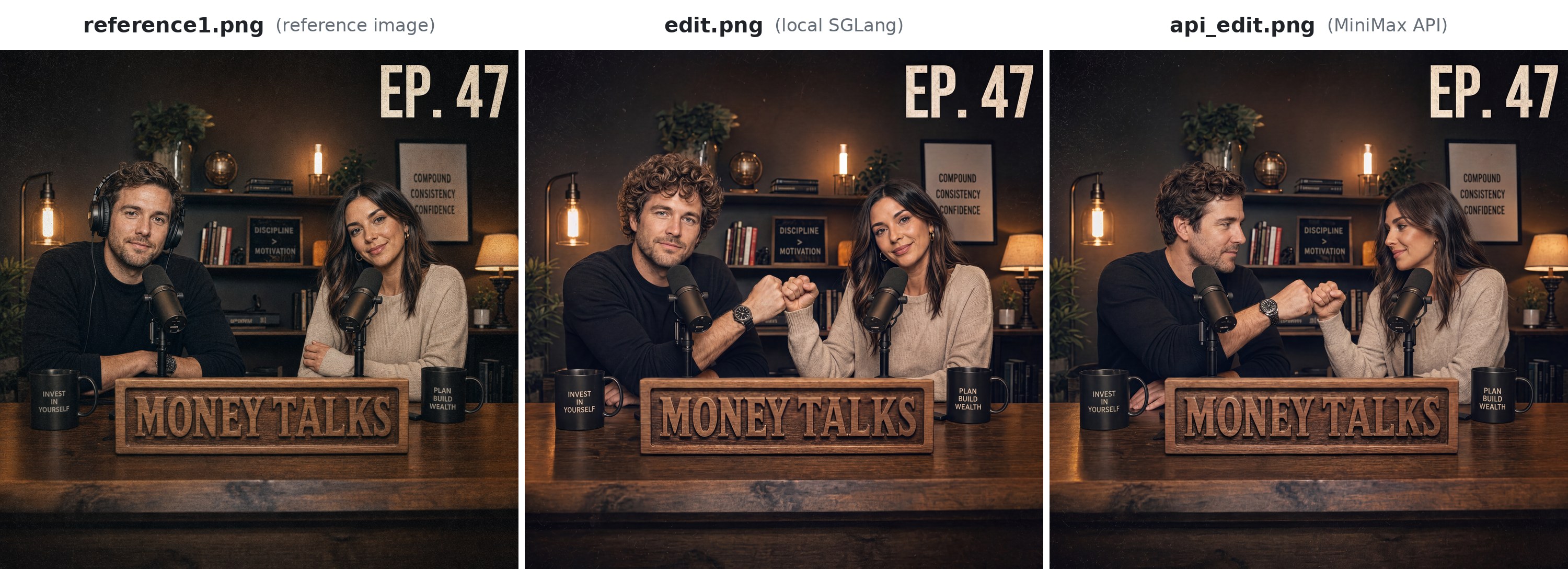
Unified reference editing workflow for plate modification and multi image conditioning. Credit: MiniMax AI.
Parameter Reference Table
| Parameter | Recommended Value | Effect on Filmmaking Output |
|---|---|---|
num_inference_steps |
6 |
Matches the distilled PDD trajectory; raising above 8 adds latency without sharper detail. |
guidance_scale |
1.0 |
Mandatory for the distilled checkpoint; higher values oversaturate highlights and clip skin tones. |
reference_images |
1 to 16 |
Accepts cast portraits, wardrobe flats, prop turnarounds, and lighting keys in one call. |
width / height |
2048x1152 or 3840x2160 |
Native 16:9 widescreen targets for storyboards and matte painting plates. |
prompt_enhancer |
MiniMax-H3-Image-PE |
Converts brief director notes into camera, framing, and lighting JSON fields. |
Local Setup with Python and Diffusers
Install the official repository and run a 6 step multi reference generation script locally on an eligible CUDA machine:
git clone https://github.com/MiniMax-AI/MiniMax-H3-Image.git
cd MiniMax-H3-Image
pip install -r requirements.txt
pip install "huggingface_hub[cli]"

huggingface-cli download MiniMaxAI/MiniMax-H3-Image --local-dir ./weights/MiniMax-H3-Image
import torch
from PIL import Image
from diffusers import DiffusionPipeline

pipe = DiffusionPipeline.from_pretrained(
    "./weights/MiniMax-H3-Image",
    torch_dtype=torch.bfloat16,
    trust_remote_code=True,
)
pipe.enable_model_cpu_offload()

refs = [
    Image.open("cast_lead_front.png").convert("RGB"),
    Image.open("wardrobe_trenchcoat.png").convert("RGB"),
    Image.open("location_rain_alley.png").convert("RGB"),
]

image = pipe(
    prompt=(
        "Anamorphic 35mm medium wide shot of the lead detective from reference 1 "
        "wearing the trenchcoat from reference 2, standing in the wet neon alley "
        "from reference 3, overcast cyan moonlight, shallow depth of field."
    ),
    reference_images=refs,
    width=2560,
    height=1080,
    num_inference_steps=6,
    guidance_scale=1.0,
    generator=torch.Generator("cuda").manual_seed(42),
).images[0]

image.save("scene_04_shot_02_4k_keyframe.png")
Filmmaker Production Playbook
- Build a locked cast and prop bible first. Shoot or generate neutral front, three quarter, and profile reference stills for each actor and hero prop, then feed up to 16 plates directly into each scene call.
- Pair with
MiniMax-H3-Image-PEfor consistent lens language. Running rough script lines through the prompt enhancer standardizes focal length, camera height, and key light direction across an entire 40 shot animatic. - Export 16:9 or 2.39:1 key frames directly into video models. Clean 4K multi reference plates act as drift resistant first frames for downstream image to video generators like pi-H3, LTX-2.5, or WAN 3.0 inside AI FILMS Studio.
Related Reading
- FreeVideo, MiniMax H3, and Pika H3 Flex: Open Source Video AI
- Qwen-Image-2.1 Turbo: Open Weights 8-Step 2K Image Editing
- FLUX 3 Klein: Open Weights Multi Reference Image Editing
- pi-H3: Open Source 2-Step Synchronized Audio Video Generation For a fast 8 step CFG free MiniMax H3 image variant with native Diffusers support and 8 reference editing, read PrunaAI P-Image-OSS 8-step image editing.


Sources
Continue Reading


Video & LipSync
- Video Generator
- Text to Video
- Image to Video
- Start-End Frame to Video
- Draw to Video
- Motion Control
- Video Enhancer
- Video Upscaler
- Video Extend
- Video to Video LipSync
- Audio to Video LipSync
- Image to Video LipSync
- Video FaceSwap
- Seedance 2.5
- WAN 3.0
- Seedance 2
- FLUX 3
- Minimax H3
- Vidu Q3 Pro
- Grok Imagine Video 1.5
- Gemini Omni
- Google Veo 3.1
- Kling 3.0 Pro
- Luma Ray 3.2
- LTX 2.3
- Happy Horse 1.1
- Kling 3.0 Motion
- ByteDance Upscaler
- InfiniteTalk
- InsightFace
Image & Edit
- AI Character
- AI Actor
- Art Generator
- Text to Image
- Image to Image
- LoRA Image to Image
- Draw to Edit
- Image LoRA Training
- Remove Background
- Image Enhancer
- MidJourney 8.0
- Krea 2
- OpenAI GPT Image 2.0
- Nano Banana Pro Ultra
- Nano Banana 2 Lite
- Nano Banana Pro
- Minimax Image
- Clarity Pro
- Z-Image Turbo LoRA
- Krea 2 Turbo LoRA
- Z-Image LoRA Trainer
- Qwen Image LoRA Trainer
- Background Erase Network 2 (BEN2)