

JasperAI — LBM (Latent Bridge Matching) single step VFX relighting
Share this post:
LBM Relighting & FLUX.2-Klein Relight Brush: VFX AI
LBM Relighting (gojasper/LBM, JasperAI) and FLUX.2-Klein Relight Brush (linoyts/FLUX.2-klein-relight-brush) give VFX compositors and AI filmmakers two complementary open source lighting workflows that run live in the browser or on a single consumer GPU. LBM (Latent Bridge Matching) harmonizes a foreground subject onto a brand new background plate in a single inference step, matching rim lights, ambient bounce, and cast shadows automatically. FLUX.2-Klein Relight Brush lets cinematographers paint directional colored light sources directly onto a still frame to sculpt dramatic key, fill, and practical glow.
Studio availability. Try both public Hugging Face demos below; LBM Relighting and FLUX.2-Klein Relight Brush are not part of a paid AI FILMS Studio plan (use FLUX 2 in the image workspace for example instead).
Why Single Step Bridge Matching Fixes Green Screen Seams
When an indie crew composites a green screen actor (or an AI generated character cut out with SAM 3 or MatAnyone) onto a dark neon street or sunset desert plate, the cutout immediately looks "pasted on." Skin highlights stay flat daylight white while the background glows amber or cyan.
LBM and FLUX.2-Klein Relight Brush solve post production lighting from two angles:
- One step Latent Bridge Matching (
LBM). Instead of denoising from pure Gaussian noise for 30 steps (which alters the actor's face and wardrobe), LBM learns a direct bridge between the unharmonized composite latent and the relit target latent. In 1 forward pass, it transfers background color temperature, specular rim light, and grounded contact shadows while preserving facial likeness pixel for pixel. - Interactive directional light painting (
FLUX.2-Klein Relight Brush). Rather than writing vague lighting prompts, artists brush exact light rays, color hues, and intensity zones onto the plate to test rim light placement or practical lamp glow before shooting or animating.
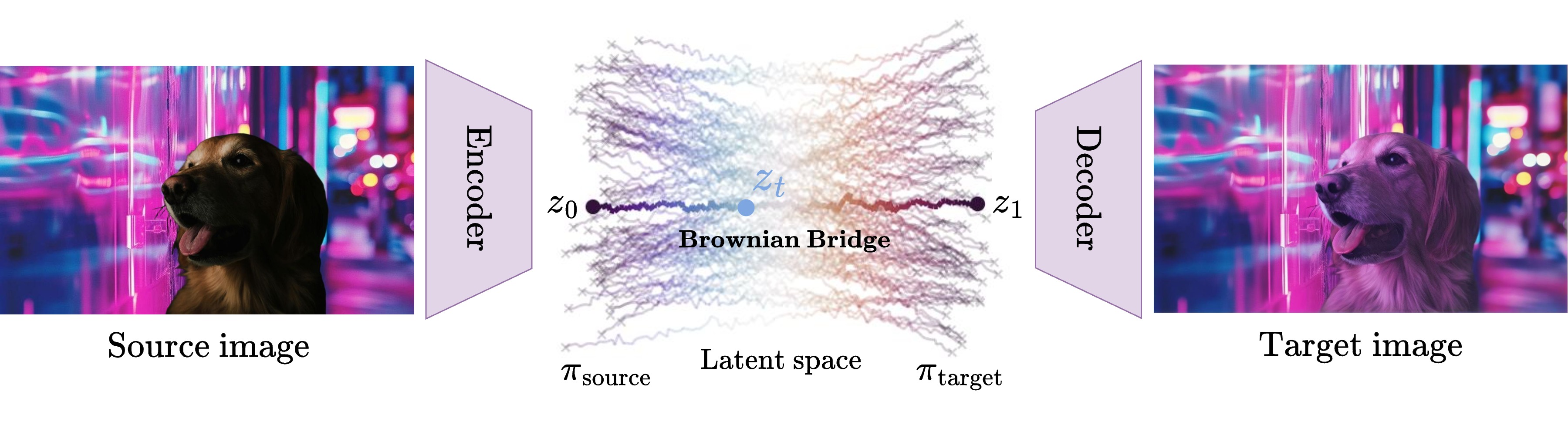
Latent Bridge Matching direct latent translation eliminating multi step noise drift. Credit: JasperAI / LBM.
Traditional diffusion relighters add heavy noise to the foreground image before denoising, risking subtle shifts in eye line, jewelry, or wardrobe logos.
LBM bridges directly from the composited input latent to the harmonized output latent in a single step, keeping subject identity intact.
Try LBM Relighting Live in the Browser
Test LBM 1-step object and subject relighting directly in JasperAI's Hugging Face Space below (jasperai-lbm-relighting.hf.space).
Try FLUX.2-Klein Relight Brush Live in the Browser
Paint custom colored light strokes directly onto any still plate using the FLUX.2-Klein Relight Brush Space below (linoyts-flux-2-klein-relight-brush.hf.space).
Side by side compositing tests show LBM wrapping warm backlight and cool sky fill naturally around hair edges and metallic armor without washing out skin texture.
Because LBM runs in 1 step, VFX teams can preview dozens of background HDRI plates in seconds during virtual production prep.
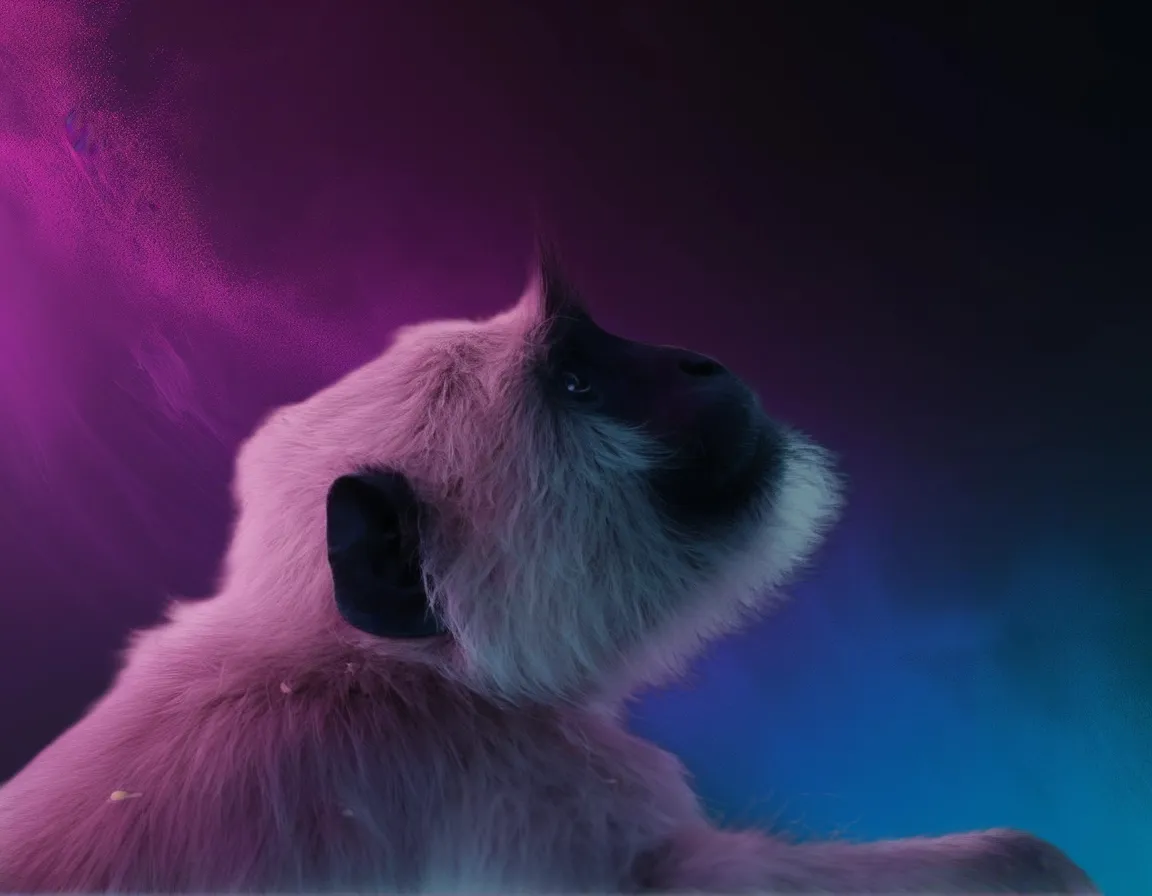
Harmonized specular highlights and shadow integration produced by LBM Relighting. Credit: JasperAI.
Hardware and Comparison Matrix
| Tool | Inference Steps | Control Modality | VRAM Needed | Best VFX Use Case |
|---|---|---|---|---|
| LBM Relighting | 1 step |
Background plate harmonization | 12 GB – 16 GB VRAM |
Dropping green screen or matted talent onto new locations |
| FLUX.2-Klein Relight Brush | 4 – 8 steps |
Interactive painted light brush | 12 GB – 24 GB VRAM |
Painting colored neon rims, flashlight beams, and key light shifts |
Local Setup with Python (LBM)
git clone https://github.com/gojasper/LBM.git
cd LBM
pip install -e .
import torch
from diffusers.utils import load_image
from lbm.inference import evaluate, get_model

model = get_model("jasperai/LBM_relighting", torch_dtype=torch.bfloat16, device="cuda")
composite_plate = load_image("actor_over_neon_alley_raw.png")

relit = evaluate(model, composite_plate, num_sampling_steps=1)
relit.save("actor_over_neon_alley_relit.png")
Filmmaker Production Playbook
- Cut clean alpha mattes first. Pull foreground subjects with SAM 3 Video Segmentation or MatAnyone 2, place them on your target background plate, then run LBM in 1 step to harmonize skin and wardrobe bounce.
- Use Relight Brush for lighting storyboards. Paint cyan moonlight on one side and warm tungsten practical glow on the other to hand your gaffer an exact lighting diagram on set.
- Animate the relit keyframe. Feed the harmonized plate straight into image to video models so the entire shot inherits consistent lighting from frame 1.
Related Reading
- Relit Live & GenLit: Open Source Video and Image Relighting
- NVIDIA UniRelight: Open Source Video Relighting
- Meta SAM 3: Open Source Promptable Video Segmentation
- PrunaAI P-Image-OSS: Open Source 8-Step Image Editing


Sources
Continue Reading


Video & LipSync
- Video Generator
- Text to Video
- Image to Video
- Start-End Frame to Video
- Draw to Video
- Motion Control
- Video Enhancer
- Video Upscaler
- Video Extend
- Video to Video LipSync
- Audio to Video LipSync
- Image to Video LipSync
- Video FaceSwap
- Seedance 2.5
- WAN 3.0
- Seedance 2
- FLUX 3
- Minimax H3
- Vidu Q3 Pro
- Grok Imagine Video 1.5
- Gemini Omni
- Google Veo 3.1
- Kling 3.0 Pro
- Luma Ray 3.2
- LTX 2.3
- Happy Horse 1.1
- Kling 3.0 Motion
- ByteDance Upscaler
- InfiniteTalk
- InsightFace
Image & Edit
- AI Character
- AI Actor
- Art Generator
- Text to Image
- Image to Image
- LoRA Image to Image
- Draw to Edit
- Image LoRA Training
- Remove Background
- Image Enhancer
- MidJourney 8.0
- Krea 2
- OpenAI GPT Image 2.0
- Nano Banana Pro Ultra
- Nano Banana 2 Lite
- Nano Banana Pro
- Minimax Image
- Clarity Pro
- Z-Image Turbo LoRA
- Krea 2 Turbo LoRA
- Z-Image LoRA Trainer
- Qwen Image LoRA Trainer
- Background Erase Network 2 (BEN2)